


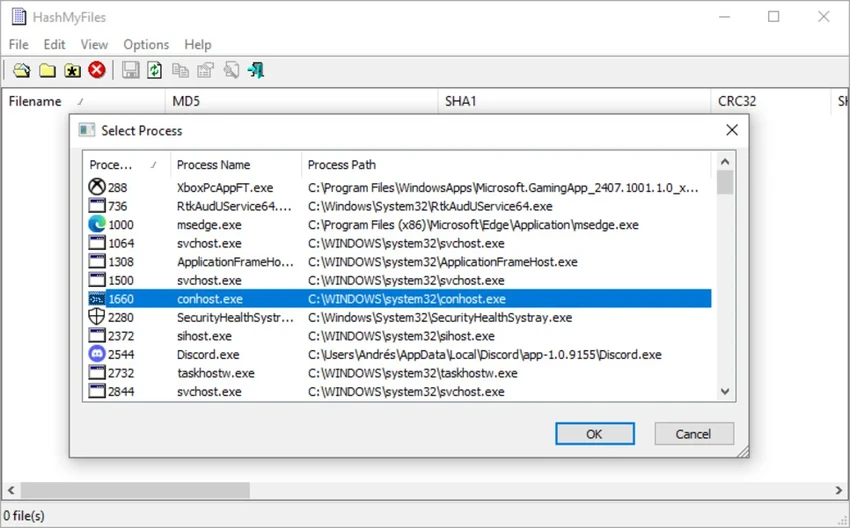

HashMyFiles is a small Windows utility designed to calculate file hashes, including MD5 and SHA1 values, for one or multiple files stored on a system. The tool provides a simple way to generate checksum information that can be used to compare files, verify data integrity, or keep records of file hash values. Unlike larger system management applications, HashMyFiles focuses on one specific task: producing hash results quickly and efficiently. Users can select files and view their calculated hash values, then copy the results directly to the clipboard or save the hash list in text, HTML, or XML formats.
The utility can also be accessed from the Windows Explorer context menu, allowing users to calculate MD5 and SHA1 hashes for selected files or folders without opening the program separately. With its very small size and straightforward purpose, HashMyFiles is designed as a practical tool for users who need quick access to file checksum information without unnecessary complexity.
Features of HashMyFiles
- Calculates MD5 and SHA1 hashes for one or multiple files.
- Supports viewing file hash information for selected files or folders.
- Allows users to copy hash lists directly to the clipboard.
- Enables saving hash results in text, HTML, or XML file formats.
- Can be launched from the Windows Explorer context menu.
- Provides a lightweight utility with a file size of approximately 0.1 MB.
Interface and Usability
HashMyFiles uses a simple utility-style interface focused on displaying file hash information clearly. The program is built around its core function rather than offering a wide range of additional tools, making the workflow easy to understand.
Selecting files and viewing their MD5 or SHA1 values is a straightforward process. The ability to copy results or export them into different file formats adds convenience when users need to document or share checksum information. The Windows Explorer context menu integration also improves accessibility by allowing hash calculations directly from selected files or folders. Overall, the interface is practical for users who need a dedicated file hash calculator without a complicated setup process.
Who Should Use HashMyFiles?
HashMyFiles is suitable for users who need a lightweight tool for checking file hashes on Windows. It can be useful for anyone who needs to compare file checksums, verify file information, or save hash results for reference. The software is especially suitable for users looking for a dedicated MD5 and SHA1 calculator rather than a complete system management application.
Conclusion
HashMyFiles provides a focused and efficient way to calculate MD5 and SHA1 file hashes. Its small size, simple operation, and export options make it a convenient choice for users who need quick checksum calculations without extra features.


