FileLegit Windows Games Simulation Dolphin Emulator
Dolphin Emulator logo

Dolphin Emulator 2606

  • User Rating:
    ★★★★★
    ★★★★★
    0.0 0Votes
  • Requirements:
    Windows
  • Version: 2606
  • Latest updated: 4 days ago
  • License: Open Source  
  • Publisher: Dolphin Emulator Project
  • Size: 18 MB
× app stores

Dolphin Emulator is a powerful open-source software that allows users to play Nintendo GameCube and Wii games on modern PCs. It brings console gaming to computers by emulating classic Nintendo hardware, enabling users to experience older games with improved performance, higher resolutions, and enhanced graphics options depending on system capabilities. The emulator is widely used by gaming enthusiasts who want to preserve, replay, or enhance classic Nintendo titles on platforms beyond original consoles.

Features of Dolphin Emulator

  • Emulates Nintendo GameCube and Wii games on PC
  • Supports high-definition rendering and resolution scaling
  • Customizable graphics and performance settings
  • Save states for quick game progress management
  • Controller support for various gamepads
  • Keyboard and mouse input options
  • Audio and video enhancements over original hardware
  • Compatibility with a wide range of supported games
  • Open-source development with community contributions

User Experience

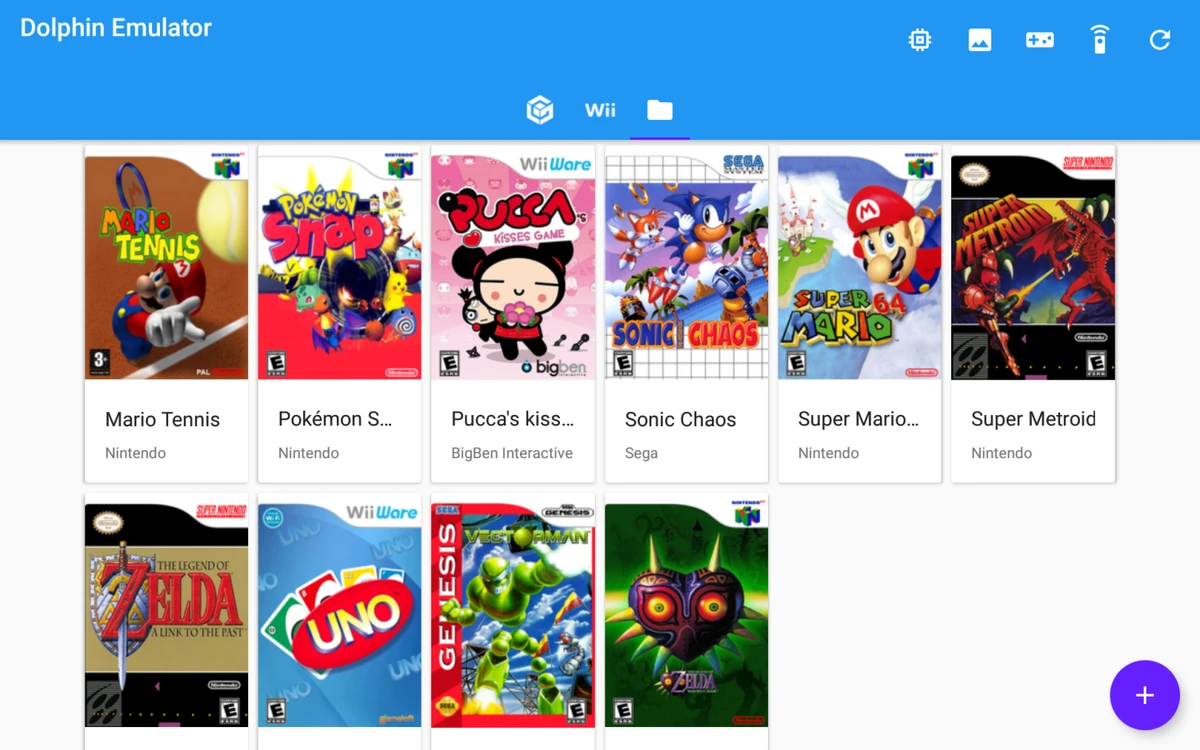
After using Dolphin Emulator, the most noticeable improvement compared to original hardware is graphical quality and performance flexibility. Many games can be rendered at higher resolutions than the original consoles, resulting in sharper visuals and smoother gameplay on capable systems. The setup process is straightforward for users familiar with emulators. Once configured, the interface provides access to game libraries and configuration tools for graphics, controls, and performance tuning.

Controller support is another strong point, as it allows users to replicate a console-like experience using modern USB or Bluetooth gamepads. Save states also improve convenience by letting users save and load progress at any point in a game. Performance can vary depending on the PC hardware and game complexity, but the emulator includes settings that allow users to balance speed and visual quality. Overall, Dolphin Emulator delivers a flexible and enhanced way to experience classic Nintendo GameCube and Wii titles on PC.

Who Should Use Dolphin Emulator?

  • Retro gaming enthusiasts
  • Players who want to replay GameCube or Wii titles
  • Users interested in enhanced graphics for older games
  • PC gamers who prefer using controllers
  • Developers and hobbyists exploring game emulation

Conclusion

Dolphin Emulator is a versatile and powerful tool for playing Nintendo GameCube and Wii games on PC. With enhanced graphics options, controller support, and flexible performance settings, it provides a modern way to experience classic console games.

Pros & Cons

Pros

  • Plays GameCube and Wii games on PC
  • Improved graphics and resolution options
  • Save state functionality for convenience
  • Supports controllers and custom input setups
  • Open-source and actively developed
  • Customizable performance settings

Cons

  • Performance depends heavily on PC hardware
  • Requires configuration for best results
  • Some games may have compatibility issues
  • Setup may be complex for beginners

Frequently Asked Questions

What is Dolphin Emulator?

Dolphin Emulator is software that allows users to play Nintendo GameCube and Wii games on a PC.

Does Dolphin Emulator improve graphics?

Yes. It supports higher resolutions and graphical enhancements beyond original console capabilities.

Can I use a controller with Dolphin Emulator?

Yes. It supports many types of game controllers, including USB and Bluetooth devices.

Is Dolphin Emulator difficult to set up?

Basic setup is simple, but optimal performance may require configuration adjustments.

Does Dolphin Emulator support all games?

It supports many GameCube and Wii games, but compatibility may vary depending on the title.

Is Dolphin Emulator free?

Yes. Dolphin Emulator is open-source and free to use.

Recommended apps [Freeware]:
  • EarthView 7.16.6 EarthView logo dynamic wallpapers and screensavers with day, night, and weather effects
  • Visual Studio Code 1.126.0 Visual Studio Code logo Free and powerful code editor from Microsoft with extensions, debugging, Git support, and multi-language development
  • Sysinternals Suite 2026.6.17 Sysinternals Suite logo a powerful collection of Windows tools for system monitoring, troubleshooting, process analysis, and performance optimization.
  • AOMEI Backupper 8.4.0 AOMEI Backupper logo easy-to-use Windows backup software for system imaging, disk cloning, and file restoration
  • Jubler Subtitle Εditor 9.0.1 / 10.0.0 Jubler Subtitle Εditor logo edit, sync, translate, and correct subtitles with real-time video preview
  • XnConvert 1.112.0.0 XnConvert logo batch image converter supporting 500 formats with 80+ editing actions and cross-platform compatibility
Recommended apps [Shareware]:
  • Automatic PDF Processor 2.5.2 Automatic PDF Processor logo Automate PDF processing, renaming, printing, data extraction, and document organization on Windows.
  • ThunderSoft Watermark Remover 6.3.0 ThunderSoft Watermark Remover logo removes watermarks, logos, and unwanted objects with easy selection and photo editing tools
  • Text Edit Plus 16.5 Text Edit Plus logo a lightweight text editor with text analysis, word frequency statistics, and document editing tools
  • Net Monitor for Employees Professional 6.6.6 Net Monitor for Employees Professional logo track screen activity, usage, and productivity in business environments.
  • DaVinci Resolve 21.0.1 DaVinci Resolve logo a professional video editor with advanced color grading, AI tools, and high-end post-production features.
  • EventSentry Light 6.0.1.68 EventSentry Light logo Monitor servers, logs, and network devices, get real-time alerts and centralized system monitoring for IT environments.