


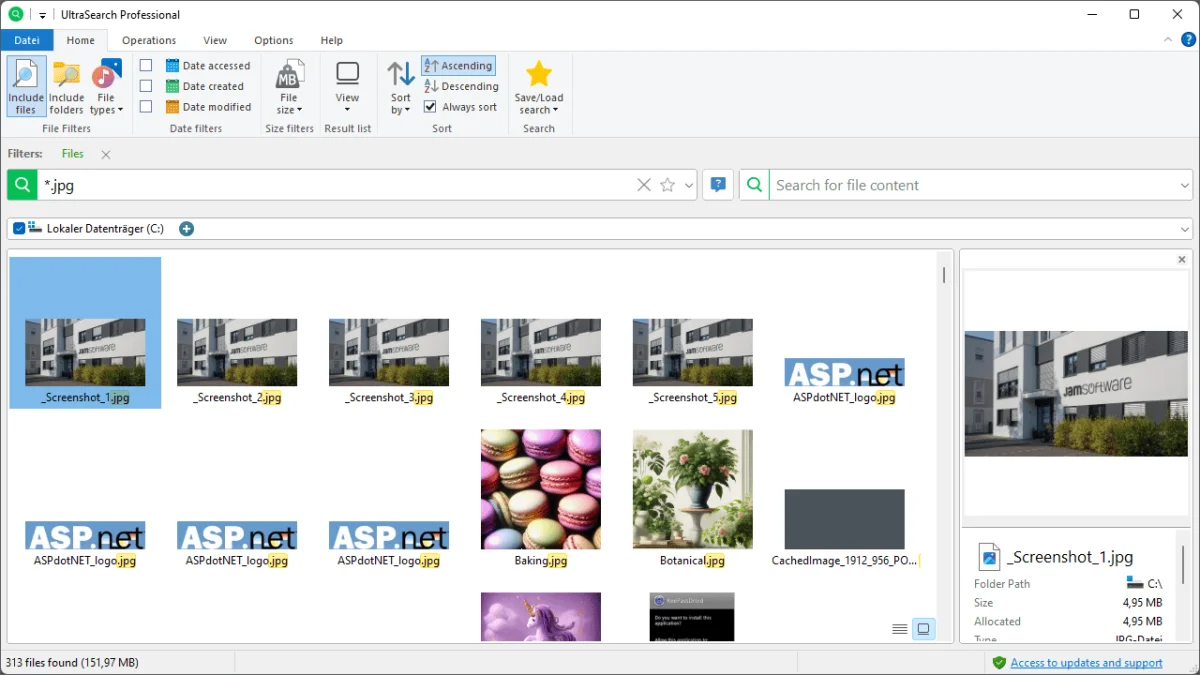

UltraSearch is a high-performance search tool for Windows that allows you to quickly locate files and folders on local NTFS drives. Unlike traditional search tools that rely on pre-built indexes, UltraSearch works directly with the Master File Table (MFT) of NTFS partitions, delivering results almost instantly—even as you type.
Overview
Designed for speed and efficiency, UltraSearch bypasses the need for time-consuming indexing and retrieves search results directly from the NTFS file system. It even recognizes NTFS hard links, providing accurate and detailed results. With UltraSearch, you can type part of a filename or a wildcard pattern like *.exe and see results appear in real-time. UltraSearch is suitable for both casual users who need fast file searches and IT professionals who require precise, detailed search results for large datasets.
Features of UltraSearch
- Blazing Fast Searches: Works directly on the NTFS Master File Table (MFT) for near-instant results.
- Detailed File Information: Displays file size, creation date, last access date, and last modification date.
- Exclusion Filters: Allows excluding specific folders, files, or file types from search.
- Search Export Options: Results can be exported to TXT, RTF, HTML, CSV, and Excel.
- Search History: Stores up to 100 recent search patterns for quick reuse.
- Auto-Complete & Suggestions: Helps speed up searches with automatic suggestions based on previous queries.
- Explorer Integration: Launch searches directly from Windows Explorer context menus.
- Network Drive Support: Searches over network drives are now possible (Professional version).
- Advanced Query Features: Supports a custom query syntax for more precise search results.
- Search Result Actions: Move, delete, or compress selected files (Professional version).
- Export to PDF: Results can also be exported as PDF (Professional version).
- Custom Hotkeys: Fully configurable program shortcuts for quicker navigation.
- Error Highlighting: Invalid search queries are highlighted for easy correction.
User Experience
UltraSearch offers a clean, intuitive interface with a ribbon-style design familiar to Windows Explorer users. The “Query Editor” feature guides users when writing search queries, highlighting errors in real-time. Users can seamlessly switch between the search input and results with the F3 key, making workflow smoother. The program also allows users to export search results in multiple formats, making it practical for reporting, auditing, or sharing search results with colleagues.
Who Should Use UltraSearch?
- Users who need instant file and folder search on NTFS drives.
- IT professionals managing large datasets or network shares.
- Users frustrated with slow or incomplete Windows search results.
- Anyone needing advanced query support and exportable search results.
System Requirements
- Operating System: Windows 7 or later (Windows Vista/Server 2008 no longer supported)
- Disk Type: NTFS recommended (also supports FAT32 and exFAT in newer versions)
- File Size: 16 MB
Conclusion
UltraSearch is a must-have tool for anyone seeking fast and precise file searches on Windows NTFS drives. Its real-time search capability, advanced filtering options, and export functions make it a powerful alternative to Windows’ default search. For users who frequently handle large file systems or need to generate reports, UltraSearch delivers both speed and flexibility.


