Opera One logo

Opera One 133.0.5932.34

  • User Rating:
    ★★★★★
    ★★★★★
    0.0 0Votes
  • Requirements:
    Windows
  • Version: 133.0.5932.34
  • Latest updated: 2 months ago
  • License: Freeware  
  • Publisher: Opera Software ASA
  • Size: 129 MB
× app stores

Opera One is a modern web browser built on the Chromium engine, designed to combine speed, security, and productivity features in a single package. It goes beyond standard browsing by integrating tools like a built-in VPN, ad blocker, AI assistant, and advanced tab organization features. It is aimed at users who want more functionality out of their browser without relying heavily on third-party extensions.

Opera One focuses on enhancing everyday browsing through built-in tools that reduce the need for external add-ons. Its design emphasizes multitasking, allowing users to manage multiple workflows efficiently using features like Tab Islands and Workspaces. Because it is Chromium-based, it maintains strong compatibility with most websites and Chrome extensions while adding its own layer of productivity and privacy enhancements.

The browser also includes integrated communication and media tools, making it more of an all-in-one internet workspace than a traditional browser.

Features of Opera One

  • Chromium-based browser with fast performance
  • Built-in ad blocker for cleaner browsing
  • Free built-in VPN for enhanced privacy
  • Opera Turbo mode for data compression and faster loading
  • Cross-device sync for bookmarks, history, tabs, and passwords
  • Sidebar integration for apps like WhatsApp, Telegram, and Messenger
  • Built-in media player supporting Spotify, Apple Music, and YouTube Music
  • Tab Islands for automatic tab grouping
  • Workspaces for separating browsing contexts (work, personal, entertainment)
  • Pinboards for saving links, images, and notes
  • Lucid Mode for improving video clarity on low-quality content
  • AI assistant “Aria” for writing, summarizing, and browsing help
  • Portable version available

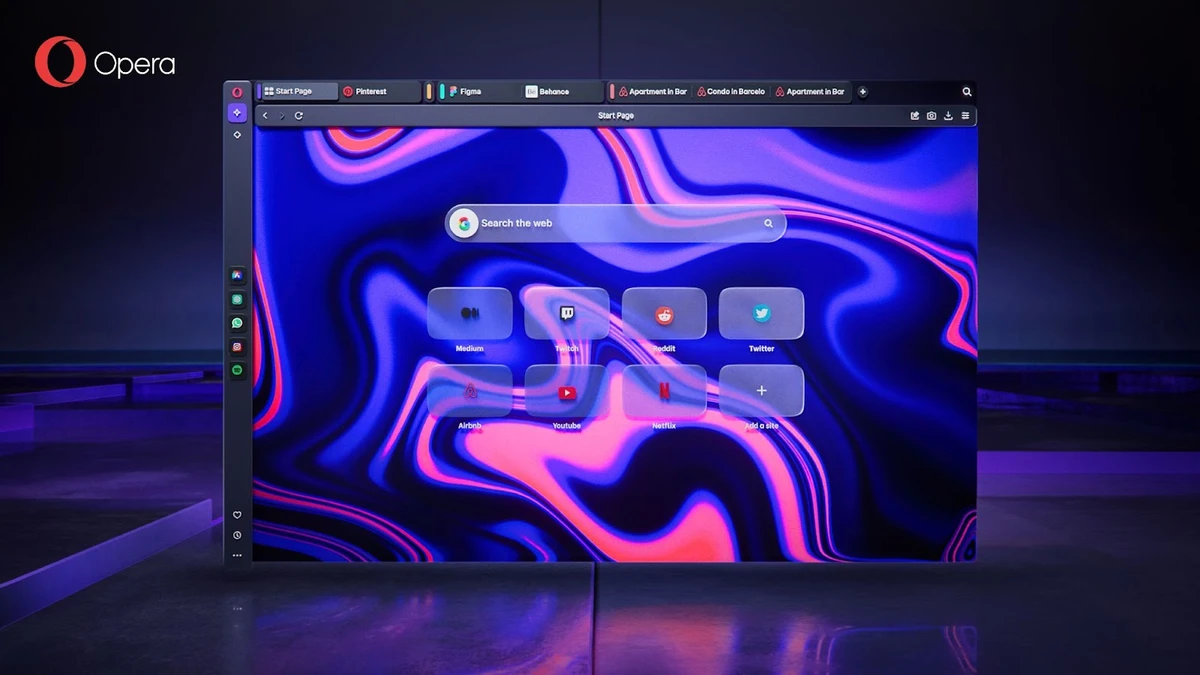
Opera One feels like a productivity-focused browser rather than a minimal browsing tool. The interface is modern and highly customizable, with the sidebar acting as a central hub for communication and media. Tab Islands and Workspaces significantly improve organization for users who keep many tabs open at once. Instead of a cluttered tab bar, related content is grouped automatically or manually into structured sections. Built-in tools like the VPN and ad blocker work in the background, reducing setup complexity. However, the richness of features may feel overwhelming for users who prefer a very simple browsing experience.

Who Should Use Opera One?

  • Users who multitask with many browser tabs
  • Productivity-focused professionals and students
  • Privacy-conscious users wanting built-in VPN and ad blocking
  • Users who prefer all-in-one browser functionality
  • People who rely heavily on web apps and online communication tools

Conclusion

Opera One stands out as a feature-packed Chromium browser that prioritizes productivity, organization, and convenience. With tools like Tab Islands, Workspaces, integrated messaging, and an AI assistant, it transforms the browser into a full digital workspace.

Pros & Cons

Pros

  • Rich set of built-in productivity tools
  • Strong tab management with Tab Islands and Workspaces
  • Free built-in VPN and ad blocker
  • Chromium compatibility with web standards and extensions
  • Integrated messaging and media features
  • AI assistant (Aria) included

Cons

  • Feature-heavy interface may feel complex for minimalists
  • Some features may overlap with existing browser extensions
  • Performance impact depends on enabled features

Frequently Asked Questions

What is Opera One used for?

Opera One is used for web browsing with added productivity, privacy, and multitasking features built into the browser.

Does Opera One have a VPN?

Yes, it includes a free built-in VPN for enhanced privacy while browsing.

What are Tab Islands?

Tab Islands are a feature that groups related tabs together to improve organization and reduce clutter.

Is Opera One based on Chromium?

Yes, it is built on the Chromium engine, ensuring compatibility with most modern websites and extensions.

Does Opera One include AI features?

Yes, it includes an AI assistant called Aria for tasks like summarizing, writing, and browsing assistance.

Recommended apps [Freeware]:
  • Adobe DNG Converter 18.4 Adobe DNG Converter logo Convert camera-specific RAW files to Adobe DNG format for improved compatibility and flexible photo workflows
  • Windows 10 Debloater 3.0.3 Windows 10 Debloater logo customize Windows 10 by disabling unwanted features and generating PowerShell scripts
  • PhotoPad Photo Editor 15.17 PhotoPad Photo Editor logo photo retouching, effects, collages, panoramas, and non-destructive editing for Windows
  • Revo Uninstaller Free 2.7.0 Revo Uninstaller Free logo Remove unwanted programs, clean leftover files, and manage Windows apps with a free uninstall utility designed for easier system maintenance.
  • DuckDuckGo 0.164.1 DuckDuckGo logo Browse privately with tracker blocking, ad protection, private search, cookie controls, and secure browsing tools built in.
  • Display Hot Keys 4.2.0 Display Hot Keys logo Switch monitor settings instantly with customizable hotkeys for resolution, refresh rate, scaling, DPI, and multi-display configurations.
Recommended apps [Shareware]:
  • EF Commander 26.06 EF Commander logo a feature-rich Windows file manager with FTP, media tools, archiving, and advanced file control
  • FontExpert 2026 21.0 Release 1 FontExpert logo a Windows font manager for installing, organizing, previewing, and fixing fonts with advanced tools.
  • Auslogics ChillMate 1.1.0.6 Auslogics ChillMate logo Monitor CPU and GPU temperature, optimize battery life, and reduce overheating with Auslogics ChillMate for Windows laptops
  • Argente Malware Cleaner 3.0.8.4 Argente Malware Cleaner logo Detect and remove malware with flexible scan modes, restore point creation, and an easy-to-use on-demand security scanner.
  • Process Lasso 18.2.2.10 Process Lasso logo Optimize process behavior, manage CPU priorities, monitor system responsiveness, and control background tasks with advanced tools.
  • ChrisPC Anonymous Proxy Pro 9.26.0714 ChrisPC Anonymous Proxy Pro logo Browse anonymously, access geo-restricted websites, and protect your online privacy using proxy servers and flexible browsing modes.