Pazu StreamGet logo

Pazu StreamGet 3.1.5

  • User Rating:
    ★★★★★
    ★★★★★
    0.0 0Votes
  • Requirements:
    Windows
  • Version: 3.1.5
  • Latest updated: 5 days ago
  • License: Free Trial  
  • Publisher: Pazuvideo
  • Size: 244 MB
× app stores

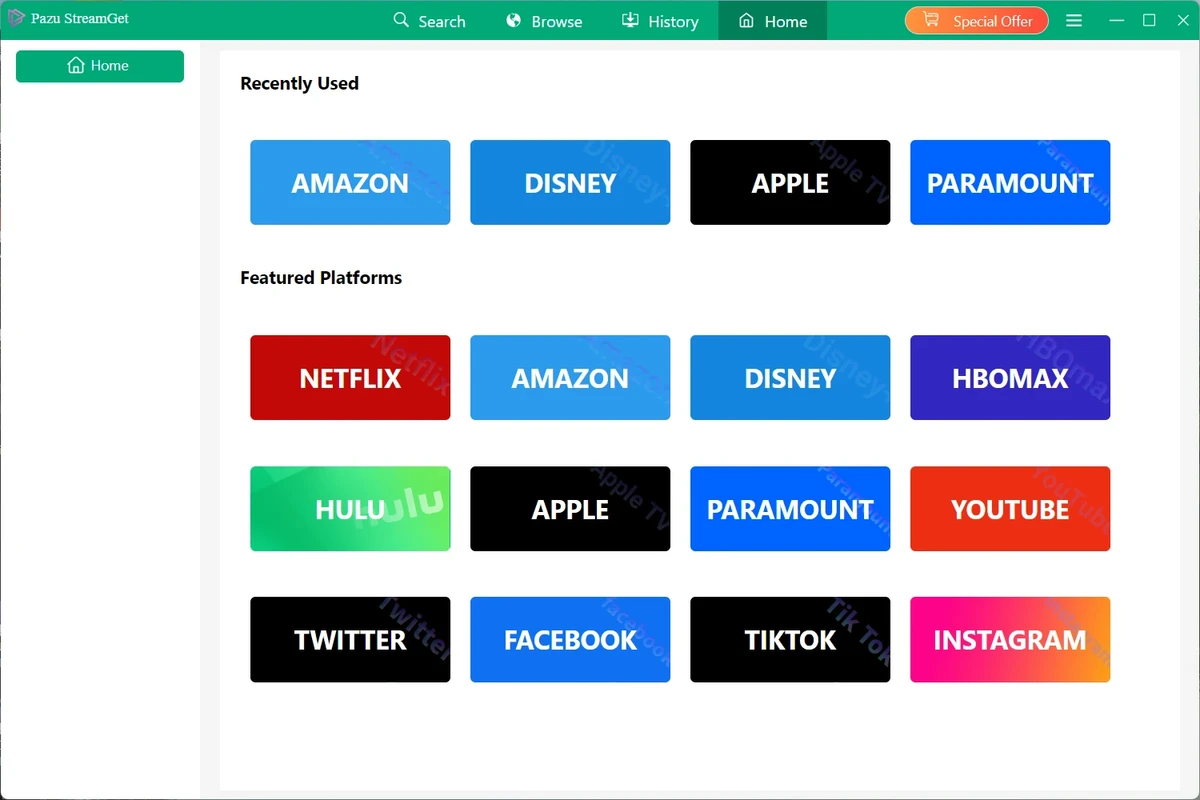
Pazu StreamGet is an all-in-one video downloader for Windows that allows users to download movies and TV shows from popular streaming services and save them locally in MP4 or MKV format. Designed for offline viewing, the software supports multiple streaming platforms and provides options for preserving audio tracks, subtitles, and video quality. Unlike browser-based download tools, StreamGet includes a built-in browser that simplifies content discovery and downloading directly within the application.

Features of Pazu StreamGet

  • Download movies and TV shows from multiple streaming platforms
  • Save videos in MP4 or MKV format
  • Supports video quality up to 1080p Full HD
  • Built-in browser for searching and accessing content
  • Download multiple videos simultaneously
  • Up to 8x faster download speeds through multi-threading
  • Choose between H.264 (AVC) and H.265 (HEVC) video codecs
  • Download all episodes and seasons with a single action
  • Preserve available audio tracks and subtitle languages
  • Subtitle options include hardcoded, soft subtitles, or external subtitle files
  • Supports audio descriptions and surround sound tracks
  • Multilingual interface including English, German, Spanish, and French
  • Downloaded videos are stored locally for offline playback

User Experience

After using Pazu StreamGet, the first thing that stands out is its streamlined approach to downloading streaming content. The built-in browser eliminates the need to switch between applications, making the process straightforward from search to download.

The interface is easy to navigate, with supported streaming services accessible directly from the main screen. Searching by title or pasting a content link is simple, helping users quickly locate the movies or shows they want to save. Performance is another strong area. The software supports batch downloads and claims download speeds up to eight times faster through multi-threading. This is particularly useful when downloading multiple episodes or entire seasons.

The flexibility around audio and subtitles is also noteworthy. Users can choose which audio tracks to retain and decide how subtitles are saved, allowing for a more customized viewing experience across different devices. For users who frequently travel or have limited internet access, the ability to store videos locally in widely supported formats such as MP4 and MKV adds significant convenience.

Who Should Use Pazu StreamGet?

  • Frequent travelers
  • Users who want offline access to streaming content
  • Viewers with unreliable internet connections
  • Users who need portable MP4 or MKV video files
  • People who prefer flexible subtitle and audio options
  • Users looking to download entire seasons for offline viewing

Conclusion

Pazu StreamGet is a practical all-in-one streaming video downloader for Windows users who want greater flexibility over how and where they watch their content. With support for MP4 and MKV output, 1080p downloads, customizable subtitles, and multiple simultaneous downloads, it delivers a feature-rich offline viewing experience.

Pros & Cons

Pros

  • Supports downloads from multiple popular streaming platforms
  • Saves videos in widely compatible MP4 and MKV formats
  • Supports video quality up to 1080p
  • Built-in browser simplifies content discovery
  • Batch downloading and multi-threaded acceleration
  • Flexible subtitle and audio track options
  • Supports H.264 and H.265 encoding formats
  • Simple and user-friendly interface
  • Downloaded files are stored locally for offline access

Cons

  • Limited to Windows operating systems
  • Maximum listed video quality is 1080p
  • Effectiveness depends on supported streaming platforms and ongoing updates

Frequently Asked Questions

What is Pazu StreamGet used for?

Pazu StreamGet is used to download movies and TV shows from supported streaming platforms and save them locally in MP4 or MKV format for offline viewing.

Which video formats does Pazu StreamGet support?

The software supports exporting videos in MP4 and MKV formats.

What is the maximum download quality?

Pazu StreamGet supports video downloads up to 1080p Full HD.

Can I download multiple videos at once?

Yes. The software supports simultaneous downloads and batch processing.

Does Pazu StreamGet support subtitles?

Yes. Users can save subtitles as hardcoded subtitles, soft subtitles, or external subtitle files.

Can I choose audio tracks when downloading?

Yes. Available audio tracks can be selected and preserved during the download process.

Which operating systems are supported?

Pazu StreamGet supports Windows 10 and Windows 11.

Recommended apps [Freeware]:
  • Trillian 6.6 Build 16 Trillian logo all-in-one chat software designed to simplify online communication
  • Visual Studio Code 1.126.0 Visual Studio Code logo Free and powerful code editor from Microsoft with extensions, debugging, Git support, and multi-language development
  • CheckMail 5.23.6 CheckMail logo a POP3 email checker that lets users preview, manage, and delete emails before downloading them
  • O&O ShutUp10++ 3.1.1104 O&O ShutUp10++ logo control Windows privacy, telemetry, updates, and system settings with a simple portable interface
  • Red Burner 19.7 Red Burner logo a portable disc burning tool for CD, DVD, and Blu-ray with fast ISO handling and a simple interface
  • MSI Center 2.0.71.0 MSI Center logo a system utility for MSI devices that manages performance, gaming modes, monitoring, RGB, and hardware optimization tools
Recommended apps [Shareware]:
  • EF Commander 26.06 EF Commander logo a feature-rich Windows file manager with FTP, media tools, archiving, and advanced file control
  • Total Audio Converter 6.1.0.299 Total Audio Converter logo convert MP3, WAV, FLAC, AAC and more with batch processing, CD ripping, and Windows integration.
  • DiskGenius 6.2.0.1829 DiskGenius logo a Windows tool for partition management, data recovery, disk cloning, and backup with advanced features.
  • VovSoft Batch Audio Converter 2.0 VovSoft Batch Audio Converter logo a Windows tool for fast bulk audio conversion with drag-and-drop simplicity and format flexibility
  • Ant Download Manager 2.17.4.96212 Ant Download Manager logo a Windows tool that speeds up downloads, captures streaming media, supports torrents, and integrates with browsers
  • LumaBooth 8.2.1.0 LumaBooth logo professional photo booth software for photos, GIFs, videos, 360 booths, and event customization