


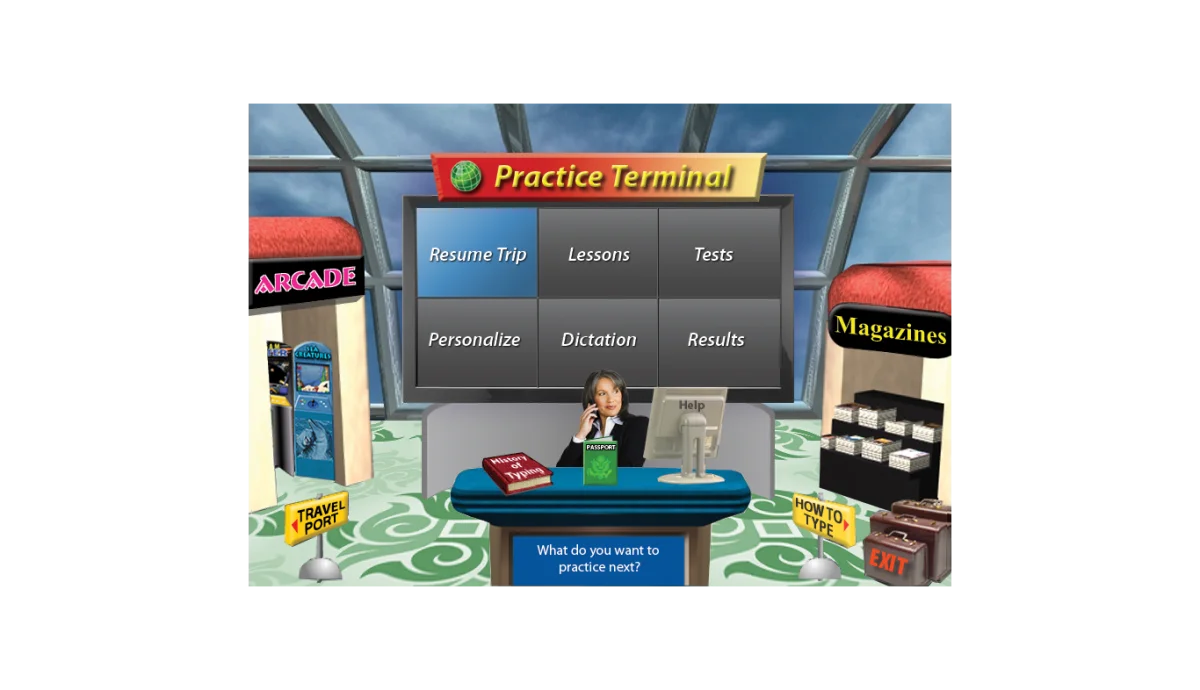

Typing Instructor Platinum combines traditional typing lessons with creative learning tools. The software offers over 20 educational typing plans tailored for letters, numbers, and symbol keys. Users can practice with built-in lessons, timed tests, and arcade-style games that track progress and reward improvement.
A unique feature of this software is its Dynamic Learning system, which evaluates typing performance, identifies weak areas, and generates targeted exercises to enhance typing skills. Additionally, users can personalize their practice with custom content, music, and images of famous global landmarks to make sessions more engaging. Typing Instructor Platinum is suitable for Windows PCs and offers step-by-step guidance for building speed, rhythm, and accuracy, making it ideal for beginners and advanced typists alike.
Key Features of Typing Instructor Platinum
- 10-Finger Typing Lessons: Master all keyboard keys efficiently with structured exercises.
- Dynamic Learning: Software identifies weak areas and generates targeted lessons for improvement.
- Typing Games & Challenges: Over 30 arcade-style games designed to enhance speed, accuracy, rhythm, and dexterity.
- Customizable Lessons: Create personal typing exercises with your own text and music.
- Progress Tracking: Quick feedback reports help monitor improvement over time.
- Engaging Visuals: Images of famous locations keep practice sessions interesting and motivating.
- Step-by-Step Learning: Lessons build on letters and words already learned to reinforce skills.
Typing Instructor Platinum delivers a highly interactive and engaging experience. Lessons are structured logically, making it easy to follow even for complete beginners. Games and visual elements make long practice sessions more fun, and the software effectively motivates users with rewards and points.
The Dynamic Learning feature is particularly useful, as it automatically adjusts lessons based on user performance, ensuring consistent improvement. Progress reports are clear and informative, allowing users to track their typing speed, accuracy, and rhythm. Overall, the software balances educational value with entertainment, keeping learners engaged over time.
Who Should Use Typing Instructor Platinum
- Students learning touch typing for school or university
- Professionals aiming to improve typing speed and accuracy
- Parents seeking educational typing software for children
- Anyone interested in fun and structured typing practice
System Requirements
- Processor: Pentium® P4
- Operating System: Windows 10, 8, 7, or XP
- Disk Space: 580 MB
- Display: 800 x 600, 16-bit or higher
- Audio: 16-bit sound card, speakers, or headphones
Conclusion
Typing Instructor Platinum 21.1 is an excellent solution for anyone looking to improve typing speed, accuracy, and efficiency. Its combination of structured lessons, interactive games, and adaptive learning ensures both educational value and engagement. Whether for students, professionals, or casual learners, this software makes typing practice enjoyable and effective.


