


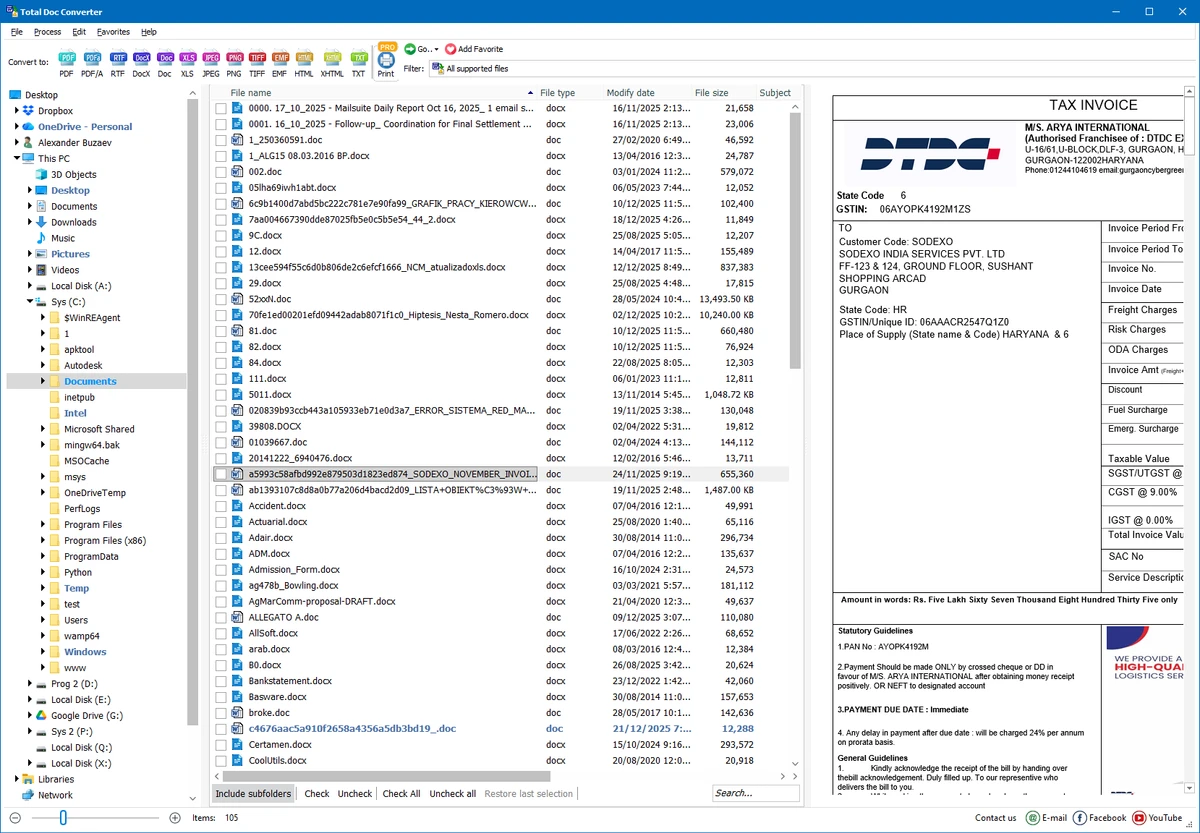

Coolutils Total Doc Converter is a Windows-based document conversion tool designed to convert Word and text-based file formats into a wide range of output types, including PDF, HTML, XLS, JPG, TIFF, and plain text. It supports multiple input formats such as DOC, DOCX, DOCM, RTF, TXT, and RVF, making it a versatile solution for users who regularly work with document conversion tasks.
The software is built with batch processing capabilities, allowing users to convert large numbers of files efficiently. It also integrates directly into Windows Explorer, enabling quick conversions through right-click context menus without needing to open the main application.
Features of Coolutils Total Doc Converter
- Convert DOC, DOCX, DOCM, RTF, TXT, and RVF files
- Export to PDF, HTML, XLS, JPG, TIFF, and plain text formats
- Batch conversion for multiple files at once
- Windows Explorer integration with right-click conversion option
- Command line support for automation and advanced workflows
- Font customization options (font name, size, style)
- Supports bold, italic, underline, and strikeout formatting
- Word wrap control for clean output formatting
- Auto layout adjustment (portrait/landscape optimization)
- Designed for fast processing of large document collections
- Compatible with Windows 7, 8, 10, and 11
User Experience
After reviewing Coolutils Total Doc Converter, the software clearly focuses on efficiency and simplicity in document conversion workflows. One of its most convenient features is Windows Explorer integration, which allows users to convert files directly from the desktop or file manager without launching a separate application. Batch processing is a strong advantage. Users who need to convert hundreds or even thousands of documents can do so in a streamlined workflow, significantly reducing manual effort. This makes it especially useful in office environments where document standardization is required.
The interface is straightforward and beginner-friendly, with a minimal learning curve. At the same time, advanced users benefit from command line support, which enables automation and integration into larger systems or scripts. Formatting control is another notable strength. The ability to adjust fonts, apply styles, and control word wrapping ensures that converted documents maintain readability and consistent layout across different output formats. Performance is optimized for bulk operations, and the software handles large conversion tasks without requiring complex configuration.
Conclusion
Coolutils Total Doc Converter provides a practical and efficient solution for converting Word and text-based documents into multiple formats. With strong batch processing, Windows integration, and formatting controls, it simplifies what would otherwise be a time-consuming task.


