


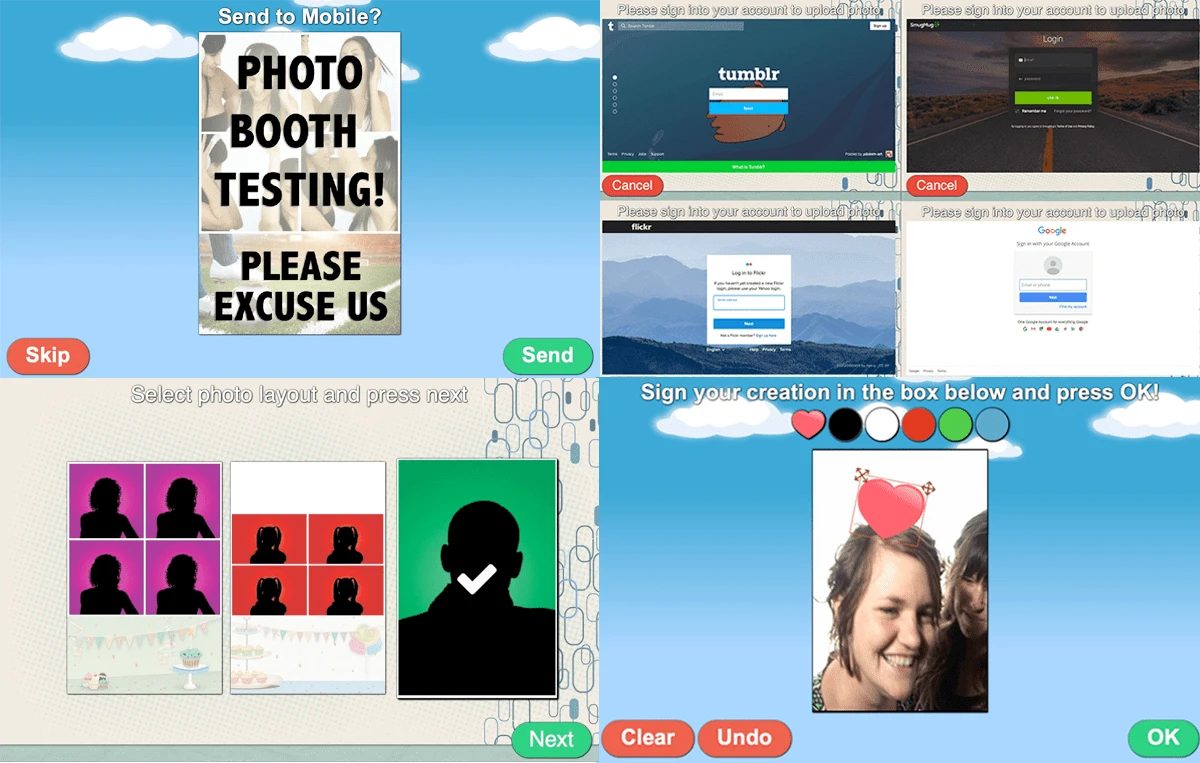

Sparkbooth is a photo booth application that transforms your computer and webcam or compatible camera into an interactive photo booth for weddings, parties, corporate events, and other special occasions. Instead of renting expensive photo booth hardware, Sparkbooth provides a software-based alternative that delivers a familiar photo booth experience with customizable layouts, instant sharing, and automated operation. Designed with ease of use in mind, the application guides guests through a countdown before capturing a sequence of photos. Images can then be printed, emailed, shared online, or saved locally, making it suitable for both private celebrations and professional event photography.
Sparkbooth also includes features such as green screen support, digital props, custom backgrounds, touch screen compatibility, and animated previews to create a more engaging guest experience.
Features of Sparkbooth
- Turns a computer into a virtual photo booth
- Supports webcams and compatible cameras
- Simple full-screen interface
- Countdown before capturing photos
- Multiple photo strip layouts with 1, 3, or 4 photos
- Green screen support
- Digital props
- Custom backgrounds
- Animated photo previews
- Touch screen mode
- Hotkey support
- Automatic photo printing
- Save photo copies locally
- Create multiple photo albums
- Share photos via email
- Instant sharing to supported social media services
- Custom on-screen messages
- Voice prompts with customizable MP3 files
- Export images in GIF, JPG, JPEG, and PNG formats
- Hide the mouse cursor during operation
- Enable or disable application sounds
- Trial version available (30 days with watermarked photos)
Interface and Usability
Sparkbooth is designed to be approachable for both casual users and event organizers. The full-screen interface keeps the experience simple by presenting clear on-screen instructions that guests can follow without assistance. Setting up the software with a webcam is straightforward, while DSLR users may need to configure their camera separately depending on the hardware. Once configured, the workflow feels smooth: guests begin the session, wait through a countdown, pose for several photos, and then choose how to save or share their images.
Customization is another strength. Event organizers can tailor layouts, backgrounds, voice prompts, messages, and themes to match the style of a wedding, birthday party, corporate event, or promotional booth.
Who Should Use Sparkbooth?
- Wedding photographers
- Event organizers
- Party hosts
- Corporate event planners
- Schools and community organizations
- Entertainment companies
- Small businesses offering photo booth services
Conclusion
Sparkbooth successfully recreates the experience of a traditional photo booth while keeping setup simple and affordable. Its intuitive interface, customizable layouts, green screen effects, automatic printing, and instant sharing options make it suitable for a wide range of events.
Whether you're hosting a wedding, birthday party, fundraiser, trade show, or corporate event, Sparkbooth provides a reliable solution that encourages guest participation and creates memorable keepsakes. While the trial version includes watermarked images and some advanced capabilities are reserved for paid editions, the software offers a polished experience that is easy to learn and operate.


