


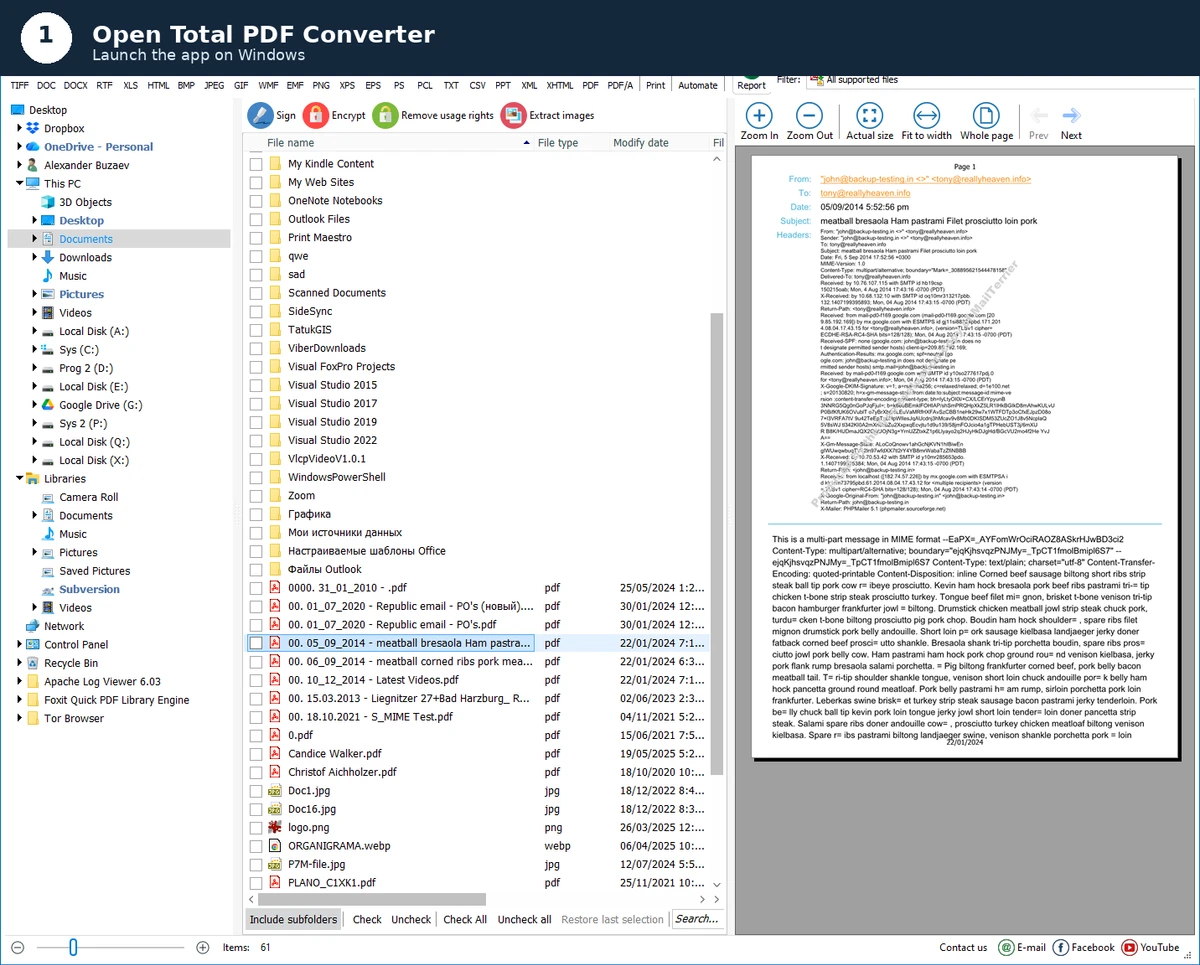

Coolutils Total PDF Converter is a powerful desktop utility designed to convert PDF files into multiple formats, including DOC, XLS, HTML, images, and more. It focuses on batch processing, format flexibility, and advanced document handling features such as splitting, merging, and watermarking.
Overview
Total PDF Converter by Coolutils is built for users who need more than basic PDF conversion. It supports a wide range of input formats, including PDF, PS, EPS, PRN, XPS, and OXPS, and converts them into outputs like DOC, DOCX, XLS, RTF, HTML, TXT, CSV, images, and PDF/A. What makes this tool stand out is its emphasis on batch processing and automation. It is designed to handle large volumes of documents while maintaining folder structure and offering command-line support for background operations. This makes it suitable for both manual use and automated workflows.
Features of Total PDF Converter
- Converts PDF to DOC, DOCX, RTF, XLS, HTML, TXT, CSV, and image formats
- Supports PDF, PS, EPS, PRN, XPS, and OXPS input files
- Batch conversion with folder structure preservation
- PDF splitting by pages, bookmarks, or blank pages
- Merge multiple PDFs into a single document or multi-page TIFF
- Convert PDF to PDF/A in batch mode
- Add watermarks (text or image) to headers and footers
- Automatic page rotation and pagination support
- Extract odd or even pages from PDFs
- Preview panel with zoom and full document view
- Maintain or modify file timestamps during conversion
- Command-line support for automation and backend processing
- SDK and ActiveX support for integration into applications
User Experience
In practical use, Total PDF Converter feels like a professional-grade utility built for structured document workflows. The interface is designed with clarity in mind, allowing users to quickly select files, choose output formats, and configure conversion rules without unnecessary complexity. The preview panel is particularly helpful when dealing with large batches of PDFs, as it allows users to verify content before processing. The ability to preserve folder structures during batch conversions also improves organization when handling large document archives.
Who Should Use Total PDF Converter?
This software is best suited for professionals who regularly work with large volumes of PDF documents. It is especially useful for office administrators, data processors, and developers who need automation or integration via command-line tools or SDKs. It also fits users who need more advanced control over PDF manipulation, such as splitting, merging, watermarking, or converting PDFs into structured formats for business workflows.
Conclusion
Coolutils Total PDF Converter is a feature-rich solution for handling complex PDF conversion tasks. With support for multiple formats, batch processing, and automation tools, it goes beyond simple conversion utilities.


