


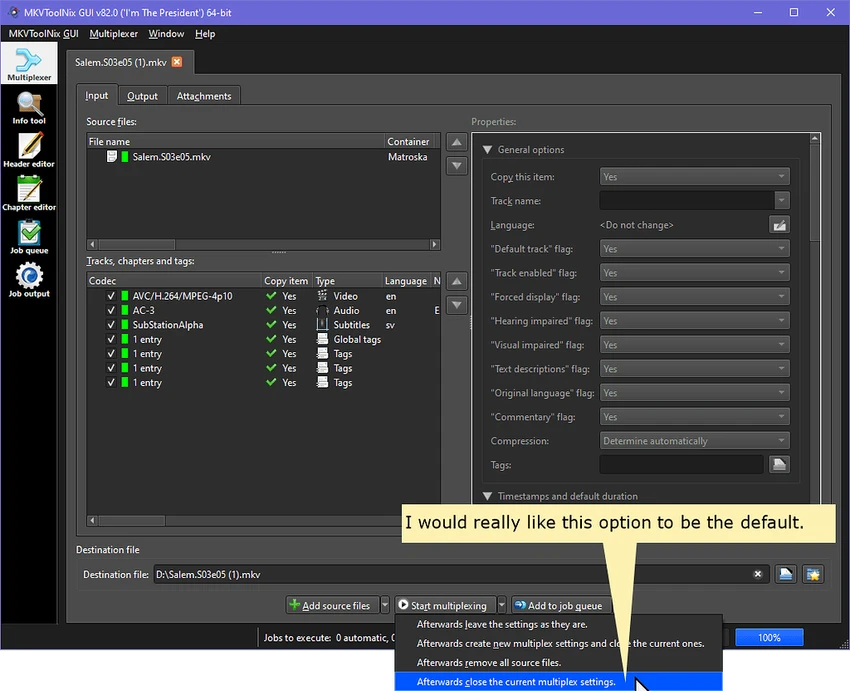

MKVToolNix is a lightweight yet powerful set of tools designed for working with Matroska (MKV) video files. It includes utilities such as mkvmerge, mkvinfo, mkvextract, mkvpropedit, and a graphical interface (mmg), enabling users to manipulate video containers in multiple ways. From splitting and merging to inspecting and extracting media streams, MKVToolNix provides a complete toolkit for advanced MKV file handling.
In practice, the software allows users to combine multiple video, audio, and subtitle tracks into a single MKV file or break large files into smaller segments. It also supports extracting individual streams such as audio tracks or subtitles without re-encoding. While its primary focus is MKV files, it also works with other formats like MP4, AVI, MPEG, and Ogg, making it a versatile tool for video container management. It is commonly used by video editors, archivists, and advanced users who need precise control over media structure.
Key Features of MKVToolNix
- Create, split, merge, and edit MKV (Matroska) files
- Extract audio, video, and subtitle streams without re-encoding
- Supports multiple formats including MP4, AVI, MPEG, Ogg, and more
- Handles various codecs such as H.264, VP9, FLAC, AAC, MP3, and DTS
- Manage subtitle formats like SRT, ASS, SSA, and PGS/SUP
- Modify metadata, track language, tags, and file properties
- Inspect MKV file structure using detailed info tools
- Lightweight toolkit with both GUI and command-line options
Interface and Usability
MKVToolNix provides both a graphical interface and command-line tools, giving flexibility depending on user preference. The GUI is straightforward for basic tasks like merging or splitting files, while advanced users can rely on command-line utilities for more precise control. The layout is functional rather than decorative, focusing on performance and accuracy. While beginners may need some time to understand terms like muxing and demuxing, the tool becomes intuitive once the workflow is familiar.
Who Should Use MKVToolNix?
MKVToolNix is ideal for video editors, content creators, and technical users who frequently work with MKV files. It is especially useful for those who need to extract subtitles or audio tracks, combine multiple media streams, or prepare video files for archiving or distribution without re-encoding. Users who prefer lightweight, precise media tools over full video editing suites will benefit the most.
Conclusion
MKVToolNix is a highly capable and efficient toolkit for anyone who needs precise control over MKV video files. Instead of functioning as a traditional video editor, it focuses on container-level operations such as splitting, merging, extracting, and organizing multimedia streams without re-encoding. This makes it especially valuable for users who prioritize speed and original quality preservation.


