


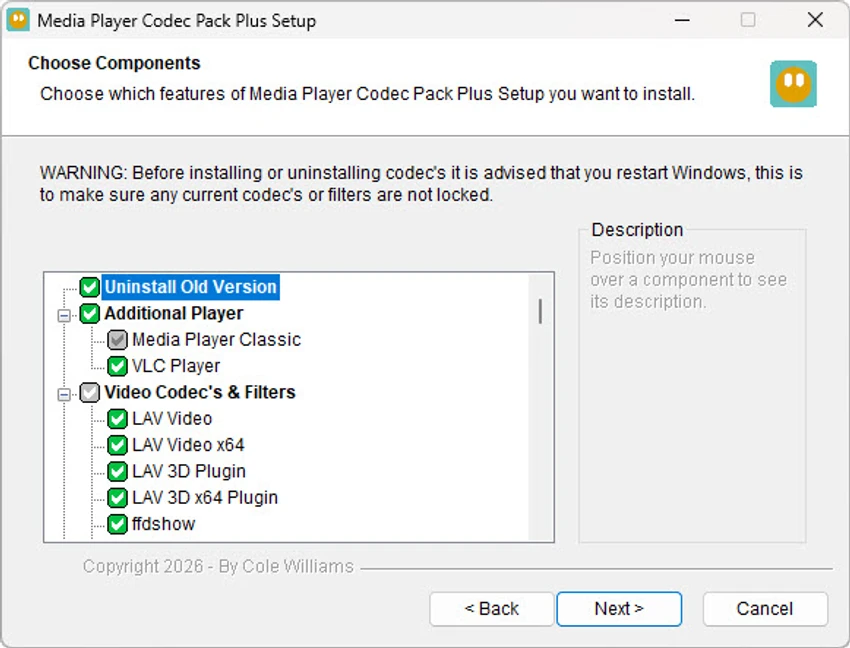

Media Player Codec Pack Plus is an enhanced Windows codec bundle designed to improve compatibility for audio and video playback across a wide range of multimedia formats. It extends the capabilities of standard media players by installing essential codecs, splitters, and filters that enable smooth playback of modern and legacy media files. The package is intended for users who need broad format support, including high-compression video files and lossless audio formats, without relying on multiple standalone codec installations.
Features of Media Player Codec Pack Plus
- Supports playback of most modern audio and video formats.
- Includes a comprehensive set of codecs, splitters, and filters.
- Enables file association configuration during installation.
- Improves compatibility with Windows Media Player and similar applications.
- Supports formats such as:
- MKV
- VOB
- FLV
- FLAC
- OGG
- Includes both 32-bit and 64-bit codec components.
- Provides subtitle support via VSFilter.
- Offers encoder and decoder tools for advanced media handling.
- Allows Blu-ray, AVCHD, DVD, and CD playback (when used with compatible tools).
- Includes GSpot Codec Information Appliance for codec diagnostics.
Included Components
- ffdshow DirectShow Video Codec (x86 & x64)
- LAV Video Decoder (x86 & x64)
- XviD Video Encoder
- Lagarith Video Encoder (x86 & x64)
- Flash Video Splitter/Decoder (x86 & x64)
- AC3Filter (AC3/DTS Decoder)
- LAV Audio Decoder (x86 & x64)
- DivX Audio Decoder
- LAME MP3 Encoder/Decoder
- DSP-worx Bass Source Filter
- Haali Media Splitter (MP4, MKV, AVI, OGM support)
- LAV Splitter (x86 & x64)
- VSFilter for subtitles (x86 & x64)
- CDXA Reader (XCD/CD Mode support)
- GSpot Codec Information Appliance
User Experience
Media Player Codec Pack Plus is designed to simplify media playback by reducing compatibility issues across different file formats. Once installed, users can open a wide variety of video and audio files directly in their preferred media player without additional configuration. The installer provides control over which components are installed, allowing users to tailor the setup to their needs. File association options make it easier to set Windows Media Player as the default application for multiple formats.
In practical use, the codec pack significantly reduces playback errors for uncommon or high-compression media files. However, because it modifies system-level playback components, users should be mindful during installation and select only necessary components.
Who Should Use Media Player Codec Pack Plus?
- Users who frequently encounter unsupported media formats.
- People using Windows Media Player or DirectShow-based players.
- Users who need subtitle and advanced codec support.
- Home users and professionals dealing with diverse media files.
Conclusion
Media Player Codec Pack Plus enhances Windows media playback by providing a comprehensive set of codecs, filters, and splitters. It improves compatibility for nearly all common and advanced multimedia formats, making it a practical solution for users who want reliable playback without switching media players.


