


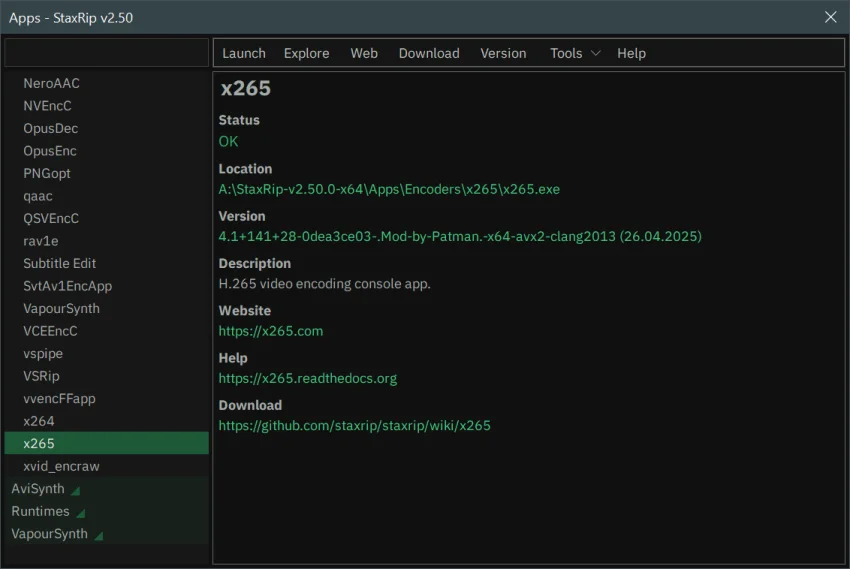

StaxRip is a feature-rich video and audio encoding GUI for Windows that allows users to process and convert media using powerful backend tools like x265, FFmpeg, mkvmerge, AviSynth+, and VapourSynth. While it is not a one-click solution, it offers detailed customization for users who want full control over their encoding workflow.
Overview
StaxRip acts as a bridge between complex console tools and a graphical user interface, enabling precise video/audio processing through scripting-based frame servers. Each project can be customized with a variety of events, encoding settings, and filters. Although beginners may face a learning curve, StaxRip includes an Assistant feature that guides users step by step through encoding jobs. The software is portable, requires no installation, and comes with most tools included, reducing setup time. Users are encouraged to refer to community resources on GitHub, VideoHelp, and Doom9 for advanced guidance.
StaxRip relies on external runtimes and dependencies such as Microsoft Visual C++ Redistributables, Python, VapourSynth, and MKVToolNix. Users on Windows 7 may experience limitations with newer features, but backward-compatible versions are available.
Features of StaxRip
- Video/Audio Encoding GUI: Frontend for x265, FFmpeg, mkvmerge, AviSynth+, VapourSynth.
- Customizable Projects: Extend each project with multiple events, filters, and encoding settings.
- Assistant Guidance: Step-by-step assistance for new users to set up encoding jobs.
- Portable Application: No installation required; settings stored in a user-defined folder.
- Advanced Scripting Support: Use AviSynth+ and VapourSynth scripts for professional-level editing.
- Community Resources: Extensive online documentation and active forums for support.
- Flexible Extraction: Separate extraction archives for updates and version compatibility.
- Wide Codec Support: Handles most modern audio and video codecs.
- Event-Based Workflow: Apply multiple processing events per project for complex encoding tasks.
User Experience
StaxRip is designed for users who want granular control over encoding processes. The GUI simplifies access to advanced tools but assumes the user understands video/audio encoding concepts. Beginners benefit from the Assistant feature, which helps prevent common mistakes and provides guided setup.
The portability of StaxRip is convenient for users who want to keep their encoding setup on multiple machines without installing software. Version compatibility is carefully maintained, and updates are modular, allowing users to overwrite only necessary files. While Windows 7 users may need older versions of dependencies, StaxRip functions fully on Windows 8, 10, and 11.
Who Should Use StaxRip?
- Video editors seeking advanced control over encoding parameters
- Users converting media for multiple formats or codecs
- Enthusiasts or professionals using scripting-based workflows like AviSynth+ or VapourSynth
- Users who want a portable, installation-free encoding solution
- Those willing to consult community resources for guidance
Conclusion
StaxRip is a powerful and flexible video/audio encoding GUI for Windows. While it is not designed for one-click convenience, it rewards users who invest time learning its features with professional-level encoding capabilities. For editors and enthusiasts needing precise control over video and audio output, StaxRip is a reliable, portable, and highly customizable solution that integrates the best of modern encoding tools under one interface.


