


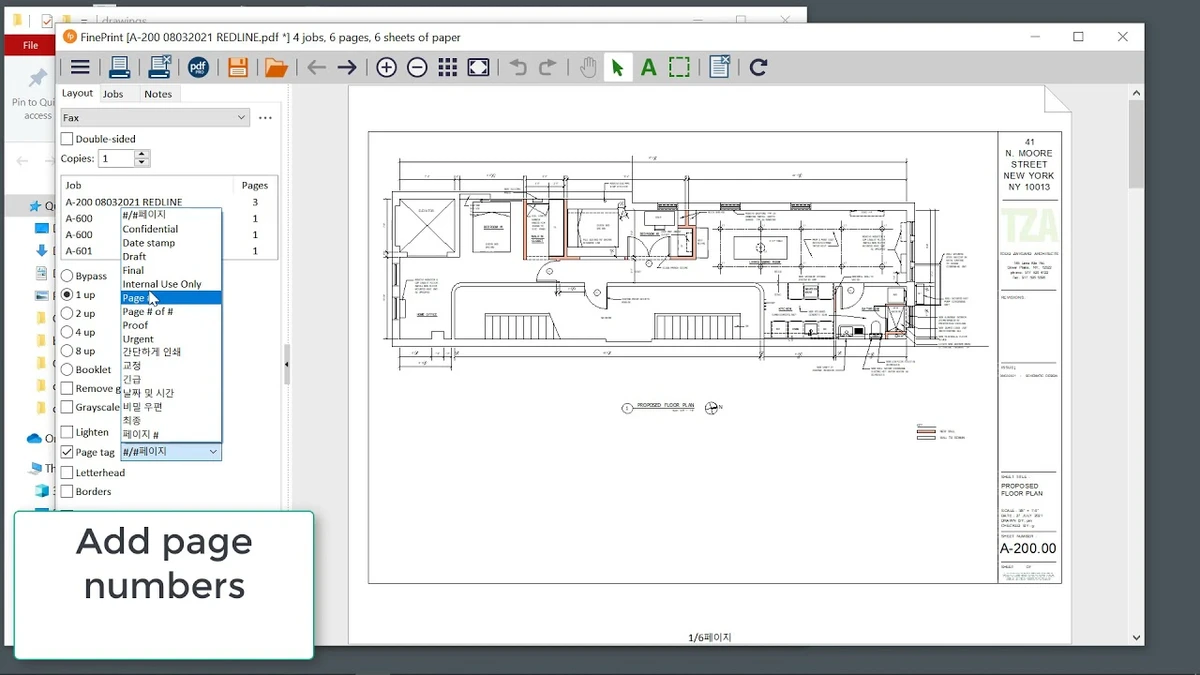

FinePrint is a Windows print management utility designed to improve how users handle print jobs while reducing paper, toner usage, and printing errors. Instead of sending documents directly to a printer, FinePrint acts as an intermediary layer that allows users to preview, edit, and optimize print jobs before final output.
The software is widely used in offices and enterprise environments where large volumes of printing can lead to wasted resources. By giving users control over page selection, layout, and document merging, FinePrint helps streamline printing workflows and reduce costs. It is especially useful for users who regularly print multi-page documents and want more control over what gets printed.
Features of FinePrint
- Delete unwanted pages before printing
- Print multiple pages on a single sheet
- Combine multiple print jobs into one document
- Print using electronic letterhead templates
- Archive and save print jobs for later use
- Add custom watermarks (e.g., “Draft”, “Confidential”)
- Create reusable digital letterheads and forms
- Apply page numbering across multiple documents
- Support for Bates stamping (legal document numbering)
- Export pages to clipboard for reuse
- Save print output as JPEG, TIFF, or text formats
- Reduce paper and toner consumption
- Improve print layout efficiency
Interface and Usability
FinePrint integrates into the Windows printing system, appearing as a virtual printer. When users print a document, they are first taken into the FinePrint preview interface, where they can modify the layout, remove pages, or combine multiple documents before sending the final output to a physical printer. The interface is straightforward and focused on print optimization rather than document editing. Most tools are accessible directly from the preview screen, making it easy to adjust print jobs without additional software. Because it operates at the print driver level, FinePrint works seamlessly with almost any application that supports printing.
Who Should Use FinePrint?
- Office workers handling frequent printing tasks
- Businesses looking to reduce printing costs
- Legal professionals managing multi-page documents
- Administrative staff processing large document batches
- Students printing study materials efficiently
- Organizations using shared printers
Conclusion
FinePrint is a powerful and practical print management tool that gives users far more control over printing than the standard Windows printing system. By enabling page removal, document merging, and layout optimization, it helps reduce waste and improve efficiency.


