MassTube logo

MassTube 22.1.0.216

  • User Rating:
    ★★★★★
    ★★★★★
    0.0 ★ 0Votes
  • Requirements:
    Windows
  • Version: 22.1.0.216
  • Latest updated: 1 week ago
  • License: Freemium  
  • Publisher: MassTube
  • Size: 85 MB
× app stores

MassTube is a lightweight download manager designed to help users save YouTube videos and audio for offline viewing and listening. Instead of offering a complicated interface filled with advanced settings, it focuses on making the downloading process quick and straightforward. Users simply copy a YouTube video link, paste it into the application, choose the desired output format or quality, and start the download.

The software supports a wide range of video resolutions, from 144p for smaller file sizes up to 8K (4320p) in MKV format when available. It also supports downloading videos in MP4 up to 1080p Full HD, making it suitable for users who want quality downloads without unnecessary complexity. For audio, MassTube provides several conversion options, including MP3, OGG, FLAC, and native AAC (M4A), with multiple bitrate choices to suit different listening preferences.

Another useful feature is the built-in download history, which allows users to keep track of completed downloads. The history can be cleared, backed up, or imported later, making it easier to organize downloaded files over time. Overall, MassTube offers a practical solution for anyone looking to download YouTube content quickly while supporting a variety of video and audio formats.

Features of MassTube

  • Simple and beginner-friendly interface
  • Download YouTube videos in multiple resolutions
  • Native MP4 support up to 1080p Full HD
  • Native MKV support up to 8K (4320p), 4K (2160p), and QHD (1440p)
  • Native AAC (M4A) audio support
  • Convert audio to MP3, OGG, and FLAC
  • Multiple audio quality options, including up to 320 kbps for supported formats
  • Fast downloading after selecting the preferred quality
  • Open downloaded files immediately after completion
  • Download history with backup, import, and clear options
  • Drag-and-drop URL support (Internet Explorer requires administrator privileges)

Interface and Usability

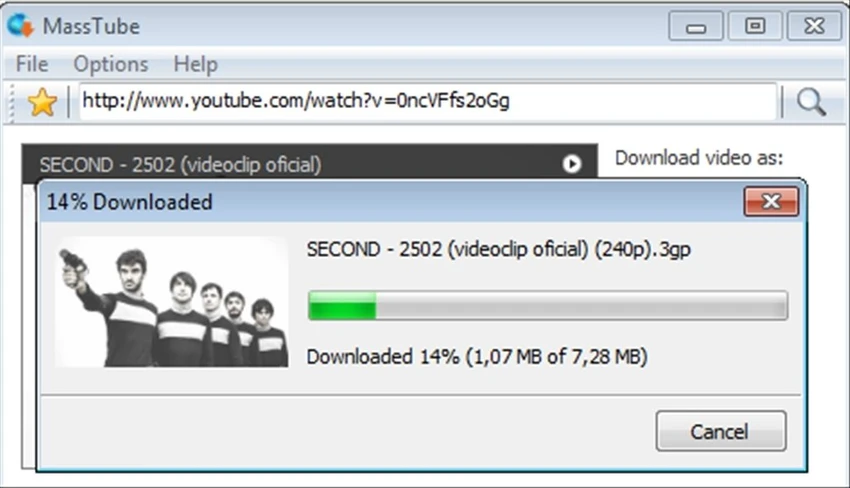
MassTube keeps the user experience simple from the moment the application opens. The clean interface places the essential download controls within easy reach, making it suitable for both first-time and experienced users. Copying a YouTube URL, pasting it into the software, selecting the desired format, and starting the download takes only a few steps.

Choosing between different video resolutions or audio formats is straightforward, allowing users to quickly customize downloads according to their needs. After a download finishes, MassTube provides convenient options to open the destination folder or launch the downloaded file in the default media player. The built-in download history also helps users keep track of previously downloaded content without adding unnecessary complexity.

Who Should Use MassTube?

  • Users who want to download YouTube videos for offline viewing
  • People who prefer converting videos into MP3, FLAC, OGG, or AAC audio files
  • Beginners looking for a simple downloading tool
  • Users building an offline collection of videos or music
  • Anyone who needs support for multiple video resolutions, including Full HD, 4K, and 8K where available

Conclusion

MassTube focuses on doing one job well: downloading YouTube videos and converting them into popular video or audio formats for offline use. Its clean interface, broad format support, and uncomplicated workflow make it accessible to users of all experience levels. Whether you want to save high-resolution videos or extract audio for listening offline, the software provides the essential tools without overwhelming the user with unnecessary features.

Pros & Cons

✓

Pros

  • Easy-to-use interface
  • Supports multiple video resolutions up to 8K
  • Offers several popular audio conversion formats
  • Multiple audio quality options
  • Fast and straightforward download process
  • Built-in download history management
  • Suitable for beginners
✕

Cons

  • Designed specifically for YouTube downloads
  • Drag-and-drop in Internet Explorer requires administrator privileges

Frequently Asked Questions

What is MassTube used for?

MassTube is designed to download YouTube videos and save them for offline viewing. It can also convert supported videos into audio formats such as MP3, OGG, FLAC, and AAC.

Does MassTube support 4K and 8K downloads?

Yes. The software supports MKV downloads up to 8K (4320p) and 4K (2160p) when those resolutions are available from the original YouTube video.

Which audio formats can MassTube export?

MassTube supports native AAC (M4A) downloads and can convert audio into MP3, OGG, and FLAC with multiple bitrate options.

Is MassTube easy for beginners?

Yes. The application is designed with a straightforward interface that allows users to download videos by copying and pasting a YouTube URL, selecting a format, and starting the download.

Can I view my previous downloads?

Yes. MassTube includes a download history that keeps track of completed downloads. Users can clear, back up, or import the history when needed.

Recommended apps [Freeware]:
  • Stretchly 1.22.0 Stretchly logo reminds you to take breaks while working on your computer, promoting better health and productivity.
  • NirLauncher Package 1.30.24 NirLauncher Package logo a portable Windows utility suite with 180+ NirSoft tools for system, network, and recovery tasks
  • QuickImageComment 5.02 QuickImageComment logo Edit IPTC, EXIF, and XMP metadata quickly, a lightweight tool for image comments and photo tagging on Windows
  • GnuCash 5.16 GnuCash logo open-source accounting software for tracking personal and small business finances with double-entry bookkeeping
  • Duplicati 2.3.0.4 Duplicati logo Create encrypted backups with flexible cloud storage support, scheduling, compression, and secure data protection features.
  • Notepad++ 8.9.7 Notepad++ logo Edit code and plain text with a fast, lightweight editor featuring syntax highlighting, multiple tabs, plugins, and support for many programming languages.
Recommended apps [Shareware]:
  • Classroom Spy Pro 5.6.6 Classroom Spy Pro logo Monitor, control, and manage student computers remotely with Classroom Spy Pro for Windows classrooms
  • DBF Recovery 4.74 DBF Recovery logo repairs corrupted DBF database files from dBASE, FoxPro, and Visual FoxPro formats with automatic recovery tools
  • Advanced ETL Processor Professional 6.5.1.5 Advanced ETL Processor Professional logo a powerful ETL tool for database automation and data integration
  • BeerSmith 4.0.22 BeerSmith logo brewing software for designing beer, mead, wine, and cider recipes with style matching, mash calculations, and ingredient management
  • Ultimate Power Assistant 1.1.28.0 Ultimate Power Assistant logo manage Windows power settings, schedules tasks, and automates shutdown options
  • Notesbrowser 2.6 Notesbrowser logo Organize notes, tasks, calendars, bookmarks, and appointments in one customizable workspace with fast search and flexible organization.