


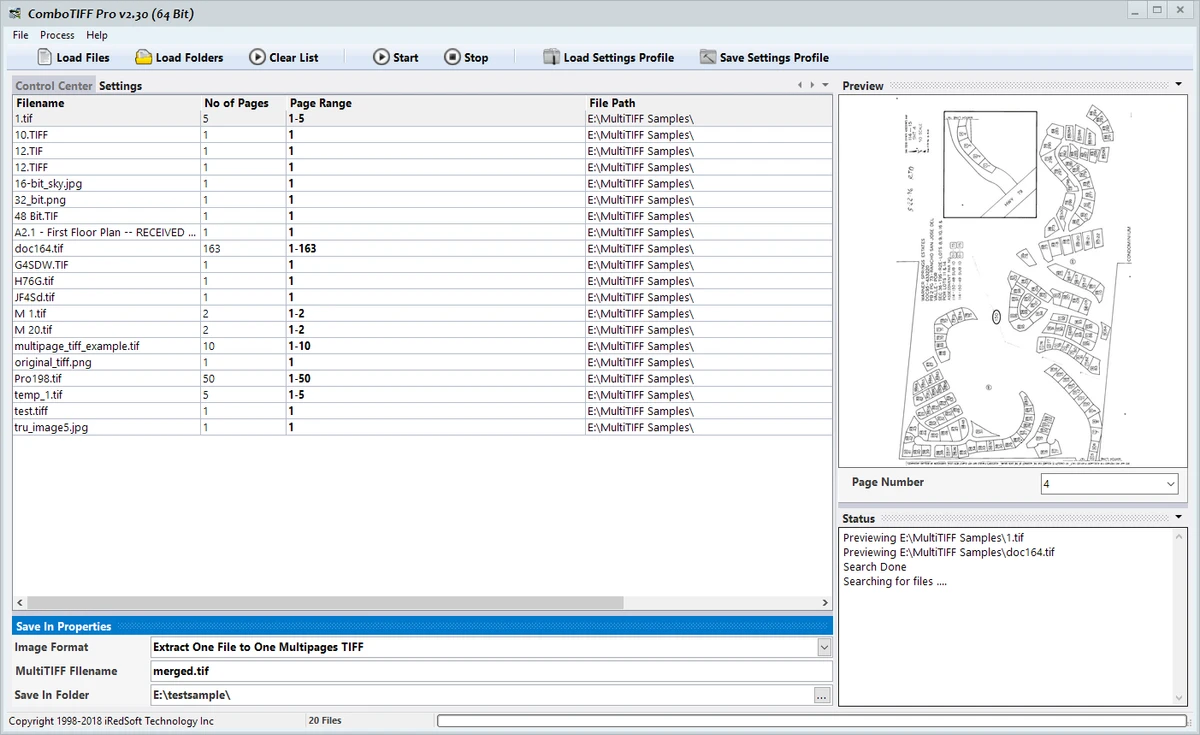

ComboTIFF Pro is an image processing and TIFF management application designed for handling multipage TIFF documents and various image formats. The software is an updated version of Batch TIFF Resizer Lite and combines features from previous TIFF tools with additional enhancements for professional image management workflows.
The application allows users to work with multipage TIFF files, single-page TIFF images, PNG files, and JPEG images. It provides tools for extracting pages, organizing document content, merging multiple images into a single multipage TIFF file, and converting extracted pages into different image formats. ComboTIFF Pro is designed for users and businesses that manage document archives and need efficient ways to store, organize, and process scanned documents. Multipage TIFF files can combine black-and-white, grayscale, and color images within a single document, making the software suitable for document storage and processing tasks.
The software includes extensive image adjustment options, including TIFF compression changes, color space conversion, resizing, rotation, sharpening, and color depth adjustments. Users can also add text captions to selected pages and apply copyright tags where supported. ComboTIFF Pro supports modern Windows environments, including 64-bit editions, allowing users to process larger image files more efficiently. It is designed for users who need detailed control over TIFF document creation and image conversion.
Features of ComboTIFF Pro
- Supports multipage TIFF, single-page TIFF, PNG, and JPEG files
- Extracts individual pages or page ranges from multipage TIFF documents
- Organizes TIFF pages using page ranges or individual pages
- Merges multiple TIFF, PNG, and JPEG images into one multipage TIFF file
- Saves extracted pages as multipage TIFF documents
- Saves pages as separate TIFF, PNG, or JPEG files
- Supports TIFF compression options including:
- None
- CCITT G3
- CCITT G4
- JPEG v7.0
- Packbits
- LZW
- Supports multiple TIFF color spaces
- Resizes images by pixels, percentage, or predefined scaling options
- Rotates and flips image pages
- Applies sharpening effects
- Changes color depth between 1-bit, 4-bit, 8-bit, and 24-bit
- Supports grayscale images and grayscale JPEG output
- Adds text captions to pages
- Adds copyright tags where supported
Interface and Usability
ComboTIFF Pro is designed around document and image processing workflows rather than general photo editing. Its tools focus on organizing, converting, and modifying TIFF-based documents with precise control over file structure and image properties.
The page extraction and organization features make it useful for working with large multipage TIFF documents. Users can separate pages, rearrange content, or combine multiple image files into a single document format. The software provides a wide range of technical settings, including compression methods, color spaces, and image depth controls. These options are valuable for professional document workflows but may require familiarity with image formats and TIFF specifications.
For users managing scanned documents or image archives, ComboTIFF Pro provides specialized tools that are more focused than standard image editing applications.
Who Should Use ComboTIFF Pro?
- Businesses managing scanned document archives
- Users working with multipage TIFF files
- Professionals converting and organizing image documents
- Organizations needing TIFF compression and formatting control
- Users processing large image collections
Conclusion
ComboTIFF Pro is a specialized image management tool built for users who work with TIFF documents and require detailed control over image organization, conversion, and processing. Its multipage TIFF support, compression options, and document handling features make it suitable for professional environments.


