


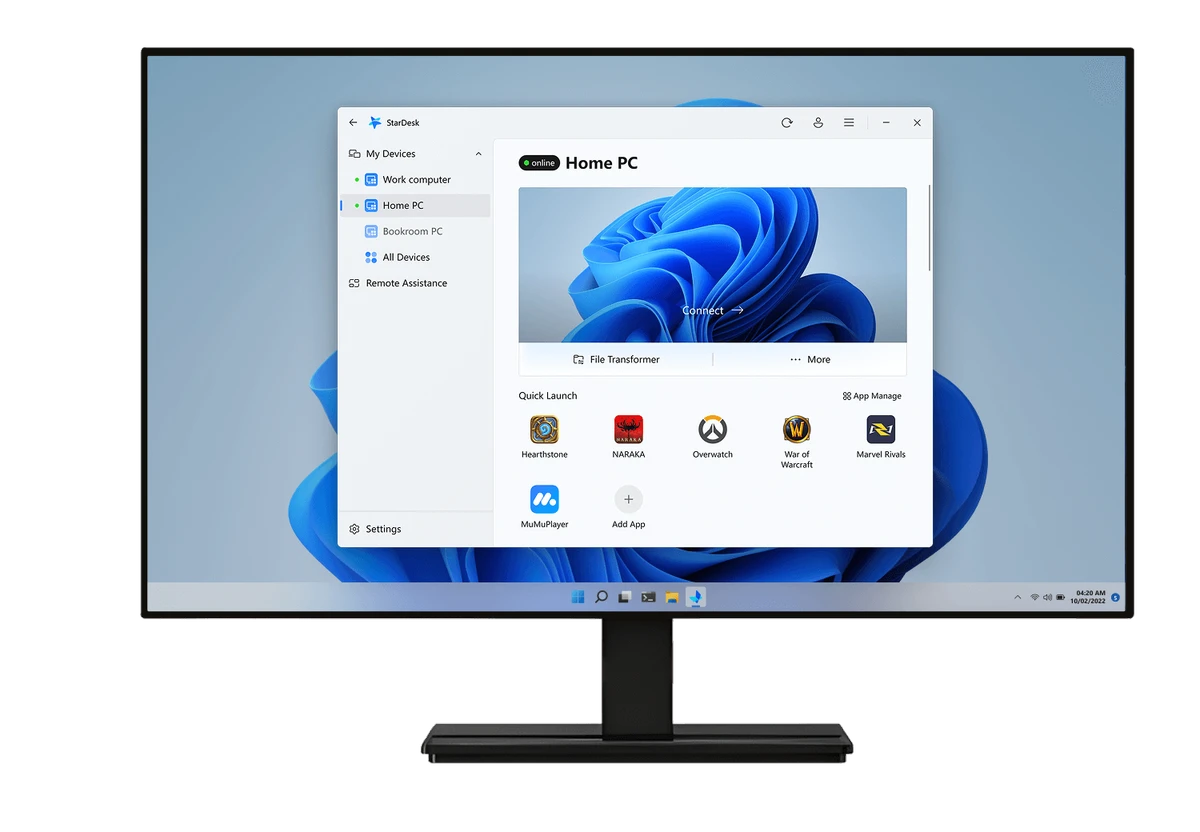

StarDesk is a remote desktop application designed to provide fast, low-latency remote access with minimal setup. Whether you need to control another computer, provide remote assistance, or transfer files between devices, StarDesk offers a streamlined experience that focuses on simplicity and responsiveness. Its automatic device registration, built-in file transfer, customizable Quick Launch feature, and centralized Control Center make it a practical solution for users who frequently work across multiple computers.
Features of StarDesk
- Low-latency remote desktop connections
- Fast remote session setup
- Remote computer control
- Remote assistance capabilities
- Built-in file transfer utility
- Automatic device registration after account authentication
- Seamless switching between host and guest roles
- Control Center for managing remote sessions
- Display resolution adjustment
- Security settings management
- Quick Launch for frequently used applications
- Remote Boot support (when enabled in Settings)
Quick Launch
- Detects installed software on the host computer
- Create a personalized list of frequently used applications
- Pin commonly accessed programs for quicker remote access
Control Center
- Configure connection settings
- Adjust display resolution
- Access file transfer tools
- Manage security options during remote sessions
User Experience
StarDesk emphasizes ease of use from the moment you sign in. After authenticating with a Google account, devices are automatically registered, allowing remote connections to be established within seconds. Switching between controlling another computer and sharing your own is straightforward, making the software accessible even for users with limited remote desktop experience.
Remote sessions feel responsive thanks to the software's focus on low-latency performance. Once connected, navigating the host computer, launching applications, and transferring files are handled smoothly through an uncluttered interface. The Control Center keeps commonly used connection settings within easy reach, while Quick Launch adds a convenient productivity boost by allowing users to pin frequently accessed applications on the remote computer.
One drawback is the mandatory Google account authentication. Users who prefer standalone connection credentials similar to traditional remote desktop solutions may find this requirement less convenient. However, the authentication process itself is simple and only takes a few moments. Because StarDesk is currently in Early Access, some features may continue to evolve, but its core remote desktop functionality already delivers a polished experience.
Who Should Use StarDesk?
- Remote workers
- IT support professionals
- Home users accessing personal computers remotely
- Small businesses
- Users managing multiple Windows devices
- Anyone looking for a lightweight remote desktop solution
Conclusion
StarDesk combines responsive remote desktop performance with a straightforward interface that makes remote access easy to set up and use. Features such as file transfer, Quick Launch, and centralized session management enhance productivity without adding unnecessary complexity.


