


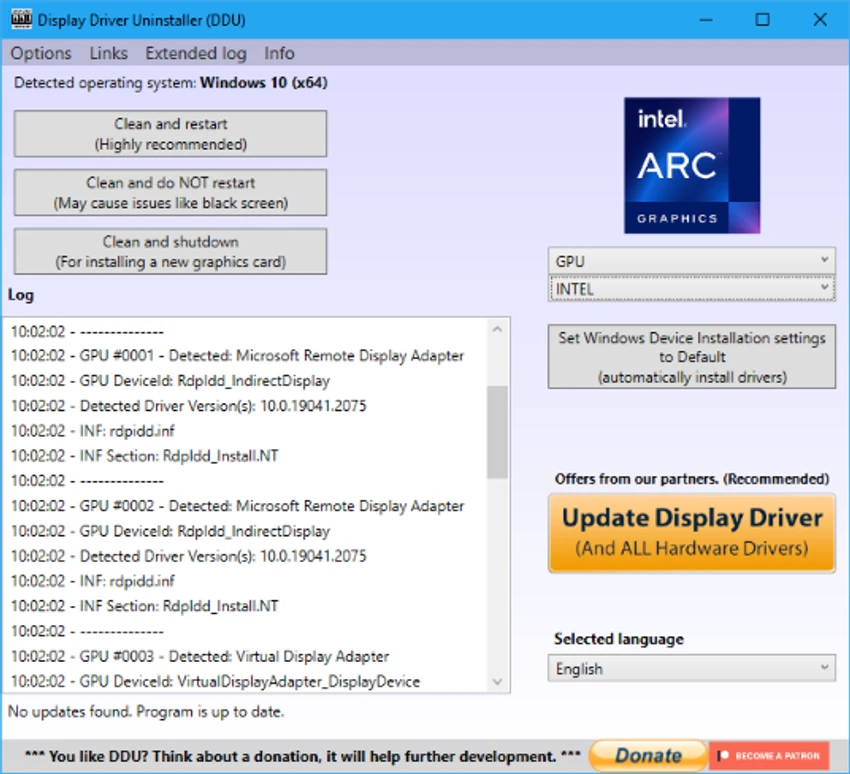

Display Driver Uninstaller (DDU) is a specialized Windows utility designed to completely remove graphics card drivers and their leftover files. Developed by Wagnard, it goes far beyond the standard Windows uninstall process by cleaning hidden files, registry entries, and driver remnants from AMD, NVIDIA, Intel, and certain audio drivers. DDU is widely used by gamers, PC builders, and technicians who need a clean system state before installing new GPU drivers or troubleshooting graphics-related issues.
Features of Display Driver Uninstaller (DDU)
- Completely removes GPU drivers from AMD, NVIDIA, and Intel.
- Cleans leftover driver files, folders, and registry entries.
- Restores system to a “fresh driver install” state.
- Supports removal of Realtek and Sound Blaster audio drivers.
- Force removal option for stubborn drivers.
- Designed for use with Windows 7 through Windows 11.
- Recommended Safe Mode operation for maximum stability.
- Helps prepare system for clean driver installation.
- Lightweight and portable utility.
User Experience
Using DDU feels like performing a deep system reset specifically for graphics drivers. Unlike Windows’ built-in uninstall process, which often leaves behind residual files, DDU aggressively removes everything related to GPU drivers, ensuring a clean environment for reinstalling updated or alternative drivers.
The process is straightforward, but it is clearly designed for users who understand what they are doing. Running it in Safe Mode is recommended, as it minimizes background processes and ensures complete removal without interference from active system services. One of the most noticeable benefits is how effectively it resolves driver-related issues. Problems such as failed driver installations, graphical glitches, or conflicts after switching GPU brands can often be fixed by running DDU and starting fresh.
It is especially useful when moving between different GPU ecosystems, such as switching from NVIDIA to AMD or vice versa, where leftover files can otherwise cause performance or stability issues. While powerful, it is not intended for frequent use. Instead, it is best treated as a troubleshooting or upgrade preparation tool rather than a routine maintenance utility.
Who Should Use Display Driver Uninstaller (DDU)?
- Gamers experiencing GPU driver issues.
- PC builders installing fresh systems or new GPUs.
- Users switching between NVIDIA, AMD, or Intel graphics cards.
- Technicians troubleshooting display problems.
- Anyone needing a completely clean driver reinstall.
Conclusion
Display Driver Uninstaller (DDU) is a must-have utility for anyone dealing with GPU drivers on Windows. It eliminates leftover files that standard uninstallers miss, ensuring clean installations and resolving many common graphics-related issues.


