


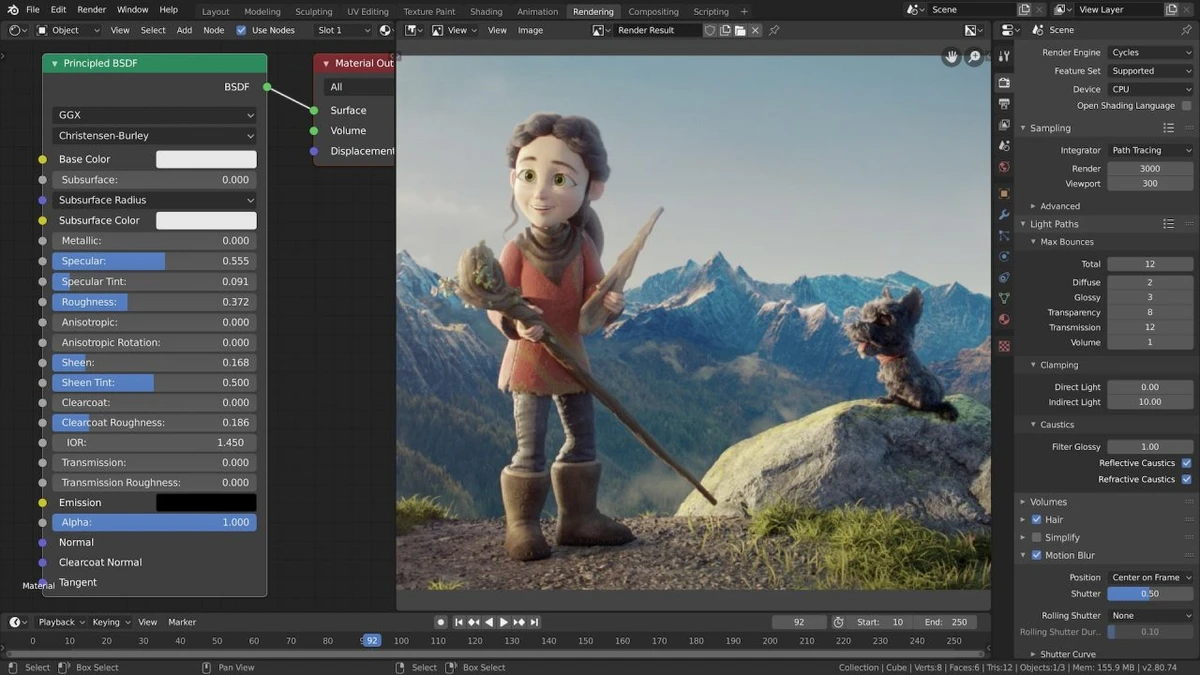

Blender is a free and open-source 3D creation suite that supports nearly every stage of the digital content creation pipeline. Whether you're designing 3D models, producing animated films, creating visual effects, rendering photorealistic scenes, editing videos, or developing interactive content, Blender provides a comprehensive set of tools within a single application. Its unified workflow makes it a popular choice for hobbyists, independent artists, educators, and professional studios alike.
The software includes powerful features for modeling, sculpting, rigging, animation, simulation, rendering, compositing, motion tracking, and video editing. It also supports Python scripting through a well-documented API, allowing advanced users to automate tasks, develop custom tools, and extend the application's capabilities. Blender's integrated rendering engine supports both CPU and GPU rendering, real-time viewport previews, HDR lighting, physically based shaders, subsurface scattering (SSS), and translucency for creating realistic scenes and materials.
As an open-source project released under the GNU General Public License (GPL), Blender benefits from continuous improvements contributed by a global development community. It runs on Windows, macOS, and Linux, offering a consistent cross-platform experience for creators working across different operating systems.
Features of Blender
- Free and open-source 3D creation suite
- Complete 3D workflow in a single application
- 3D modeling and sculpting tools
- Character rigging and animation
- Physics and simulation tools
- Integrated rendering engine with CPU and GPU rendering
- Real-time viewport rendering preview
- Physically based shaders
- Support for subsurface scattering (SSS) and translucency
- HDR lighting support
- Node-based compositing
- Motion tracking tools
- Built-in video editing
- Support for game creation workflows
- Python API for scripting and custom tool development
- Cross-platform support for Windows, macOS, and Linux
Interface and Usability
Blender provides a feature-rich workspace designed to handle every stage of 3D production within a single environment. Although the interface contains numerous panels, editors, and tools, its unified layout allows users to switch efficiently between modeling, animation, rendering, compositing, and video editing without changing applications.
The software offers real-time viewport previews, making it easier to evaluate lighting, materials, and scene composition while working. Advanced users can further customize Blender using Python scripting, allowing repetitive tasks to be automated or entirely new workflows to be created. While beginners may need time to become familiar with the interface due to its extensive functionality, the integrated workflow becomes highly efficient once mastered.
Who Should Use Blender?
- 3D artists and modelers
- Animators creating short films or character animations
- Visual effects (VFX) artists
- Motion graphics designers
- Video editors working with integrated 3D content
- Game developers creating assets and interactive content
- Students learning 3D graphics and animation
- Independent creators and small production studios
- Developers who want to extend software functionality using Python
Conclusion
Blender has established itself as one of the most capable free 3D creation applications available. By combining modeling, animation, simulation, rendering, compositing, motion tracking, video editing, and scripting into a single package, it eliminates the need for multiple specialized tools during many production workflows. Its open-source nature, cross-platform compatibility, and continuous community-driven development make it an appealing solution for creators at every skill level.


