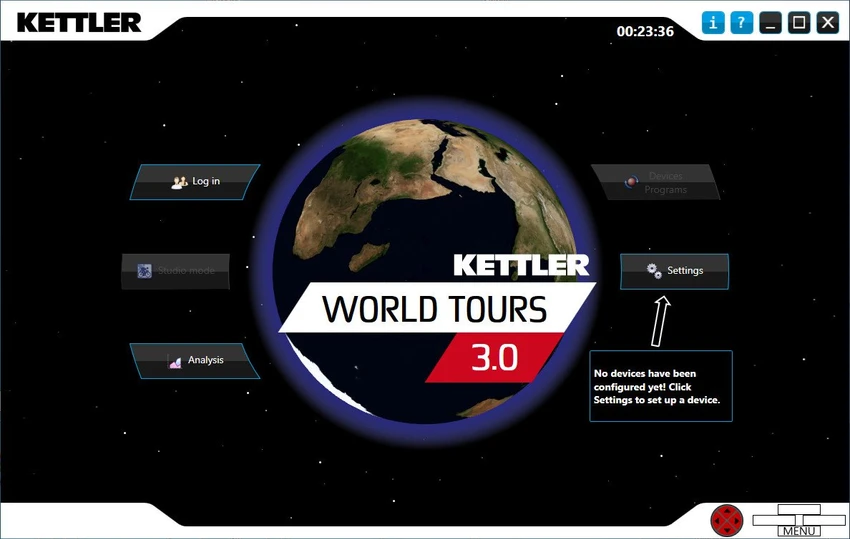
Kettler World Tours logo

Kettler World Tours 3.0.4.20

  • User Rating:
    ★★★★★
    ★★★★★
    0.0 0Votes
  • Requirements:
    Windows
  • Version: 3.0.4.20
  • Latest updated: 1 day ago
  • License: Free Trial  
  • Publisher: Wolfgang Weinmann Softwareentwicklung
  • Size: 150 MB
×

Kettler World Tours is a training and simulation software designed for KETTLER fitness equipment, including ergometers and treadmills. It transforms indoor workouts into interactive experiences by allowing users to train on real-world routes, aerial maps, and video tracks while tracking performance and competing online.

Overview

Indoor training can sometimes feel repetitive, but Kettler World Tours aims to make workouts more engaging through virtual environments and advanced training tools. The software combines GPS-based route simulation, real-life video tracks, performance monitoring, and online competition features into a single platform. Users can recreate outdoor training sessions indoors, design custom routes, or participate in online races against other fitness enthusiasts. The software also provides detailed workout analysis and progress tracking, helping users maintain structured fitness programs and monitor improvements over time.

Designed specifically for KETTLER training equipment, Kettler World Tours bridges the gap between indoor exercise and outdoor adventure.

Features of Kettler World Tours

  • Training on 3D aerial images powered by Microsoft Bing Maps
  • Real-life video routes for immersive workout experiences
  • GPS-controlled indoor-to-outdoor training simulation
  • Import GPS data and real-world training routes
  • Advanced workout evaluation and performance monitoring
  • Training calendar for tracking fitness progress
  • Online race mode with community participation
  • Freely programmable training profiles
  • Standardized fitness and step testing
  • Detailed load curve visualization for training sessions
  • Custom route creation tools
  • Support for Bluetooth-enabled training equipment
  • ANT+ device compatibility

User Experience

Using Kettler World Tours feels much closer to outdoor training than a traditional indoor workout application. The integration of aerial maps and real-life video routes adds a visual element that helps make longer training sessions more engaging. The ability to import GPS data is particularly useful for users who want to recreate favorite outdoor routes from cycling or running activities. Instead of following generic workout programs, users can train on familiar courses from the comfort of their homes.

The training analysis tools provide a clear overview of workout performance, while the training calendar makes it easy to monitor progress over time. For competitive users, the online race mode introduces an additional layer of motivation by allowing participation in virtual competitions.

Conclusion

Kettler World Tours delivers a comprehensive virtual training experience that combines realistic route simulation, performance analysis, and online competition. The ability to train on real-world routes using GPS data and video tracks helps make indoor workouts more engaging and motivating.

Pros & Cons

Pros

    • Realistic training using aerial maps and video routes
    • GPS route import for recreating outdoor workouts
    • Detailed training evaluation and monitoring tools
    • Online racing and community features
    • Customizable training profiles
    • Supports Bluetooth and ANT+ compatible devices
    • Useful fitness and step testing tools

Cons

    • Requires compatible KETTLER training equipment for full functionality
    • Additional storage space may be needed for video content
    • No official information provided about recent version changes

Frequently Asked Questions

What is Kettler World Tours used for?

Kettler World Tours is an indoor fitness training software that allows users to simulate outdoor cycling and treadmill workouts using maps, GPS routes, and real-life video tracks.

Can I import my own GPS routes?

Yes. The software supports GPS data import, allowing users to recreate real-world training routes indoors.

Does Kettler World Tours support online racing?

Yes. The software includes an online race mode where users can compete with others through the KETTLER World Tours community.

What fitness equipment is compatible with Kettler World Tours?

The software is designed for KETTLER training equipment and supports devices that use Bluetooth or ANT+ connectivity.

Does Kettler World Tours provide workout analysis?

Yes. It includes training evaluation tools, load curve visualization, fitness testing, and a training calendar for monitoring progress.

What are the system requirements?

The software requires Windows 10 or Windows 11, at least 4 GB of RAM, a DirectX 9-compatible graphics card, 1 GB of storage space, and a broadband internet connection. Additional storage may be required for real-life video content.

Recommended apps [Freeware]:
  • Trillian 6.6 Build 15 Trillian logo all-in-one chat software designed to simplify online communication
  • WinScan2PDF 9.77 WinScan2PDF logo scan documents and save them as PDFs or JPEGs with minimal setup and low CPU usage.
  • HWMonitor 1.64 HWMonitor logo a free system tool that monitors CPU, GPU, voltages, temperatures, and fan speeds in real time.
  • WSCC - Windows System Control Center 10.0.3.8 WSCC - Windows System Control Center logo Windows utility manager that installs, organizes, and runs Sysinternals and system tools from one central interface
  • Valentina Studio 17.5 Valentina Studio logo manage SQL and NoSQL databases with schema design, queries, reports, and cross-platform support.
  • Zortam Mp3 Media Studio 33.95 Zortam Mp3 Media Studio logo Manage, tag, rip, organize, convert, and play MP3 files with the all-in-one Zortam Mp3 Media Studio
Recommended apps [Shareware]:
  • Typing Instructor Platinum 21.1 Typing Instructor Platinum logo improve typing speed and accuracy through interactive lessons, games, and 10-finger typing practice.
  • Topaz Photo 1.6.1 Topaz Photo logo advanced AI to sharpen photos, remove noise, and enhance image quality with ease
  • HyperSnap 10.0.3 HyperSnap logo captures screenshots, scrolling windows, OCR text and video with advanced editing tools on Windows.
  • Syncovery 12.0.5.29 Syncovery logo fast backup and file synchronization tool with real-time sync, versioning, and advanced automation features
  • DiskGenius 6.2.0.1829 DiskGenius logo a Windows tool for partition management, data recovery, disk cloning, and backup with advanced features.
  • Photo Supreme 2026.3.0.9285 Photo Supreme logo Organize, search, and manage thousands of photos with Photo Supreme's powerful cataloging features