



Patch My PC is a portable Windows utility designed to simplify software maintenance by checking installed applications against their latest available versions and helping users keep them up to date. Supporting more than 300 popular applications, it provides an efficient way to identify outdated software and install updates without manually visiting multiple websites.
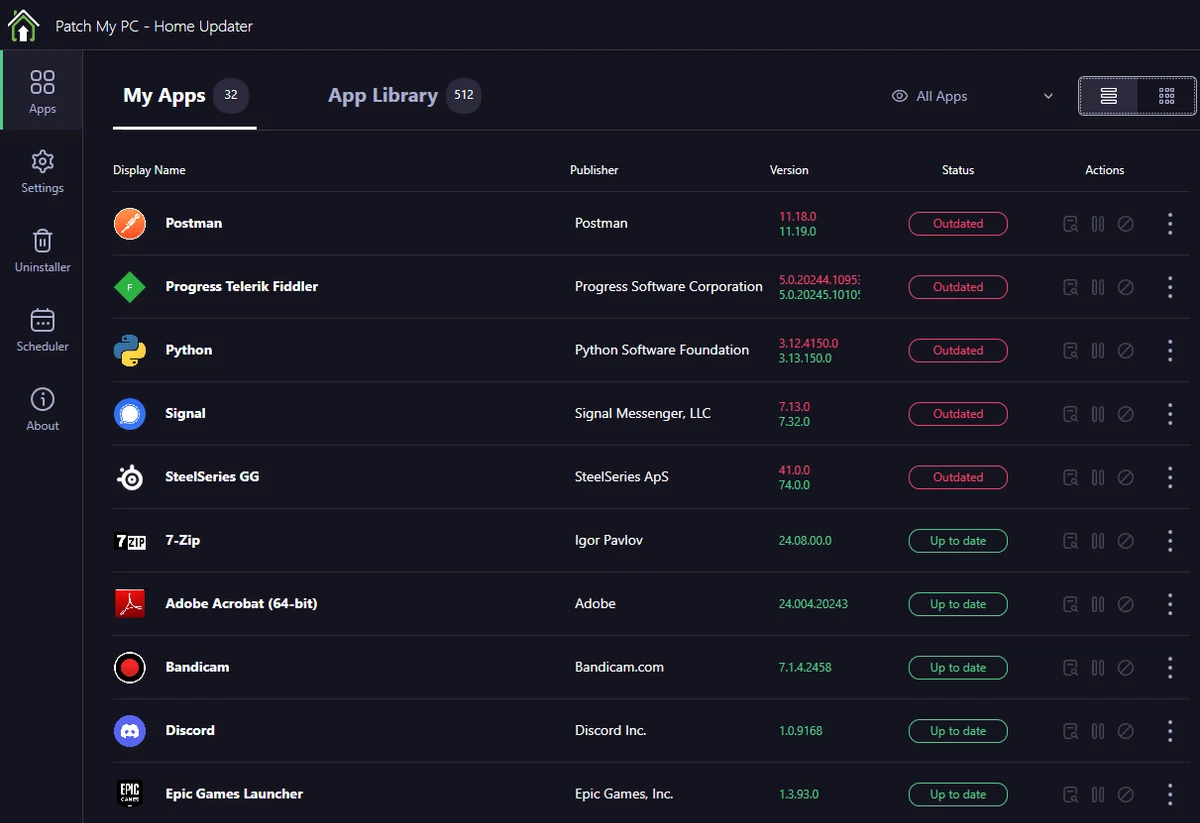
After launching the application, Patch My PC scans supported programs and displays their status using a clear color-coded system. Applications shown in green are already up to date, red indicates that updates are available, and black represents software that is not currently installed. This straightforward presentation makes it easy to understand the condition of your installed software at a glance.
The application also focuses on automation. Software updates are installed silently whenever possible, eliminating installation prompts and reducing interruptions. Patch My PC includes additional tools such as scheduling, startup management, an application uninstaller, and support for automatically installing 64-bit versions of applications on compatible systems. For system administrators, it can create a baseline of applications for new PC deployments, helping streamline software installation across multiple machines. Overall, Patch My PC offers a practical solution for users who want to keep Windows applications updated with minimal effort.
Features of Patch My PC
- Portable application with no complex installation required
- Checks installed software against the latest available versions
- Supports updating more than 300 applications
- Color-coded software status indicators
- Silent software updates with minimal user interaction
- Applications organized into 17 categories
- Software update summary dashboard
- Built-in scheduler for automatic update checks
- Startup management tools
- Integrated application uninstaller
- Automatically installs 64-bit applications on 64-bit systems
- Optional installation of 32-bit applications on 64-bit systems
- Automatically closes supported applications before updating
- Batch uninstall multiple programs
- Create application baselines for new PC deployments
Interface and Usability
After using Patch My PC, I found the interface refreshingly simple and highly functional. The layout clearly separates software categories, update summaries, and available management tools, making navigation straightforward even for users with little technical experience.
The color-coded status system immediately highlights which applications need attention, while silent updates remove much of the hassle normally associated with software maintenance. Features such as scheduling, startup management, and batch uninstalling are easy to access without cluttering the interface. Overall, the application prioritizes speed and simplicity, allowing routine software maintenance to be completed in just a few clicks.
Who Should Use Patch My PC?
- Home users who want to keep applications updated automatically
- Users looking for a portable software updater
- IT professionals maintaining multiple Windows computers
- System administrators deploying software on new PCs
- Anyone who wants silent software updates with minimal manual work
Conclusion
Patch My PC is an excellent utility for simplifying software maintenance on Windows. Its portable design, silent updating process, and straightforward interface make it easy to keep supported applications current without spending time checking each program manually. Additional tools such as scheduling, startup management, and deployment baselines add value for both everyday users and IT professionals.


