


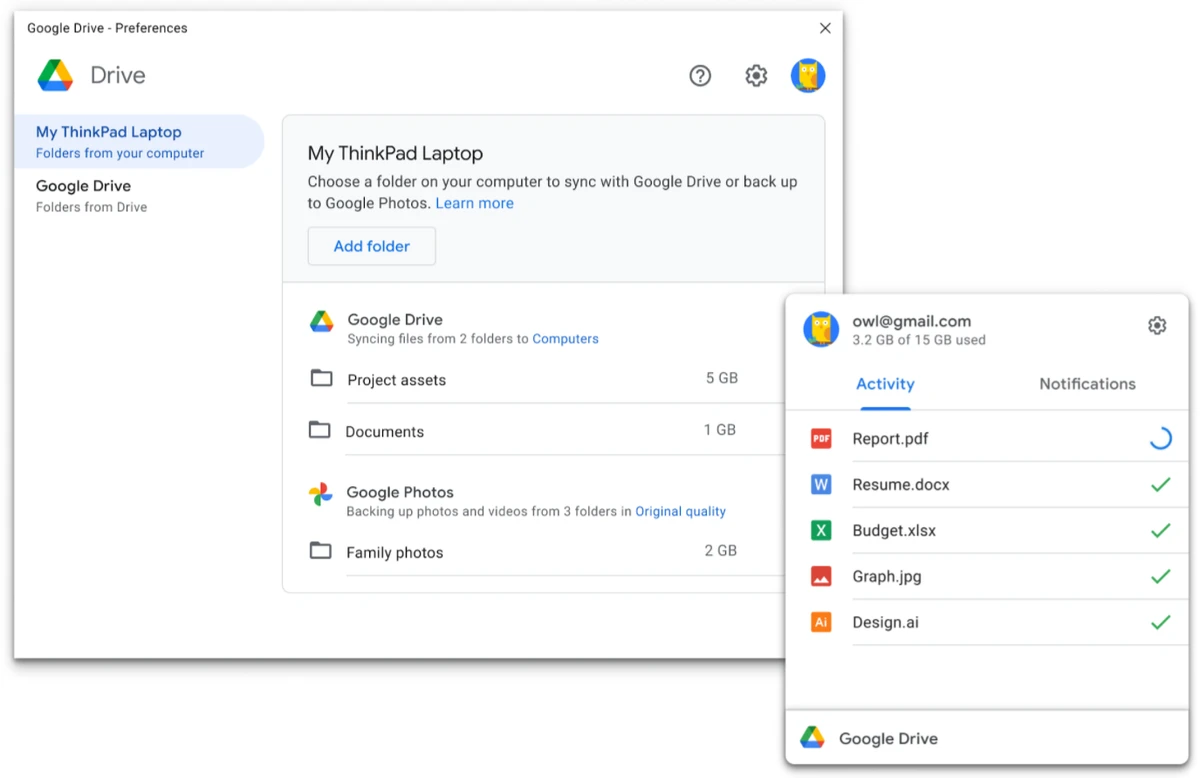

Google Drive is a cloud storage and file synchronization platform that helps users store, access, and share files across computers and mobile devices. With built-in productivity tools and real-time collaboration features, it serves as both a personal backup solution and a workspace for teams, students, and professionals.
Overview
Google Drive (formerly available through Backup and Sync for desktop) is designed to keep your files accessible from virtually anywhere. Whether you're uploading documents, photos, videos, or presentations, the platform stores them securely in Google's data centers and synchronizes them across supported devices.
One of Google Drive's biggest advantages is its integration with Google's productivity ecosystem, including Docs, Sheets, and Slides. Users can create, edit, and collaborate on files without installing additional software. The platform also supports viewing more than 30 file types directly in a web browser, including HD videos and Adobe Illustrator or Photoshop files. With 15GB of free storage shared across Google services, Google Drive provides enough space for everyday users while offering upgrade options for those who need additional capacity.
Features of Google Drive
- 15GB of free cloud storage
- Secure file storage in Google data centers
- Automatic file synchronization across devices
- Access files from desktop, web, Android, and iOS
- Upload photos, videos, documents, and other file types
- View over 30 file formats directly in a browser
- Built-in Google Docs, Sheets, and Slides support
- Real-time collaboration and commenting
- In-document chat for collaborative work
- Offline editing and viewing support through Chrome
- Smart search with image and document text recognition
- Automatic saving and version history tracking
- Restore previous file versions when needed
- Open and edit Microsoft Office documents on mobile devices
- Integration with Google Keep, Forms, Charts, and Apps Script
- Drag-and-drop file uploads
- Private-by-default file sharing controls
User Experience
After using Google Drive, the first thing that stands out is how easy it is to access files across multiple devices. Uploading content is straightforward, and files become available almost instantly through the web interface and mobile applications. The search functionality is particularly useful. Instead of relying solely on file names, Drive can recognize objects within images and identify text in scanned documents, making it easier to locate content in large storage libraries.
Collaboration is another area where Google Drive performs well. Sharing files, leaving comments, and working together on documents happen seamlessly. Changes are saved automatically, reducing the risk of losing work and making teamwork more efficient.
The browser-based file viewing support is also convenient. Being able to preview various file formats without installing specialized software saves time and simplifies file management. For users who frequently travel or work remotely, offline support provides added flexibility by allowing document editing and viewing even when an internet connection is unavailable.
Who Should Use Google Drive?
- Individuals looking for secure cloud backup
- Students managing assignments and projects
- Professionals collaborating on documents and presentations
- Remote teams requiring shared file access
- Users who work across multiple devices
- Anyone seeking an integrated cloud storage and productivity platform
Conclusion
Google Drive remains one of the most complete cloud storage solutions available. Its blend of secure file storage, device synchronization, collaborative editing, and productivity tools makes it suitable for a wide range of users.


