PerfectXL Compare logo

PerfectXL Compare 1.8.1

  • User Rating:
    ★★★★★
    ★★★★★
    0.0 ★ 0Votes
  • Requirements:
    Windows
  • Version: 1.8.1
  • Latest updated: 3 weeks ago
  • License: Free Trial  
  • Publisher: Infotron B.V.
  • Size: 180 MB
× app stores

PerfectXL Compare is an Excel comparison tool designed to help users identify differences between spreadsheet versions quickly and accurately. Managing multiple versions of Excel files can be challenging, especially when changes are difficult to track or when the wrong file is edited. PerfectXL Compare helps solve this problem by analyzing spreadsheet structures, formulas, cell changes, and VBA differences. The software focuses on revealing meaningful changes rather than showing unnecessary side effects, making it easier to review adjustments and maintain spreadsheet quality. It can be used for repairing broken models, reviewing updates, maintaining version control, verifying templates, cleaning up spreadsheets, and merging Excel files. PerfectXL Compare supports Windows 7, Windows 8.1, Windows 10, and Windows 11 (64-bit).

Features of PerfectXL Compare

  • Excel file comparison: Quickly compare different spreadsheet versions to identify changes.
  • Structure comparison: Detect important structural changes between Excel models.
  • Cell and formula analysis: Review specific cell edits and formula modifications.
  • Change reporting: Export comparison results to log and document changes.
  • VBA comparison: Identify differences in VBA macros between spreadsheet versions.
  • Version control support: Helps organize and maintain multiple Excel file versions.
  • Template verification: Check whether spreadsheets follow expected templates.
  • Spreadsheet merging: Supports combining two spreadsheets for easier model management.
  • Side-effect filtering: Focuses on actual changes instead of unnecessary comparison results.
  • Visual change insights: Provides clearer views of spreadsheet structure changes.

Interface and Usability

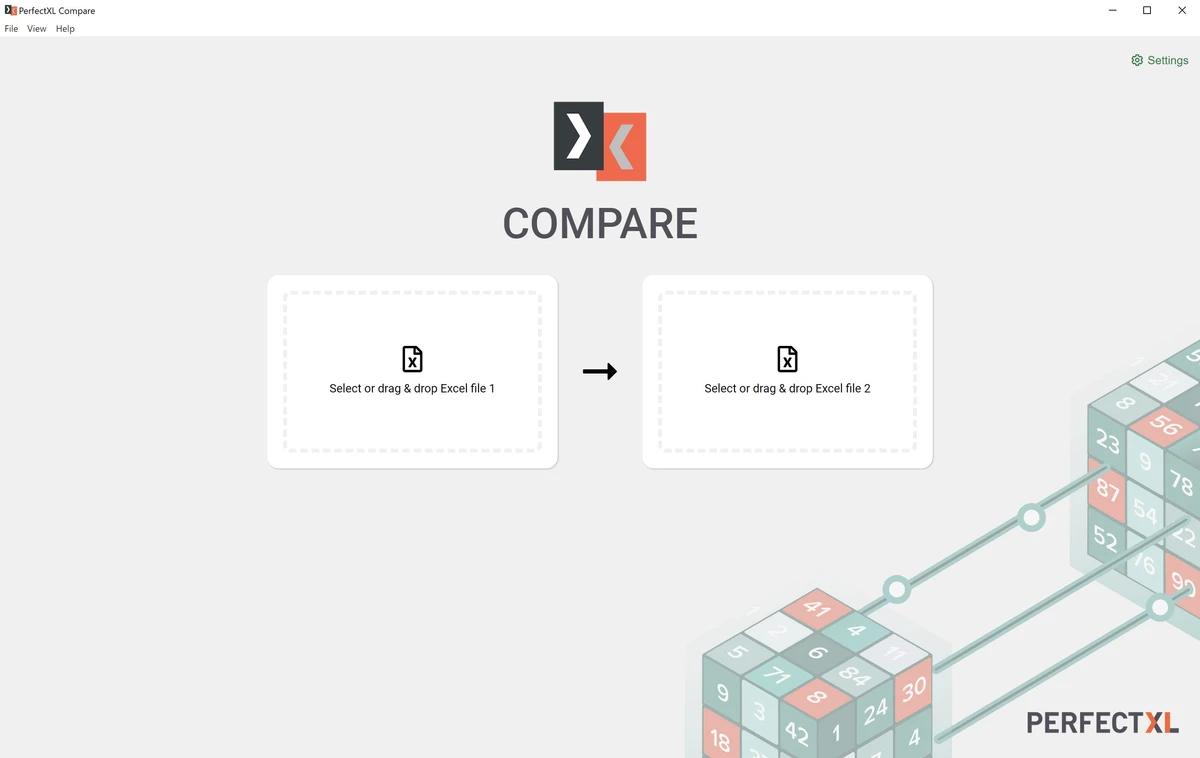
PerfectXL Compare is designed to make Excel file comparison more straightforward by presenting differences in a structured way. Instead of manually checking spreadsheets cell by cell, users can compare versions and quickly identify changes in formulas, structures, and VBA components. The software focuses on clarity by highlighting important modifications while reducing distractions caused by secondary effects. This makes it easier for users to review spreadsheet updates, verify adjustments, and maintain consistent Excel models over time.

For professionals who regularly work with changing Excel files, PerfectXL Compare provides a practical workflow for reviewing and documenting spreadsheet differences.

Who Should Use PerfectXL Compare?

PerfectXL Compare is suitable for Excel professionals, financial analysts, consultants, auditors, and teams that manage multiple spreadsheet versions. It can be especially useful for users who need to verify changes in important Excel models or maintain better control over spreadsheet updates. The software is also helpful for organizations that rely on Excel templates, shared workbooks, and complex spreadsheet-based processes where tracking changes is important.

Conclusion

PerfectXL Compare is a specialized Excel comparison solution that helps users manage spreadsheet changes more effectively. With tools for analyzing formulas, structures, cells, and VBA differences, it provides a clearer way to review updates and maintain spreadsheet accuracy.

Pros & Cons

✓

Pros

  • Makes Excel version comparison easier
  • Identifies formula, cell, and structure changes
  • Supports VBA macro comparison
  • Provides comparison reports for documentation
  • Helps maintain spreadsheet version control
  • Focuses on meaningful changes instead of unnecessary differences
✕

Cons

  • Designed specifically for Excel comparison tasks

Frequently Asked Questions

What is PerfectXL Compare?

PerfectXL Compare is a spreadsheet comparison tool designed to identify differences between Excel files, including changes to cells, formulas, structures, and VBA components.

Why use PerfectXL Compare instead of manually comparing Excel files?

PerfectXL Compare helps automate the comparison process by identifying important changes and presenting them in a structured format, making it easier to review complex spreadsheets.

Can PerfectXL Compare compare Excel formulas?

Yes. The software provides insights into formula changes and helps users identify modifications between spreadsheet versions.

Does PerfectXL Compare support VBA macros?

Yes. PerfectXL Compare includes features for comparing VBA differences between Excel files.

Can PerfectXL Compare help with Excel version control?

Yes. The software is designed to help users organize and maintain spreadsheet versions by making changes easier to track and review.

What versions of Windows does PerfectXL Compare support?

According to the available system requirements, PerfectXL Compare supports Windows 7, Windows 8.1, Windows 10, and Windows 11 (64-bit).

Recommended apps [Freeware]:
  • Garmin Express 7.29.0.0 Garmin Express logo manage Garmin GPS devices with map updates, backups, software updates, and device registration
  • Video Repair Tool 5.0.4.5 Video Repair Tool logo repair corrupted, broken, or unplayable video files on Windows and Mac with simple recovery workflows.
  • MSI Dragon Center 2.0.156.0 MSI Dragon Center logo monitor CPU, GPU, and RAM, optimize gaming performance, and control RGB and system settings on MSI PCs
  • SoftPerfect Ping Monitor 26.6 SoftPerfect Ping Monitor logo Monitor network hosts in real time with SoftPerfect Ping Monitor, featuring latency tracking, packet loss analysis, and customizable alerts
  • MKVToolNix 100.0 MKVToolNix logo free MKV toolkit for splitting, merging, editing, and extracting video and audio streams easily
  • Alternate Textbrowser 4.520 Alternate Textbrowser logo View and edit source code with syntax highlighting, binary viewing, search tools, and built-in utilities in a lightweight editor.
Recommended apps [Shareware]:
  • VovSoft Batch Audio Converter 2.1 VovSoft Batch Audio Converter logo a Windows tool for fast bulk audio conversion with drag-and-drop simplicity and format flexibility
  • DP Animation Maker 3.5.51 DP Animation Maker logo a simple Windows tool for creating animated images, GIFs, and videos with effects, objects, and music.
  • KeyShot 2026.2 KeyShot logo real-time 3D rendering and animation software for photorealistic visuals, materials, and product design
  • App Builder 2026.18 App Builder logo a visual development environment for creating HTML5, mobile, desktop, and PWA applications
  • PingPlotter 5.27.10 PingPlotter logo network monitoring tool for tracking latency, packet loss, and remote host performance in real time
  • Spectaculator 9.1 Spectaculator logo Experience classic ZX Spectrum games and software with Spectaculator, a high-accuracy emulator for modern Windows PCs