


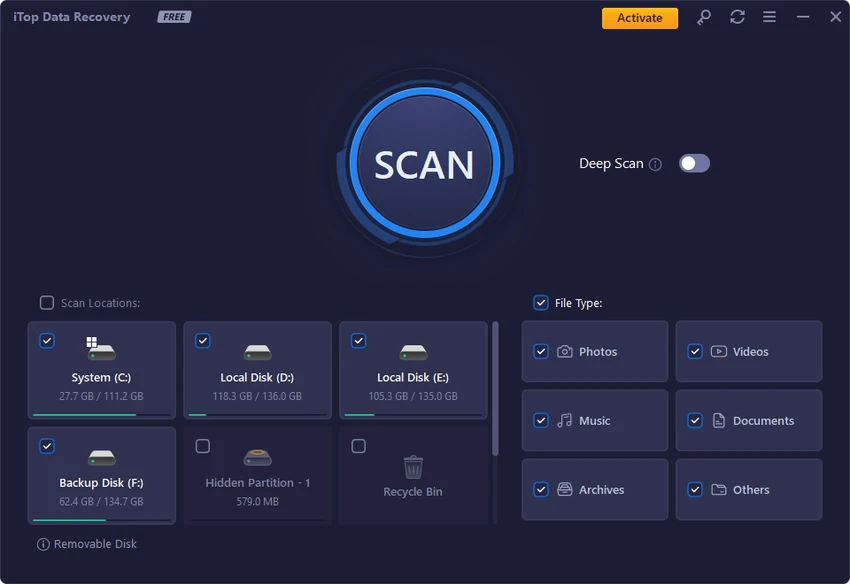

iTop Data Recovery is a Windows data recovery application designed to help users restore lost or deleted files from a variety of storage devices. The software can recover documents, photos, videos, music files, system files, and other types of data from locations such as the Windows Recycle Bin, hard drives, SSDs, external disks, USB drives, memory cards, and digital cameras.
The application focuses on making the recovery process simple and accessible. Users can select the location and file types they want to scan, start the scanning process, and review the recoverable files displayed by the software. Before recovery, users can check file details such as file name, original location, size, recoverability status, and preview available data. iTop Data Recovery supports more than 1,000 file formats, allowing it to handle many common document, image, video, and audio recovery situations. The software also provides different scan options, allowing users to search based on specific locations or file categories depending on their needs.
The tool can help recover data lost due to accidental deletion, emptied Recycle Bin files, malware or virus-related issues, system crashes, formatting, or other unexpected operations. For the best chance of recovery, restoring files soon after deletion is recommended, as new data may overwrite the deleted information. With a straightforward recovery workflow and support for multiple storage devices, iTop Data Recovery provides a convenient option for users who need to retrieve lost files on Windows.
Features of iTop Data Recovery
- Recover deleted and lost files from Windows systems
- Restore documents, photos, videos, music, and system files
- Recover data from hard drives, SSDs, USB drives, memory cards, and external disks
- Support for more than 1,000 file formats
- Scan files by location and file type
- Preview recoverable files before restoration
- Display file name, original location, size, and recovery evaluation
- Simple recovery process with a few steps
- Designed to recover data after deletion, formatting, system crashes, and other data loss situations
Interface and Usability
iTop Data Recovery provides a simple recovery workflow designed for users who want to restore files without complicated configuration. The process begins by selecting locations and file types, followed by scanning for available recoverable data. After scanning, the software presents information about found files, including details that help users identify the correct data before recovery. The preview feature allows users to check available files before restoring them.
The straightforward design makes the application accessible for users with limited technical experience. At the same time, the available scan options provide more flexibility for users who want to target specific file types or storage locations. Overall, iTop Data Recovery focuses on ease of use and a clear recovery process rather than advanced manual recovery controls.
Who Should Use iTop Data Recovery?
- Users who emptied the Windows Recycle Bin by mistake
- People recovering deleted photos, videos, or documents
- Users dealing with formatted drives or accidental data loss
- Anyone recovering files from USB drives, SSDs, or external storage
- Home users looking for a simple recovery solution
Conclusion
iTop Data Recovery is a practical Windows recovery tool designed to help users retrieve lost files from common storage devices. Its simple scanning process, broad file format support, and preview options make it accessible for users who need a straightforward way to recover deleted data.
The software is suitable for recovering files lost through accidental deletion, formatting, system issues, or other common data loss situations. While successful recovery depends on factors such as how much the storage device has been used after deletion, iTop Data Recovery provides an easy starting point for restoring important files.


