


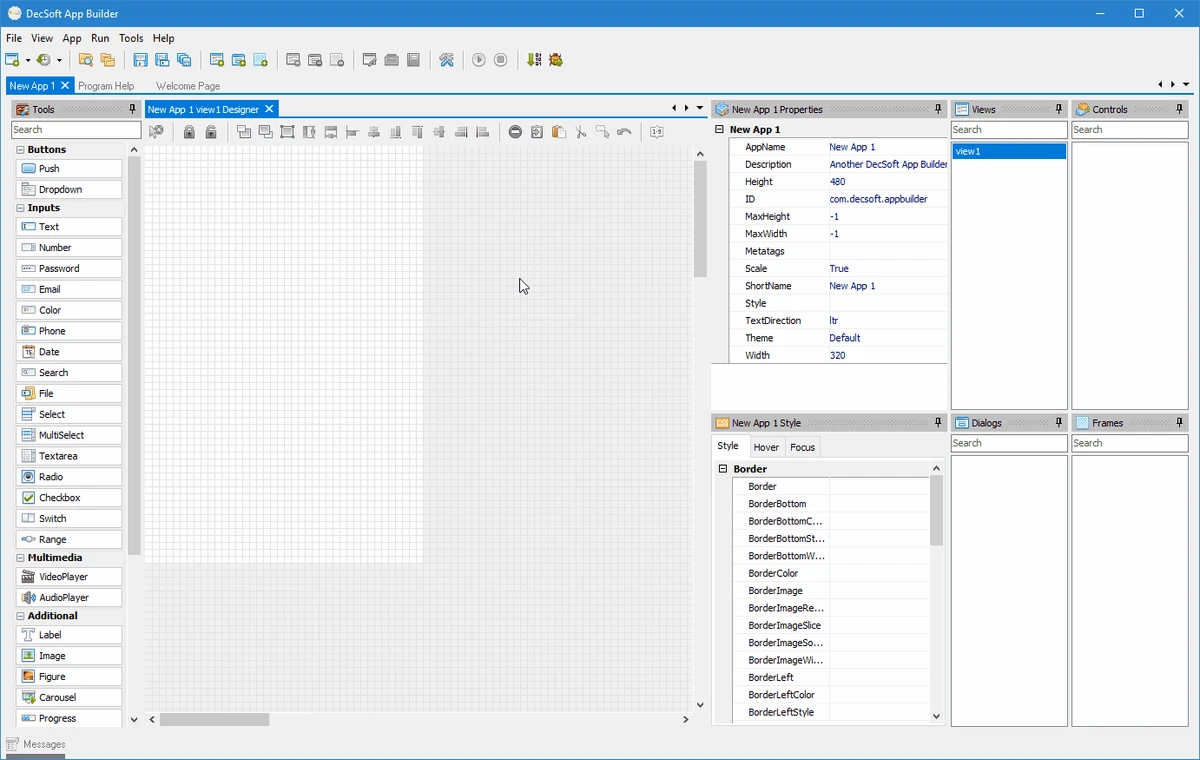

App Builder is a visual development environment designed to help developers create HTML5 applications, Progressive Web Apps (PWAs), Web Extensions, and hybrid mobile and desktop applications from a single codebase. By leveraging HTML, CSS, and JavaScript, it enables cross-platform development for Android, iOS, Windows, and modern web browsers.
Overview
DecSoft App Builder focuses on simplifying cross-platform application development through a visual drag-and-drop interface combined with standard web technologies. Instead of requiring separate projects for each platform, developers can build applications using HTML, CSS, and JavaScript and deploy them across desktop and mobile environments. The platform includes visual design tools, integrated code editors, Apache Cordova support, file management utilities, and customizable user functions. Its approach makes it suitable for developers who prefer rapid application development while maintaining direct access to underlying code when needed.
Features of App Builder
- Visual drag-and-drop application designer
- Development using HTML, CSS, and JavaScript
- Create HTML5 applications and WebApps
- Build Progressive Web Apps (PWAs)
- Develop Web Extensions
- Generate hybrid applications for Android, iOS, and Windows
- Integrated Apache Cordova support
- Automatic preparation of configuration files and platform assets
- Support for official Apache Cordova plugins
- Context-sensitive help system accessible via F1
- Quick Code List for faster JavaScript coding
- Built-in App Files Manager
- Support for JavaScript files, stylesheets, images, JSON files, and directories
- Custom User Functions for runtime functionality
- Auto-scaling application layouts
- Multiple themes and styling options
- Runtime style switching capabilities
User Experience
Using App Builder feels approachable, especially for developers who prefer visual design over manually building user interfaces from scratch. The drag-and-drop designer allows controls to be added quickly, reducing the amount of repetitive interface coding typically required during application development.
One of the platform's strengths is its reliance on standard web technologies. Developers familiar with HTML, CSS, and JavaScript can immediately start creating applications without learning a proprietary programming language. This also makes projects easier to maintain and customize. The integrated Apache Cordova support streamlines the process of preparing applications for mobile deployment. Instead of manually configuring multiple files and assets, App Builder automates much of the setup process, helping reduce development overhead.
The Quick Code List is a useful productivity feature that assists with JavaScript coding by providing quick access to available properties, methods, and controls. Combined with the contextual help system, it creates a development experience that feels accessible even when working with larger projects. The built-in Files Manager further improves workflow efficiency by centralizing project assets, including scripts, stylesheets, images, and data files. Developers can organize application resources without leaving the development environment.
Who Should Use App Builder?
- Web developers transitioning into mobile development
- JavaScript developers
- Cross-platform application developers
- Rapid application development teams
- PWA developers
- Small businesses creating internal applications
- Developers seeking a visual IDE for HTML5 projects
Conclusion
App Builder successfully combines visual application design with the flexibility of standard web technologies. Its drag-and-drop interface, integrated Apache Cordova support, and productivity-focused development tools help simplify the process of creating cross-platform applications.


