


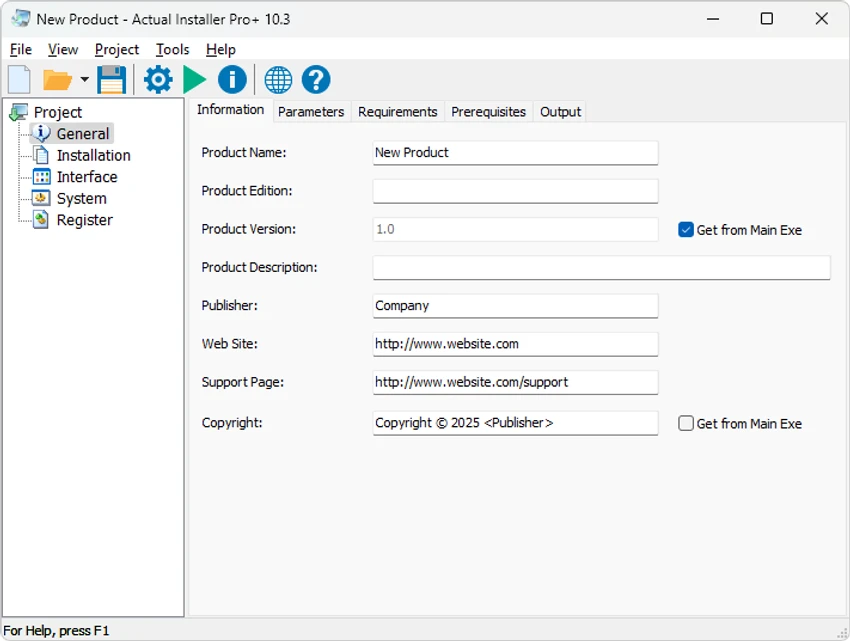

Actual Installer is a Windows software installer creation tool designed to help developers and software publishers build reliable installation packages without requiring complex scripting. Instead of manually writing installation scripts, users can configure installer projects through a form-based interface by adding application files and adjusting available installation settings.
The software provides tools for creating compact executable installation packages that are ready for distribution. It supports both 32-bit and 64-bit Windows applications and includes options for configuring installation behavior, adding shortcuts, managing files, and modifying system settings.
Actual Installer covers many standard requirements for software deployment, including creating Desktop and Start Menu shortcuts, copying files to selected directories, displaying License Agreement or ReadMe files, editing Registry and INI files, and providing a complete uninstall process through the Windows Programs and Features control panel.
For more advanced installation scenarios, the application includes support for multilingual installations, customizable dialogs, system requirement checks, software prerequisites, file associations, font and ActiveX component registration, and custom commands. The final installer package can be compiled into a professional-looking executable suitable for sharing with end users.
The free version provides access to the basic installer creation workflow, while some advanced options require a Pro license.
Features of Actual Installer
- Create Windows installation packages without complex scripting
- Support for 32-bit and 64-bit Windows applications
- Form-based configuration for faster installer setup
- Create Desktop and Start Menu shortcuts
- Copy application files to selected directories
- Include License Agreement and ReadMe files
- Modify Registry and INI files during installation
- Provide complete uninstall support through Windows Programs and Features
- Support multilingual installations
- Customize installation dialogs
- Check system requirements before installation
- Configure software prerequisites
- Manage file associations
- Register fonts, screensavers, and ActiveX components
- Execute custom commands during installation
Interface and Usability
Actual Installer uses a configuration-based interface designed to simplify the installer creation process. Instead of requiring users to learn scripting languages, the software organizes setup options into forms where project details and installation settings can be entered directly.
The workflow is focused on practicality: users add their program files, configure installation options, and compile the project into an executable installer. This approach makes the software accessible for developers who need a straightforward way to package applications.
The interface is designed around speed and efficiency, allowing basic installer projects to be configured within minutes. More advanced options are available for users who need additional control over installation behavior, although some of these features are limited in the free edition.
Who Should Use Actual Installer?
- Software developers who need to package Windows applications
- Small development teams creating distributable programs
- Users looking for a simpler alternative to manual installer scripting
- Developers who need support for shortcuts, registry changes, prerequisites, and uninstall functionality
- Publishers preparing Windows applications for end-user distribution
Conclusion
Actual Installer provides a practical solution for creating Windows installation packages through a structured, form-based workflow. Its combination of basic installer functions and additional configuration options makes it useful for developers who want to prepare applications for distribution without spending time building installation scripts from scratch.
The free version includes essential installation capabilities, while users requiring advanced customization options will need the Pro edition. If you are looking for a dedicated Windows installer creation tool with support for shortcuts, registry settings, prerequisites, and uninstall management, Actual Installer is worth exploring.


