PowerDirector logo

PowerDirector 2026 v24.6

  • User Rating:
    ★★★★★
    ★★★★★
    0.0 0Votes
  • Requirements:
    Windows
  • Version: 2026 v24.6
  • Latest updated: 1 week ago
  • License: Commercial  
  • Publisher: CyberLink Corp.
  • Size: 7 MB
× app stores

PowerDirector is a feature-rich video editing software designed for both beginners and professional creators. It combines traditional timeline editing with AI-powered tools, making video production faster and more accessible. During my experience with it, I found that it balances ease of use with advanced creative control, especially through its template-based workflow and intelligent editing features.

Features of PowerDirector

  • Drag-and-drop video editing interface
  • Customizable video templates for faster project creation
  • Large library of shareable video intros
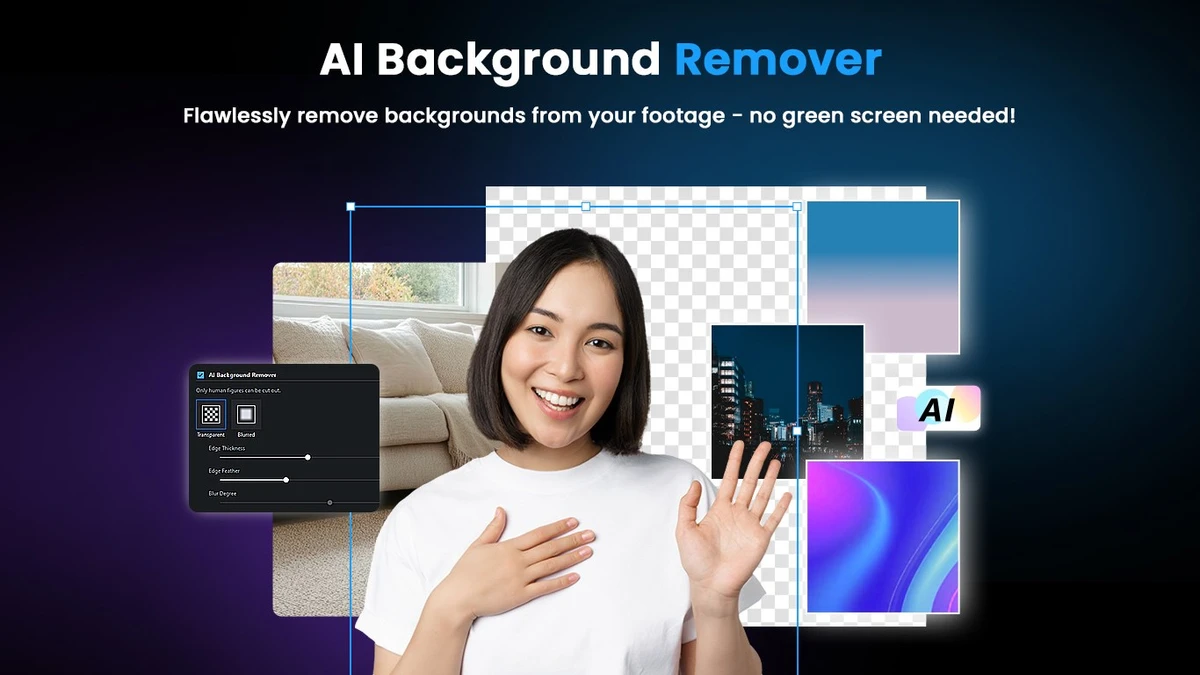
  • Mask Designer for removing or compositing objects
    • Custom masks
    • Image masks
    • Text masks
  • Title Designer with motion graphics and effects
    • Gradient, border, and shadow tools
    • Blending modes and special effects
  • PiP (Picture-in-Picture) Designer
    • Animated stickers and graphics
    • Callouts and custom shapes
    • In/out animations
  • AI Motion Tracking for following moving objects with text or graphics
  • AI Sky Replacement for changing backgrounds and skies
  • AI Object Detection for automatic masking of people, cars, and pets
  • Supports creative effects and transitions for video enhancement
  • Built-in tools for faster editing workflows
  • Designed for both beginner and advanced users

User Experience

After using PowerDirector, the first thing I noticed is how quickly you can start a project. The template system makes it easy to produce polished videos without needing advanced editing skills. This is especially useful for social media content creators who want fast results. The interface is organized around a timeline workflow, but with many visual tools layered on top. Features like Mask Designer and Title Designer offer a surprising level of control for creative editing, while still being accessible through drag-and-drop actions.

AI-powered tools stand out in practical use. Motion tracking works well for attaching text or graphics to moving subjects, and object detection simplifies tasks that would otherwise require manual masking. Sky replacement also provides a quick way to enhance outdoor footage without complex editing. Despite its beginner-friendly approach, PowerDirector still offers depth for advanced users. The combination of effects, layering tools, and animation options allows for detailed video production when needed. Overall, it feels like a tool designed to reduce editing time while maintaining professional output quality.

Who Should Use PowerDirector?

  • Content creators and YouTubers
  • Beginners learning video editing
  • Social media marketers
  • Professionals creating promotional videos
  • Users who want fast, template-based editing
  • Editors looking for AI-assisted tools

Conclusion

PowerDirector is a versatile video editing platform that combines speed, creativity, and AI-driven tools into a single package. Whether you're a beginner creating simple videos or a professional producing polished content, it provides the flexibility and tools needed to achieve high-quality results efficiently. If you're looking for a modern, all-in-one video editor, PowerDirector is a strong choice.

Pros & Cons

Pros

  • Easy-to-use interface with drag-and-drop editing
  • Powerful AI features (motion tracking, object detection, sky replacement)
  • Large library of templates and intros
  • Advanced creative tools (masking, titles, PiP)
  • Suitable for beginners and professionals
  • Fast workflow for content creation

Cons

  • Advanced features may require learning time
  • Some tools depend on high system specifications
  • Template-based workflow may feel limiting for some professionals

Frequently Asked Questions

What is PowerDirector used for?

PowerDirector is used for editing and producing videos with tools for cutting, effects, transitions, and AI-powered enhancements.

Is PowerDirector suitable for beginners?

Yes. It offers templates and drag-and-drop tools that make video editing easy for beginners.

Does PowerDirector include AI features?

Yes. It includes AI motion tracking, object detection, and sky replacement tools.

Can PowerDirector be used for professional editing?

Yes. It includes advanced tools like masking, layering, and motion graphics suitable for professional work.

Does PowerDirector support templates?

Yes. It provides customizable templates and video intros for faster project creation.

What platforms does PowerDirector support?

It supports Windows 10 and Windows 11 (64-bit systems).

What is Mask Designer in PowerDirector?

Mask Designer allows users to remove or composite parts of a video using custom, image, or text-based masks.

Recommended apps [Freeware]:
  • WinScan2PDF 9.77 WinScan2PDF logo scan documents and save them as PDFs or JPEGs with minimal setup and low CPU usage.
  • Audacity 3.7.8 Audacity logo Free open-source audio editor and recorder with multi-track editing, effects, audio analysis, and format conversion
  • AVG Clear 26.6.11050 AVG Clear logo completely removes AVG antivirus products, files, settings, and registry entries from Windows systems
  • GLview 7.4.4 GLview logo displays detailed OpenGL, Vulkan, DirectX, and GPU information, helping users analyze graphics hardware and driver capabilities
  • Winstep Nexus 26.6 Winstep Nexus logo customizable desktop dock for Windows with app launch shortcuts, widgets, and multi-monitor support
  • Rocrail Build 7065 Rocrail logo free model railroad control software that automates train layouts, accessories, schedules, and operations across multiple platforms
Recommended apps [Shareware]:
  • SkyDemon 4.3.1 SkyDemon logo Plan flights with real-time aeronautical data, dynamic charts, NOTAMs, METAR, TAF, and intelligent route planning using SkyDemon
  • MediaHuman YouTube to MP3 Converter 3.9.21 MediaHuman YouTube to MP3 Converter logo downloads audio from YouTube, SoundCloud, and other platforms in high-quality MP3 format
  • Disk Savvy 18.2.36 Disk Savvy logo analyze disk space usage, network shares, NAS storage, and generate detailed reports on Windows
  • GetFLV 32.2606.25 GetFLV logo combines video downloading, conversion, audio extraction, and basic editing tools in one Windows application
  • Allavsoft 3.29.3.9669 Allavsoft logo video downloader and converter for batch downloads, HD quality, and audio extraction on Windows.
  • CoolUtils PDF Combine 8.1.0.76/13 CoolUtils PDF Combine logo Windows tool for merging multiple PDF files into one, with bookmarks, encryption, and batch processing