


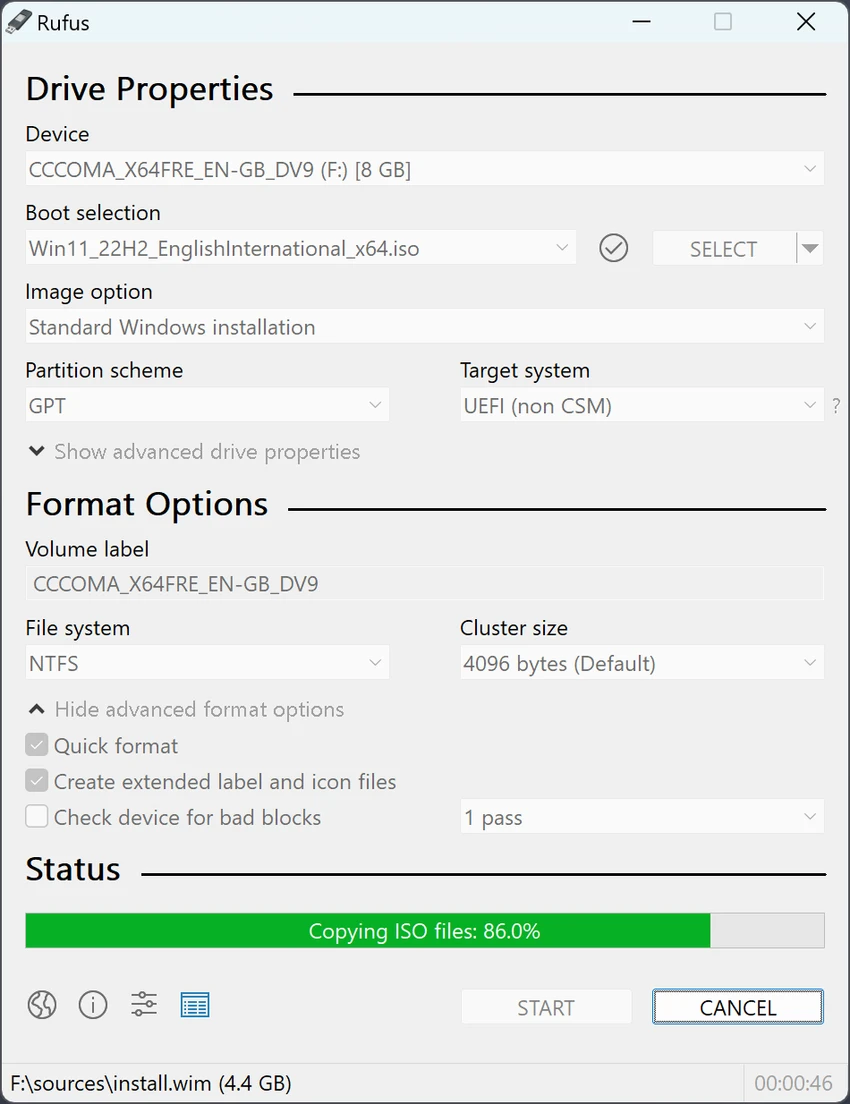

Rufus is a lightweight and highly efficient Windows utility designed to create bootable USB drives from ISO files. It is widely used for installing operating systems, running system recovery tools, flashing firmware, and booting live environments such as Linux distributions. Known for its speed and reliability, Rufus has become a go-to tool for IT professionals, technicians, and everyday users who need a simple way to prepare bootable installation media.
Why Choose Rufus?
Rufus is a must-have tool for anyone working with ISO files or setting up a bootable USB drive. Unlike other utilities, it’s incredibly fast, supports a wide range of file formats, and works seamlessly with both BIOS and UEFI systems.
Create Bootable USBs – Easily install Windows, Linux, and other operating systems.
- Portable & Lightweight – No installation required, and it runs instantly.
- Fast & Efficient – Rufus is significantly faster than similar tools.
- Supports UEFI & Legacy BIOS – Ensures compatibility with modern and older systems.
- Free & Open Source – No ads, no bloat, just a reliable tool.
Features of Rufus
- Create bootable USB drives from ISO files.
- Supports Windows, Linux, and rescue disk images.
- Extremely fast USB formatting and writing speed.
- Portable application (no installation required).
- Supports both UEFI and Legacy BIOS systems.
- Partition schemes: MBR and GPT support.
- Option for persistent storage (Linux live USBs).
- Secure Boot and TPM bypass support for Windows 11 installation.
- Low-level formatting and USB drive recovery tools.
- Automatic bad block checking for drive reliability.
- Command-line support for automation and scripting.
- Integrated ISO download support via Fido (Windows ISOs).
User Experience
Rufus delivers a straightforward and efficient user experience focused entirely on one task: creating bootable USB drives. The interface is minimal and functional, allowing users to quickly select an ISO file, choose a USB drive, and configure partition settings before starting the process.
Despite its simplicity, Rufus offers powerful configuration options that make it suitable for both beginners and advanced users. Options such as partition scheme selection (MBR or GPT) and file system configuration ensure compatibility across different hardware setups. One of its most notable advantages is speed. Rufus consistently outperforms many similar tools when it comes to writing ISO files to USB drives, making it especially useful when time matters.
The tool is also highly reliable, with built-in checks for bad blocks and drive errors before writing data. This helps reduce the risk of corrupted installation media. For users installing Windows 11 on unsupported hardware, Rufus provides useful bypass options for Secure Boot and TPM requirements, simplifying the installation process.
Overall, Rufus focuses on performance, simplicity, and reliability without unnecessary complexity.
Who Should Use Rufus?
- Users installing Windows or Linux operating systems.
- IT technicians and system administrators.
- Users creating recovery or rescue USB drives.
- People flashing firmware or BIOS updates.
- Anyone needing fast and reliable bootable media creation.
Conclusion
Rufus is a must-have utility for anyone working with operating system installations or system recovery. It excels in speed, reliability, and simplicity while still offering advanced features for power users.


