


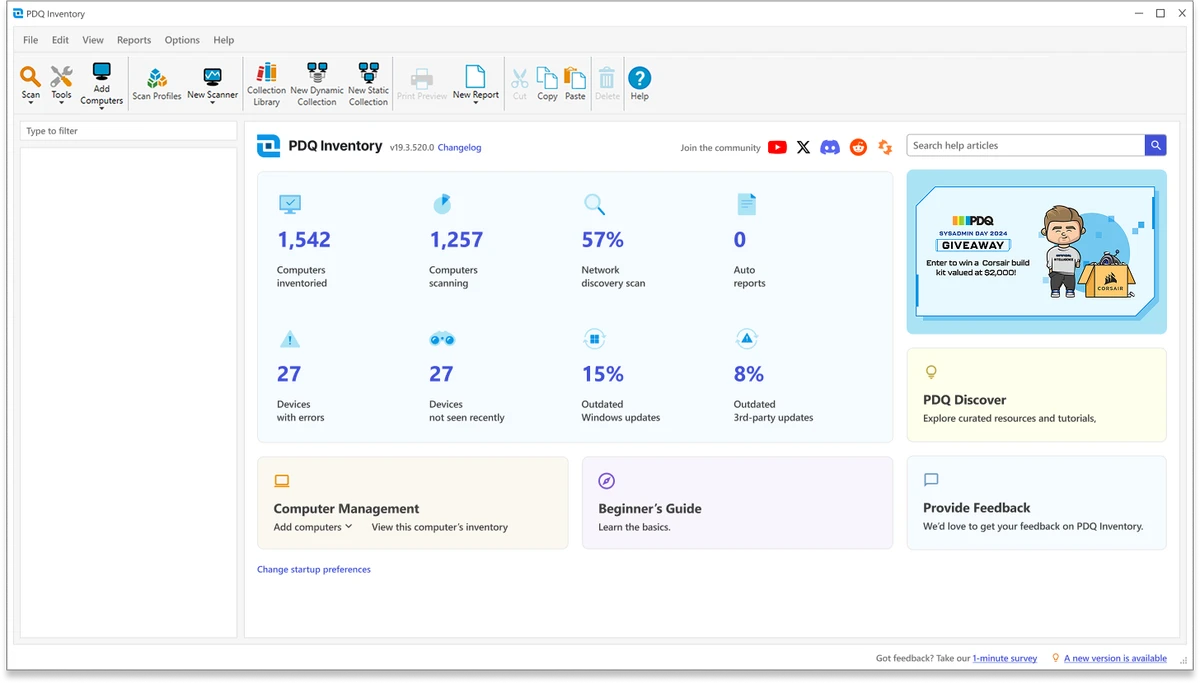

PDQ Inventory is a Windows systems management and inventory solution that helps IT administrators collect, organize, and analyze detailed information about computers across their network. Rather than manually checking individual devices, I found it provides a centralized view of hardware, installed software, operating systems, Windows updates, and configuration data, making ongoing system management far more efficient.
The software automatically scans Windows computers and groups devices based on shared characteristics, allowing administrators to quickly identify outdated software, missing updates, or systems with similar configurations. Its reporting capabilities, customizable collections, and built-in administrative utilities make it a practical tool for maintaining large Windows environments.
One of its strongest advantages is seamless integration with PDQ Deploy, allowing administrators to identify computers that require updates and deploy software directly to those systems with minimal effort.
Features of PDQ Inventory
- Scan Windows computers to collect hardware, software, and configuration information.
- Automatically organize computers into collections based on installed applications, operating systems, hardware, and Windows updates.
- Create custom collections using your own filtering criteria.
- Access built-in administrative utilities, including:
- Remote Desktop
- Remote Command
- Wake-on-LAN (WOL)
- Event Viewer
- Reboot and Shutdown
- Run custom scripts and integrate third-party utilities.
- Generate detailed reports using built-in filters or SQL queries.
- Print, export, save, and schedule reports for automatic email delivery.
- Integrate with PDQ Deploy to identify outdated computers and deploy updates.
- Automatically refresh inventory data following deployments.
- Share collections, reports, and settings with multiple administrators through a shared database.
- Customize what information is collected and when inventory scans occur.
Interface and Usability
PDQ Inventory is designed with IT administrators in mind, presenting collected system information in an organized and searchable interface. Navigating between collections, reports, and device details feels straightforward, making it easy to locate the information needed for troubleshooting or maintenance.
The automatic grouping of computers reduces the time spent manually sorting devices, while customizable collections provide flexibility for organizations with different management requirements. The built-in utilities also help streamline routine administrative tasks by bringing several common management tools together in one application.
Who Should Use PDQ Inventory?
- IT administrators
- System administrators
- Network administrators
- Managed service providers (MSPs)
- Corporate IT departments
- Organizations managing multiple Windows computers
- Businesses that need centralized hardware and software inventory tracking
Conclusion
PDQ Inventory is a capable Windows inventory and systems management solution for organizations that need accurate visibility into their IT environment. Its automatic inventory scanning, customizable collections, detailed reporting, and administrative utilities help simplify daily system management while reducing manual effort.


