


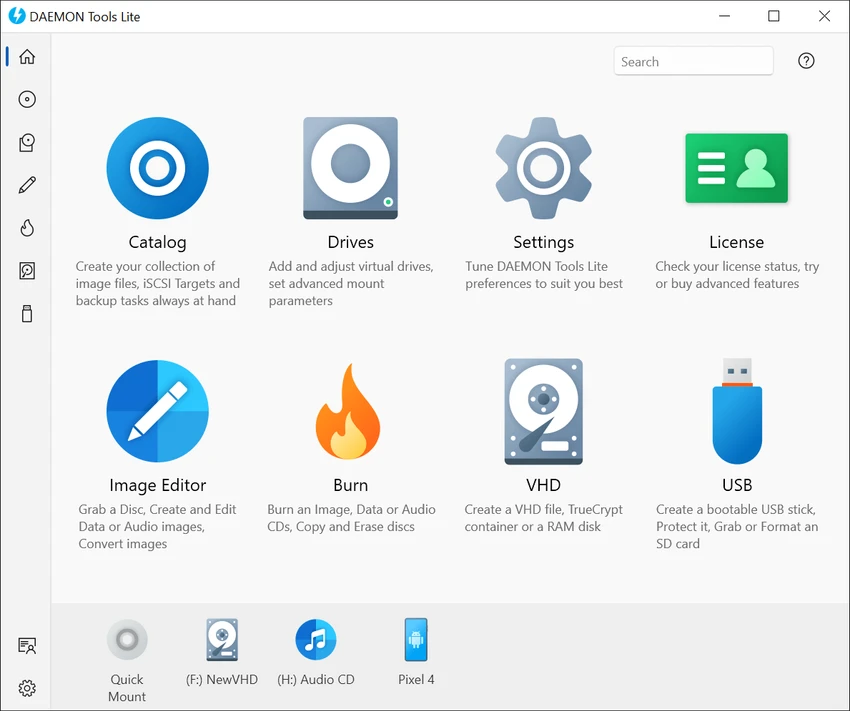

DAEMON Tools Lite is a Windows utility designed to emulate optical drives and manage disc image files. It allows users to mount ISO, MDS/MDF, MDX, and other image formats as virtual CD, DVD, or Blu-ray drives, enabling direct access to disc content without physical media. The software also provides tools for creating disc images from physical discs, compressing image files, and protecting them with passwords. With support for multiple virtual drives, it enables users to work with several disc images simultaneously.
Features of DAEMON Tools Lite
- Mount ISO, MDX, MDS/MDF, and other disc image formats
- Create disc images from CD, DVD, and Blu-ray discs
- Support for multiple image formats including BIN, CUE, NRG, CCD, and more
- Emulate up to 4 virtual CD/DVD/Blu-ray drives
- Mount multiple disc images simultaneously
- Compress disc image files to save disk space
- Protect images with password security
- Manage and organize image collections
- File association integration with Windows Explorer
- System tray access for quick operations
- Command-line support for automation
- Customizable virtual drives (drive letters, region settings)
- Works with external image formats created by other tools
- Compatible with Windows 7, 8, 10, and 11
User Experience
After reviewing DAEMON Tools Lite, the software presents itself as a practical and efficient solution for managing disc images without requiring physical CDs or DVDs. The interface is straightforward, focusing on quick mounting and image management rather than complex configuration. One of the most useful aspects is the ability to mount disc images directly as virtual drives. Once mounted, these drives behave like real hardware in Windows Explorer, allowing users to access files instantly without extraction or conversion.
Creating disc images from physical media is also simple, making it useful for users who want to digitize their CD, DVD, or Blu-ray collections. The software supports several common image formats, ensuring compatibility with files created by other disc tools. The ability to run multiple virtual drives simultaneously is especially valuable for users who work with multiple software discs or game images. Each mounted image behaves independently, just like inserting multiple physical discs. Security features such as password protection and image compression add extra flexibility for managing sensitive or storage-heavy disc images.
Overall, DAEMON Tools Lite provides a smooth and reliable experience for users who need frequent access to disc-based content in a modern, physical-drive-free workflow.
Who Should Use DAEMON Tools Lite?
- Users working with ISO or disc image files
- Gamers running disc-based software or games
- IT professionals managing software images
- Users backing up CD/DVD/Blu-ray collections
- Anyone needing virtual drive emulation on Windows
Conclusion
DAEMON Tools Lite provides a simple and effective way to work with disc images and virtual drives on Windows. With support for multiple formats, virtual drive emulation, and image creation tools, it remains a dependable solution for managing optical media in digital form.


