FileLegit Windows Multimedia Video Editors Gilisoft Video UniReel
Gilisoft Video UniReel logo

Gilisoft Video UniReel 19.0.0

  • User Rating:
    ★★★★★
    ★★★★★
    0.0 ★ 0Votes
  • Requirements:
    Windows
  • Version: 19.0.0
  • Latest updated: 2 weeks ago
  • License: Free Trial  
  • Publisher: Gilisoft
  • Size: 5 MB
× app stores

Gilisoft Video UniReel is a comprehensive video editing application designed to help users create polished videos without requiring complex editing workflows. The software combines multiple editing utilities into a single package, allowing users to trim, split, merge, crop, rotate, and enhance videos while preserving quality whenever supported. The application is suitable for editing home videos, presentations, tutorials, and other video projects. It offers dedicated tools for cutting unwanted footage, combining multiple clips, adding subtitles, applying visual effects, inserting background music, and placing watermarks such as text, images, logos, videos, or animated GIFs.

Gilisoft Video UniReel also supports batch operations for selected editing tasks, making it practical for users who regularly process multiple videos. Built-in editing tools allow users to adjust brightness, contrast, saturation, and apply a variety of visual effects to improve the appearance of their videos. Subtitle support allows permanent embedding of ASS and SRT subtitle files into videos, while audio editing features enable users to add music tracks in several popular formats. Whether you're producing personal videos or preparing content for sharing, Gilisoft Video UniReel provides a broad set of editing tools in one application.

Features of Gilisoft Video UniReel

  • Cut videos without quality loss (where supported)
  • Batch video cutting
  • Advanced video cutting with editing options
  • Remove unwanted video segments
  • Merge multiple videos into one file
  • Join videos with or without fade effects
  • Split videos by time, file size, or custom split points
  • Add visual effects and filters
  • Adjust brightness, contrast, and saturation
  • Add text, image, video, logo, or animated GIF watermarks
  • Embed ASS and SRT subtitles permanently
  • Customize subtitle font and position
  • Add background music to videos
  • Supports MP3, WMA, OGG, and FLAC audio formats
  • Rotate videos
  • Crop videos to remove unwanted areas
  • Supports picture-in-picture watermarking
  • Instant preview for selected editing functions

Interface and Usability

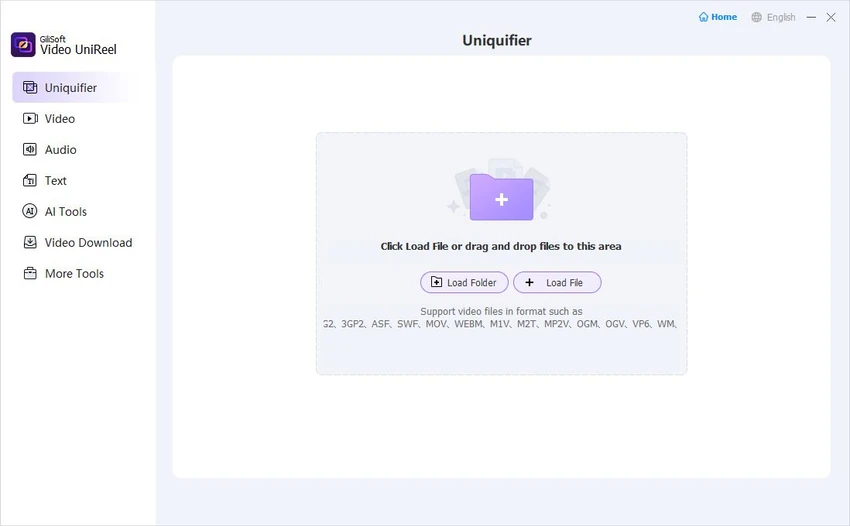
Gilisoft Video UniReel organizes its editing functions into dedicated modules, making it easy to choose the appropriate tool for a specific task. Rather than overwhelming users with a complex editing timeline, the software focuses on straightforward workflows for common editing operations such as cutting, merging, cropping, and adding effects.

Many editing features include preview functionality, allowing users to check changes before exporting the final video. The software also supports batch processing for certain tasks, reducing the time required to edit multiple videos individually. The interface is suitable for users who want practical editing tools without the learning curve often associated with professional nonlinear editing software.

Who Should Use Gilisoft Video UniReel?

  • Home users editing personal videos
  • Content creators producing online videos
  • Teachers creating instructional content
  • Small businesses preparing promotional videos
  • Users who frequently trim, merge, or split videos
  • Anyone looking for an all-in-one Windows video editing solution

Conclusion

Gilisoft Video UniReel provides a versatile collection of video editing tools for users who need more than simple trimming but prefer a straightforward editing experience. Its combination of cutting, merging, effects, subtitles, watermarking, and music editing makes it suitable for a wide range of everyday video editing tasks.

Pros & Cons

✓

Pros

  • Combines multiple video editing tools in one application
  • Supports cutting, joining, splitting, cropping, and rotating videos
  • Includes subtitle and watermark editing
  • Offers batch processing for selected tasks
  • Provides various visual effects and image adjustments
  • Supports adding background music in multiple audio formats
✕

Cons

  • Advanced video production features are not described
  • Available only for Windows

Frequently Asked Questions

What is Gilisoft Video UniReel used for?

Gilisoft Video UniReel is used to edit videos by cutting, merging, splitting, cropping, rotating, adding subtitles, applying effects, inserting watermarks, and adding background music.

Can Gilisoft Video UniReel merge multiple videos?

Yes. The software can combine multiple video files into a single video and supports joining videos with optional fade effects.

Does Gilisoft Video UniReel support subtitles?

Yes. The software can permanently embed ASS and SRT subtitle files into videos, with options to adjust subtitle font and position.

Can I add watermarks to my videos?

Yes. Gilisoft Video UniReel supports adding text, logos, images, videos, and animated GIFs as watermarks, including batch watermark processing.

Can I split videos into smaller parts?

Yes. The software can split videos by duration, file size, or manually defined split points.

What operating systems does Gilisoft Video UniReel support?

According to the provided system requirements, Gilisoft Video UniReel supports Windows 7 and later versions.

Recommended apps [Freeware]:
  • CalendarTask 3.30.296.9122 CalendarTask logo lightweight desktop calendar with note-taking, cloud sync, reminders, and desktop scheduling tools
  • Easy System Utility 1.1.67 Easy System Utility logo clean junk files, repair tools, passwords and system optimization.
  • Recuva 1.55.133 Recuva logo recover deleted files from PCs, USB drives, memory cards, and damaged or formatted disks
  • Vovsoft Battery Alert 1.1 Vovsoft Battery Alert logo Monitor your laptop battery, receive charging alerts, and promote healthier battery habits with VOVSOFT Battery Alert
  • RSS Guard 5.2.2 RSS Guard logo Read RSS, RDF, and Atom feeds with RSS Guard, an open-source feed reader featuring online synchronization and podcast support.
  • PropertySystemView 1.22 PropertySystemView logo View and modify Windows file metadata, timestamps, and system properties with this portable utility designed for advanced users.
Recommended apps [Shareware]:
  • Total Excel Converter 7.1.0.138 Total Excel Converter logo convert Excel, ODS, CSV, DBF, and more into PDF, DOC, HTML, SQL, and other formats on Windows.
  • XL-Connector 3.7.18.0 XL-Connector logo Excel plugin for Salesforce data export, import, bulk updates, and metadata management.
  • UVK Ultra Virus Killer 11.10.26.0 UVK Ultra Virus Killer logo removes malware, manages system processes, repairs Windows issues, and provides advanced system cleanup tools
  • Axialis IconVectors 1.70 Axialis IconVectors logo a lightweight SVG icon editor for developers, featuring live code previews, vector editing tools, and workflow integration
  • Karaosoft Karma 2026.6.26 Karaosoft Karma logo Manage karaoke shows using drag-and-drop rotation, triple display support, and smart search tools.
  • Google Satellite Maps Downloader 8.419 Google Satellite Maps Downloader logo downloads satellite map tiles from Google Maps for offline viewing, GIS projects, and map export