


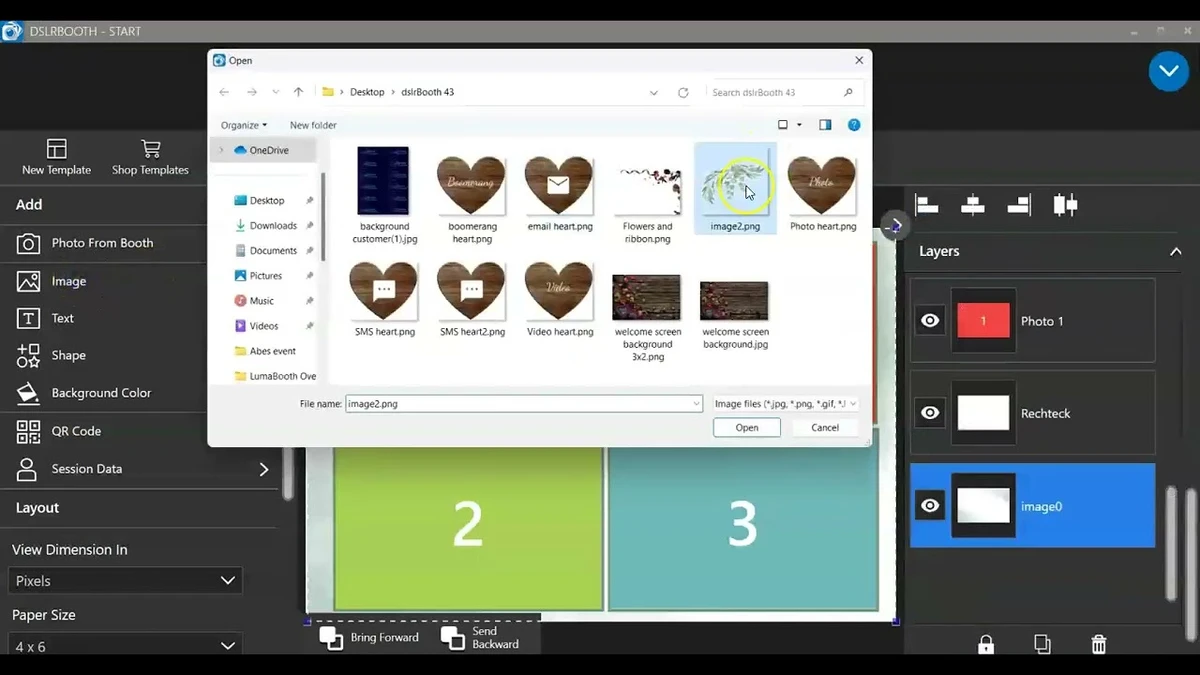

LumaBooth is a professional photo booth software platform for Windows that enables users to create photo, video, GIF, boomerang, and 360-degree booth experiences. Previously known as dslrBooth, the software combines event management tools with extensive customization options, making it suitable for event organizers, photographers, and photo booth businesses. In addition to its desktop application, LumaBooth integrates with a web-based dashboard that allows users to create and manage events while accessing a large collection of pre-made layouts and overlays.
Features of LumaBooth
- Professional photo booth software for Windows
- Support for Canon, Nikon, Sony, GoPro, and webcam devices
- Photo booth, video booth, GIF booth, boomerang, and 360 booth modes
- Web-based dashboard for event creation and management
- Hundreds of pre-made layouts and overlays
- Fully customizable guest-facing screens
- Custom themes, fonts, colors, and backgrounds
- Looping promotional video playback
- Built-in filters
- Support for custom LUT imports
- Overlay and soundtrack support
- Green Screen and Chroma Key functionality
- Glam Booth mode with skin-smoothing effects and black-and-white filter
- Mirror Booth with video and audio prompts
- Video Guestbook recording
- Cashless payment support
- Built-in print template editor
- Custom print design creation
- Guest signatures and survey response support
- Flexible print sizes including 4x6, 2x6 strips, and custom formats
- Compatible with any printer
User Experience
LumaBooth focuses on simplifying the process of running a professional photo booth while providing enough flexibility for commercial event environments. Setup is straightforward: connect a supported camera or webcam, configure an event, and choose the desired capture mode.
One of the software's strengths is its variety of booth experiences. Users can switch between traditional photo sessions, video recordings, animated GIFs, boomerangs, and 360-degree experiences depending on the event requirements. This versatility makes the software suitable for weddings, corporate events, parties, trade shows, and promotional campaigns. The web-based dashboard adds convenience by allowing event preparation outside the booth itself. Templates, overlays, and layouts can be configured in advance, helping operators save time during setup.
Customization options are extensive. Nearly every screen guests interact with can be personalized using custom themes, branding elements, colors, backgrounds, and fonts. Event organizers can create experiences that match specific brands, wedding themes, or marketing campaigns. Additional features such as Green Screen effects, Glam Booth enhancements, and Video Guestbooks help create more engaging experiences for guests while offering event businesses additional service options. The integrated print designer further enhances flexibility by allowing customized photo strips and print layouts without requiring external design software.
Who Should Use LumaBooth?
- Photo booth rental businesses
- Event photographers
- Wedding service providers
- Corporate event organizers
- Marketing and promotional agencies
- Party and entertainment companies
- Users creating interactive guest experiences
Conclusion
LumaBooth successfully combines professional photo booth functionality with modern event engagement features. Its support for photos, videos, GIFs, boomerangs, 360 experiences, guestbooks, and customizable branding tools makes it a powerful platform for event professionals.


