


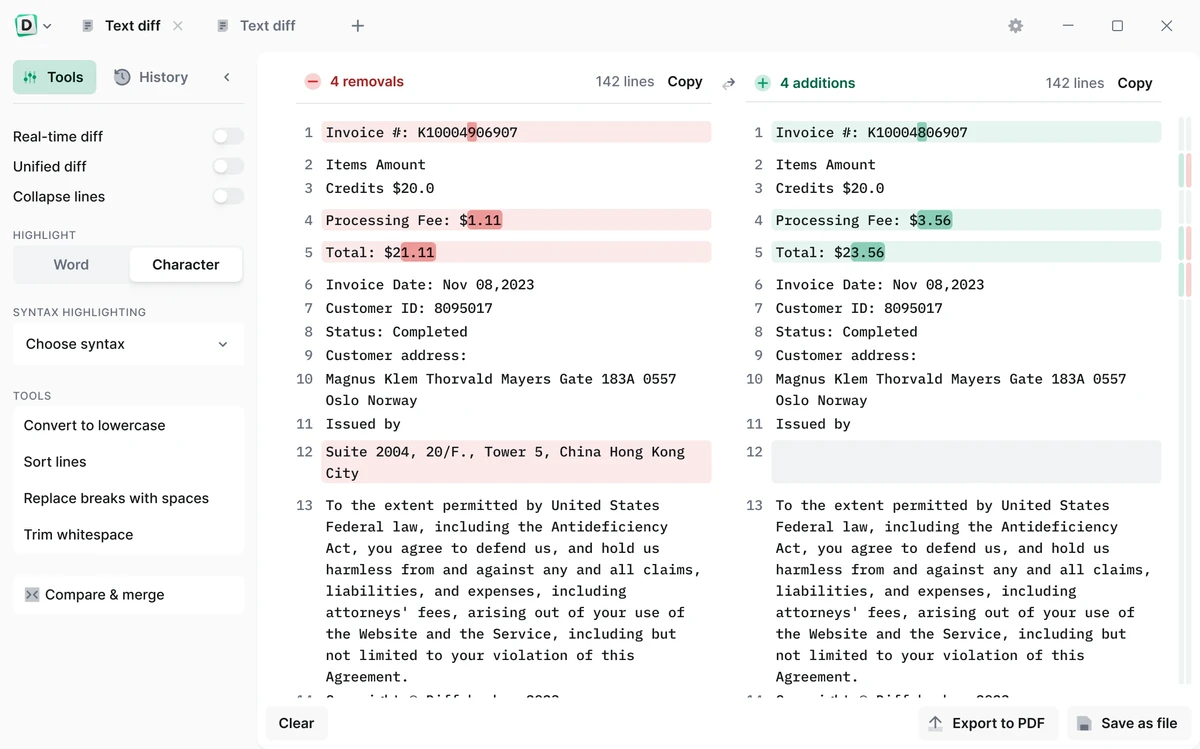

Diffchecker Desktop is a secure offline comparison tool designed to help users analyze differences between text files, images, documents, spreadsheets, and folders. Built with a strong focus on privacy and security, it ensures all comparisons are processed locally on the user’s device without sending data to external servers.
Overview
Diffchecker is designed for professionals who need precise and secure file comparison capabilities. By operating entirely offline, it eliminates concerns about data exposure, making it suitable for handling sensitive documents such as legal files, financial records, and confidential code. The software supports multiple comparison modes, including text-by-text, pixel-level image comparison, document analysis, and folder structure inspection. Its interface is built for clarity and efficiency, allowing users to quickly identify differences and manage revisions.
With support for a wide range of file types, Diffchecker serves as a versatile utility for developers, legal professionals, designers, and business users who require accurate comparison results in a secure environment.
Features of Diffchecker
- Offline file comparison for maximum security
- Compare text files with character and word-level precision
- Image comparison with pixel-level accuracy
- PDF and Word document comparison with content extraction
- Spreadsheet comparison with cell-by-cell analysis
- Folder comparison to detect missing or changed files
- Real-time text editing during comparison
- Syntax highlighting for 20+ programming languages
- High-speed processing for large files and datasets
- Character-by-character difference detection
- Export comparison results in multiple formats including PDF
- No ads for distraction-free workflow
- Secure local processing with no cloud dependency
- Supports sensitive and confidential data handling
User Experience
Using Diffchecker Desktop feels straightforward and focused. The interface is designed around side-by-side comparisons, allowing users to immediately see differences without unnecessary navigation or configuration steps.
One of its strongest aspects is offline operation. Because all processing occurs locally, users working with sensitive data can confidently compare files without worrying about network exposure or cloud uploads. This is particularly valuable for legal, financial, and enterprise environments. Text comparison is highly responsive, supporting both word-level and character-level analysis. This makes it especially useful for developers reviewing code changes or professionals editing contracts and documents.
The image comparison tool is equally practical, offering pixel-level analysis and overlay modes that make visual differences easy to detect. Document comparison for PDFs and Word files adds another layer of usefulness, especially in administrative and business workflows. Despite its advanced capabilities, the software remains relatively simple to use, focusing on clarity and performance rather than unnecessary complexity.
Who Should Use Diffchecker
- Software developers comparing code versions
- Legal professionals reviewing contracts
- Financial analysts handling sensitive reports
- Designers comparing visual assets
- IT administrators managing file changes
- Businesses working with confidential data
- Anyone needing secure offline file comparison
Conclusion
Diffchecker Desktop is a highly practical and privacy-focused comparison tool designed for professionals who need accuracy and security. Its ability to handle multiple file types offline makes it a dependable solution for sensitive workflows.


