


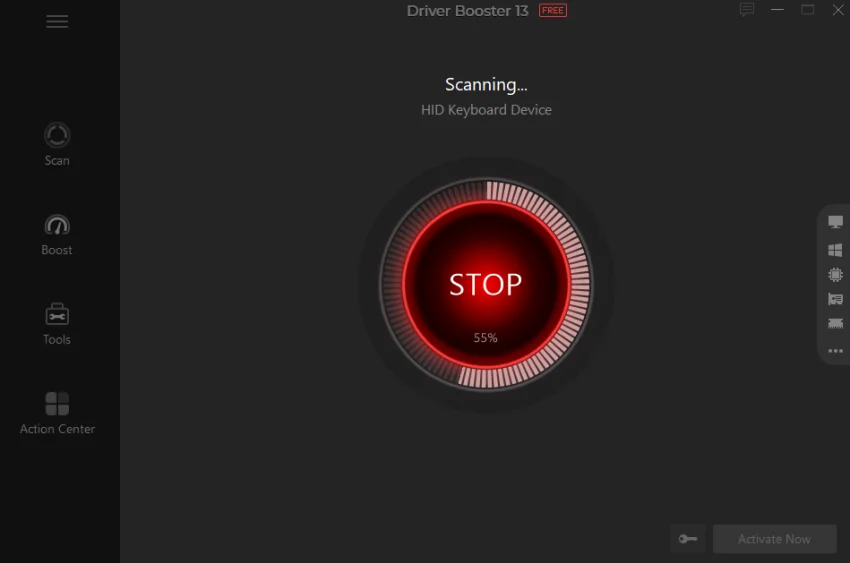

IObit Driver Booster is a powerful tool that keeps your Windows PC drivers up to date with a single click. It prevents hardware errors, system instability, and security vulnerabilities, making it a must-have utility for maintaining optimal PC performance.
Overview
IObit Driver Booster is designed to simplify driver updates, particularly for users who want to avoid the risks and frustration of manual updates. Leveraging a cloud-based database, it quickly identifies outdated drivers and updates them automatically, ensuring your hardware runs smoothly. The software supports a wide range of devices and includes features like driver backup, enhanced gaming performance, and faster download speeds. Its optimized interface makes navigation simple, and automatic updates ensure your system stays current with minimal effort.
For gamers, Driver Booster offers special driver tweaks to maximize performance, while its backup and restore functions provide peace of mind against potential update issues. Overall, it’s an efficient and user-friendly solution to maintain a stable and high-performing PC.
Key Features of IObit Driver Booster
- One-click download and update of outdated drivers
- Supports multiple hardware devices for comprehensive coverage
- Driver backup for safe restoration
- Up to 300% faster driver downloads
- Automatic detection of outdated drivers
- Optimized for gaming performance
- Auto-update to the latest driver versions
- User-friendly interface for easy navigation
- Improved program installation and registration experience
User Experience
Using IObit Driver Booster feels effortless. After installing the 35 MB program, it scans your system almost instantly and lists outdated drivers. The one-click update feature downloads and installs drivers seamlessly, saving time and reducing manual errors.
The software’s interface is clear, with organized tabs for driver status, backup options, and system performance. Gamers will notice improved stability and smoother gameplay thanks to the optimized driver settings. Even users with limited technical knowledge can update drivers safely, as backup and restore functions add a layer of security.
Driver Booster’s cloud-based library ensures that updates are current, and automatic update scheduling keeps your system protected without constant attention.
Who Should Use IObit Driver Booster?
IObit Driver Booster is ideal for:
- Windows users seeking hassle-free driver updates
- Gamers wanting optimal performance and stability
- PC users who want to prevent hardware errors and system crashes
- Anyone looking for an automated and safe way to maintain drivers
Conclusion
IObit Driver Booster 13 is a practical, reliable solution for keeping your PC drivers up to date. Its one-click updates, comprehensive device support, and backup features make it perfect for both casual users and gamers. By automating routine driver maintenance, it enhances system stability and performance.


