



Revo Uninstaller Pro is a Windows system utility designed to help users remove installed programs more thoroughly than the standard Windows uninstall process. It combines traditional software removal with additional scanning tools that search for leftover files, folders, and Windows Registry entries that may remain after a program has been removed.
The software works by first launching a program’s built-in uninstaller and then performing additional scans to identify remaining data. This approach helps users keep their systems cleaner and reduce unnecessary files left behind by applications. For programs with damaged or missing uninstallers, the Forced Uninstall feature provides a way to remove applications that cannot be removed through normal methods.
Revo Uninstaller Pro also includes tools for monitoring software installations, allowing users to create installation logs that can later be used for more complete removal. Additional features include Windows Apps management, browser extension removal, startup management, junk file cleaning, and multiple backup options to help protect system changes. With support for modern Windows versions and both 32-bit and 64-bit systems, Revo Uninstaller Pro provides a comprehensive solution for users who want more control over installed software and system cleanup.
Features of Revo Uninstaller Pro
- Complete software uninstall with leftover scanning
- Forced Uninstall for damaged or missing uninstallers
- Quick and multiple program uninstall
- Real-Time Installation Monitor
- Installation trace logs for precise removal
- Windows Apps removal
- Browser Extensions management
- Supports Chrome, Firefox, Internet Explorer, Edge, and Opera extensions
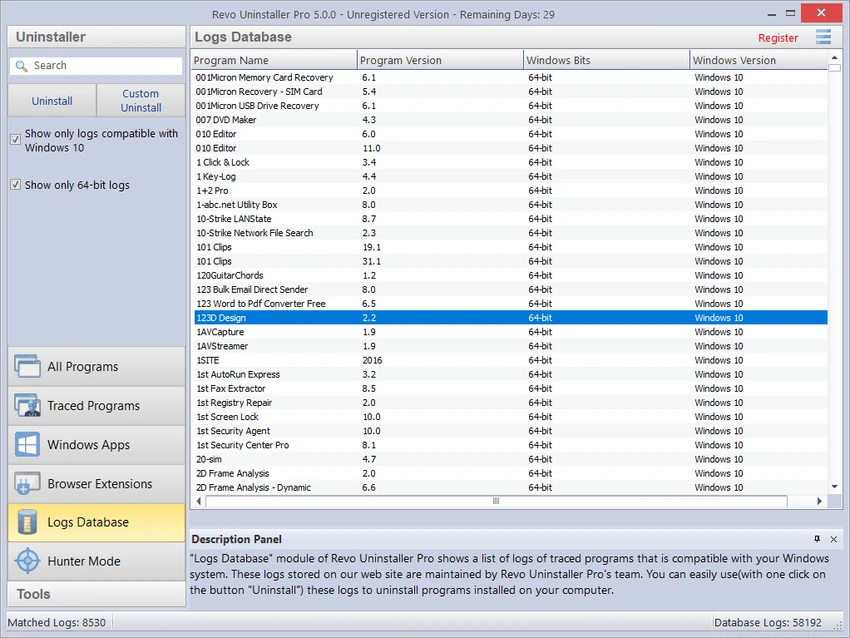
- Logs Database for additional uninstall cleanup
- Manage Installation Logs
- Multi-level backup system
- Registry backup before uninstall operations
- Hunter Mode for quick program management
- Autorun Manager
- Junk Files Cleaner
- Windows Tools access
- History Cleaner
- Evidence Remover
- Unrecoverable Delete
Interface and Usability
Revo Uninstaller Pro provides a structured interface that organizes its uninstalling and cleanup features into separate modules. The main uninstaller area makes it easy to view installed programs, while additional sections provide access to advanced tools such as forced removal, browser extension management, and system cleaning.
The uninstall process is straightforward: users select a program, run the removal process, and allow Revo Uninstaller Pro to scan for remaining files and Registry entries. Features like Quick/Multiple Uninstall help streamline the removal of several applications, while Hunter Mode offers an alternative way to identify programs directly from the desktop. The software includes many advanced options, but the layout keeps the major functions accessible for both regular users and those who need deeper Windows maintenance controls.
Who Should Use Revo Uninstaller Pro?
- Windows users who frequently install and remove software
- Users wanting deeper application cleanup
- IT professionals managing multiple computers
- Users troubleshooting programs that cannot uninstall normally
- Anyone looking for additional Windows maintenance tools
Conclusion
Revo Uninstaller Pro is a powerful Windows utility for users who want more control over software removal and system cleanup. Its combination of leftover scanning, forced uninstall, installation monitoring, and additional maintenance tools makes it more comprehensive than the default Windows uninstall feature. For users who regularly manage installed applications, troubleshoot software issues, or want to keep their Windows system organized, Revo Uninstaller Pro is a reliable choice. Its advanced features provide greater flexibility while helping users remove unwanted programs more completely.


