GiliSoft Exe Lock logo

GiliSoft Exe Lock 12.0.0

  • User Rating:
    ★★★★★
    ★★★★★
    0.0 0Votes
  • Requirements:
    Windows
  • Version: 12.0.0
  • Latest updated: 1 day ago
  • License: Free Trial  
  • Publisher: GiliSoft
  • Size: 12 MB
×

GiliSoft Exe Lock is a lightweight Windows security utility designed to restrict access to specific applications by requiring a password before they can be launched. For users sharing a computer with family members, coworkers, or other individuals, the software offers a simple way to prevent unauthorized access to sensitive programs. Rather than relying solely on Windows user accounts, GiliSoft Exe Lock adds an additional layer of protection by locking executable files and prompting for a password whenever someone attempts to run a protected application.

Features of GiliSoft Exe Lock

  • Password-protect executable files and applications
  • Prevent unauthorized users from launching selected programs
  • Password prompt displayed whenever a protected application is opened
  • Protect sensitive software such as finance, tax, or business applications
  • Does not modify the original executable file
  • Uses secure cryptographic algorithms for protection
  • Supports locking web browsers
  • Supports locking media players
  • Supports locking chat and messaging applications
  • Command-line support for locking and unlocking operations
  • Simple and lightweight interface
  • Designed for shared computer environments

User Experience

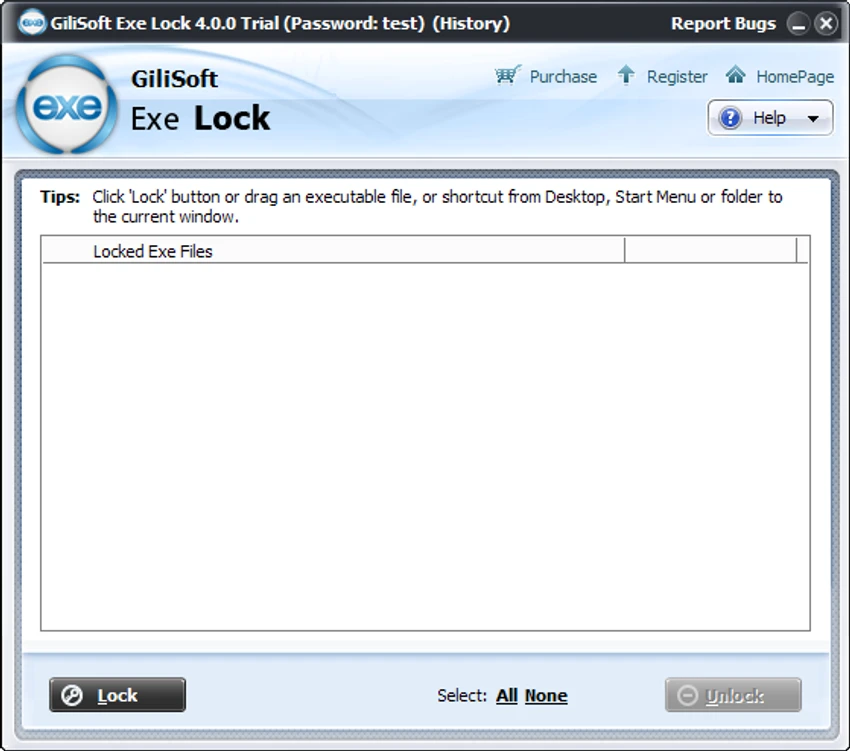
After using GiliSoft Exe Lock, the software proves to be straightforward and easy to configure. Users simply select the applications they want to protect and assign a password. Once locked, those applications cannot be launched without entering the correct credentials. The setup process is uncomplicated, making the software accessible even for users with limited technical experience. Unlike more complex security solutions that require account management or system-wide policy changes, GiliSoft Exe Lock focuses on a single task: restricting access to selected programs.

Who Should Use GiliSoft Exe Lock?

  • Users sharing a computer with family members
  • Individuals protecting personal or financial software
  • Parents limiting access to specific applications
  • Users seeking extra privacy for browsers and messaging tools
  • Home and small office users requiring simple application access control

System Requirements

  • Operating System: Windows 7, Windows 8, Windows 10, Windows 11

Conclusion

GiliSoft Exe Lock offers a practical solution for users who want to restrict access to specific Windows applications without modifying system accounts or changing operating system settings. Its password-based protection mechanism is simple to configure and effective for preventing casual access to sensitive programs.

Pros & Cons

Pros

    • Easy-to-use application locking system
    • Password protection for virtually any executable file
    • Does not modify original EXE files
    • Suitable for shared computers
    • Supports browsers, media players, and messaging applications
    • Lightweight and simple configuration
    • Command-line support available
    • Provides an additional layer of privacy protection

Cons

    • Focused solely on application access control
    • Not a replacement for full user account security
    • Advanced enterprise management features are not provided

Frequently Asked Questions

What is GiliSoft Exe Lock used for?

GiliSoft Exe Lock is used to password-protect Windows applications and executable files, preventing unauthorized users from launching them.

Does GiliSoft Exe Lock modify EXE files?

No. The software provides password protection without modifying the original executable file.

Can I lock web browsers with GiliSoft Exe Lock?

Yes. The software can be used to password-protect web browsers and other executable applications.

Is GiliSoft Exe Lock suitable for shared computers?

Yes. It is specifically designed to help users restrict access to applications on shared systems.

Can GiliSoft Exe Lock protect media players and chat applications?

Yes. It can be used to lock media players, messaging applications, and many other executable programs.

Does GiliSoft Exe Lock support command-line operations?

Yes. The software includes command-line support for locking and unlocking applications through scripted or automated processes.

Recommended apps [Freeware]:
  • Simple IP Config 2.9.7 Simple IP Config logo a lightweight, portable tool for quickly changing Windows IP, DNS, and network settings
  • FBackup 9.9.1044 FBackup logo a free Windows backup tool offering automatic backups, cloud support, encryption, and easy file recovery options
  • OCCT 16.1.11.99 OCCT logo hardware monitoring and stress testing tool for CPU, GPU, memory, and power supply performance analysis.
  • NewFileTime 8.28 NewFileTime logo a lightweight Windows utility that lets users change file creation, modification, and access timestamps easily
  • Easy System Utility 1.1.63 Easy System Utility logo clean junk files, repair tools, passwords and system optimization.
  • Universal USB Installer 2.0.3.7 Universal USB Installer logo create bootable Linux USB drives easily with ISO support and persistence options on Windows.
Recommended apps [Shareware]:
  • Typing Instructor Platinum 21.1 Typing Instructor Platinum logo improve typing speed and accuracy through interactive lessons, games, and 10-finger typing practice.
  • Internet Download Manager (IDM) 6.42 Build 64 Internet Download Manager (IDM) logo boosts download speeds up to 5x, schedules downloads, and supports all major browsers and protocols
  • Adobe Photoshop 2026 Adobe Photoshop logo powerful image editing and graphic design tool for creating, enhancing, and transforming photos, illustrations
  • Adobe Premiere Pro 2026 Adobe Premiere Pro logo professional 4K video editor with advanced audio, color, and motion graphics tools.
  • DBConvert Studio 4.3.1 DBConvert Studio logo simplifies database migration and synchronization across multiple database platforms.
  • Send Anywhere 24.6.0 Send Anywhere logo free cross-platform file-sharing tool that transfers files of any size without registration.