


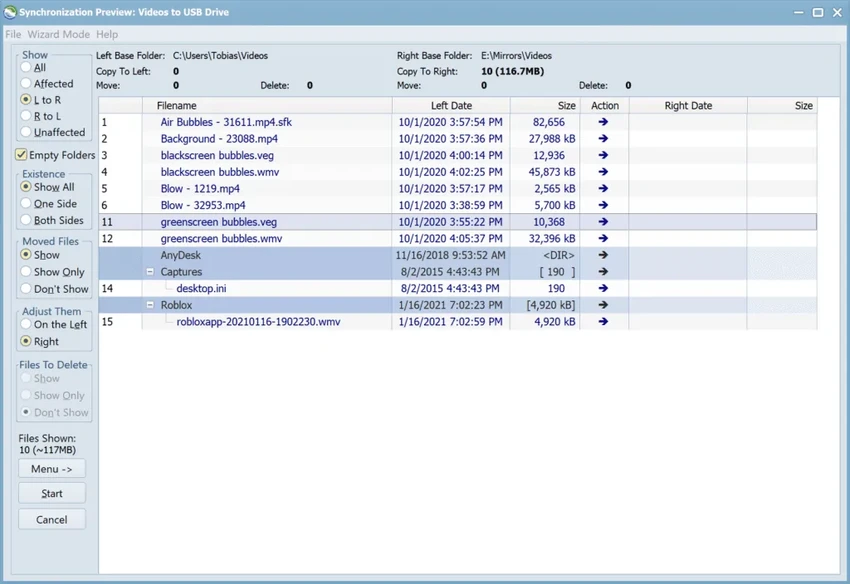

Syncovery is a professional-grade backup and file synchronization software designed for users who need reliable data protection, fast file processing, and advanced control over file transfers. It supports everything from simple one-way backups to complex two-way synchronization jobs across local drives, servers, and cloud locations. Built for scalability, Syncovery is widely used in environments where large file volumes, speed, and precision are critical.
Overview
Syncovery allows users to create “profiles” that define synchronization or backup tasks between two locations—typically a source and destination. These profiles can also be configured for two-way synchronization, making it suitable for both backup and active file mirroring workflows. The software stands out for its performance optimizations, including multi-threaded scanning and intelligent caching systems that help manage millions of files efficiently. It also offers advanced features like block-level copying, real-time synchronization, and file versioning, making it more than just a basic backup utility.
Features of Syncovery
- Profile-based backup and synchronization setup (source ↔ destination workflows)
- Extremely fast multi-threaded file scanning for large datasets
- Block-level copying to reduce bandwidth and storage usage
- Real-time synchronization using file system event monitoring or polling
- SmartTracking for detecting moved, changed, or deleted files in two-way sync
- File versioning with restore capabilities for previous file states
- High-performance file server migration tools
- Multiple execution modes: Attended, Unattended, Background, and Background with Preview
- Advanced scheduling and automation support
- Scalable performance for enterprise-level file operations
User Experience
Syncovery is clearly designed for advanced users, system administrators, and IT environments. The initial setup revolves around creating sync or backup profiles, which may feel technical at first but offers strong flexibility once configured. The interface provides multiple execution modes, allowing users to choose between full control (Attended Mode with preview confirmation) or fully automated operation (Unattended or Background Mode). This makes it adaptable for both cautious manual workflows and scheduled enterprise backups.
Performance is one of Syncovery’s strongest points. Even with very large file systems, scanning and synchronization remain responsive, and features like SmartTracking help reduce unnecessary data transfers. However, the depth of configuration options may feel overwhelming for casual users who only need simple backup functionality.
Who Should Use Syncovery?
Syncovery is best suited for users and organizations that require advanced file management and reliable synchronization, such as:
- IT administrators managing servers and network storage
- Businesses performing large-scale file backups or migrations
- Power users managing multi-device synchronization workflows
- Organizations needing versioned backups for critical data
- Users working with large datasets and high-volume file systems
Conclusion
Syncovery is a highly capable backup and synchronization solution built for demanding environments. Its combination of speed, automation, and advanced features like SmartTracking and block-level copying makes it ideal for professional and enterprise use.


