


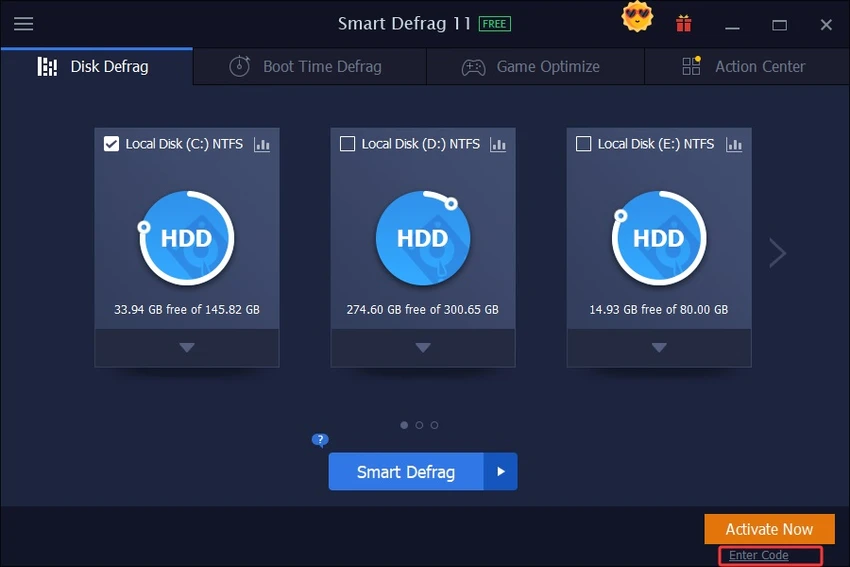

Smart Defrag is a free Windows disk defragmentation utility developed to improve system performance by organizing fragmented data on hard drives. It focuses on faster file access, smoother system operation, and automated background optimization, making it suitable for users who want a simple “set it and forget it” maintenance tool.
Overview
Smart Defrag is designed to address one of the most common causes of slow PC performance: disk fragmentation. By rearranging scattered file data into a more efficient structure, it aims to reduce loading times and improve overall system responsiveness.
The tool is built with an emphasis on automation. It can run quietly in the background, perform scheduled maintenance, and even execute defragmentation during system boot through its “Boot Time Defrag” feature. It also prioritizes frequently used files, placing them in faster disk areas to enhance access speed.
Features of Smart Defrag
- Fast and efficient disk defragmentation engine
- Boot Time Defrag technology for system-level optimization
- Automatic background defragmentation
- File prioritization based on usage frequency
- Scheduled disk defragmentation options
- Optimized for large hard drives
- Focus on data safety and disk stability
- Simple and beginner-friendly interface
- Improved algorithms for adaptive defrag strategies
- Large file defragmentation optimization
From a usability standpoint, Smart Defrag is designed to require minimal interaction. Once installed, it can operate automatically without frequent user input. The interface is straightforward, making it accessible even for users who are not familiar with system maintenance tools. Performance-wise, the software is built to run quietly in the background, reducing disruption during everyday use. Its scheduling and automation features reduce the need for manual maintenance, which is useful for users who prefer low-effort system optimization.
Conclusion
Smart Defrag positions itself as a lightweight and automated solution for improving disk performance through efficient defragmentation. With features like boot-time optimization, scheduling, and background operation, it is designed for users who want consistent performance improvements without manual maintenance.


