


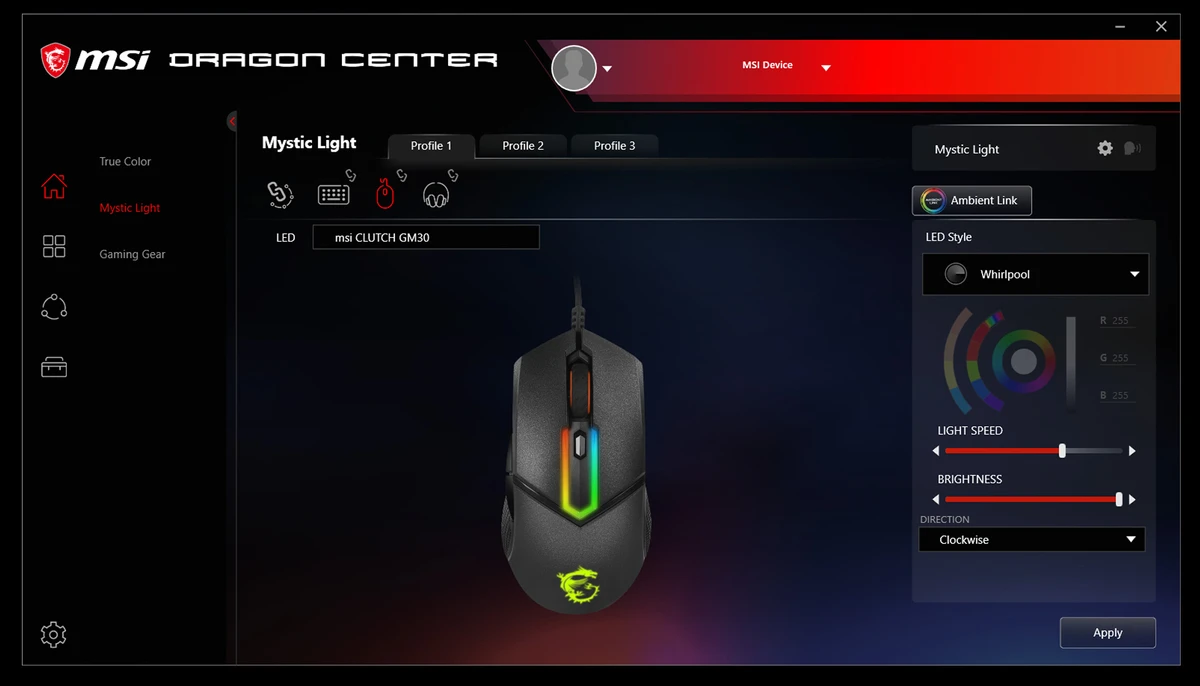

MSI Dragon Center is the official system management and optimization software designed for MSI computers. It acts as a central control panel where users can monitor hardware performance, adjust system settings, and optimize their PC for gaming or multimedia use. The software focuses on improving the overall MSI experience by providing real-time system monitoring, performance boosting tools, and customization options such as RGB lighting control and fan speed adjustment.
Features of MSI Dragon Center
- One-click gaming performance optimization
- Real-time CPU, GPU, and RAM monitoring
- Memory optimization and system resource prioritization
- Fan speed configuration for cooling control
- RGB lighting customization, including per-key control
- Performance tuning for gaming, movies, and general use
- Automatic game highlight capture
- Real-time system assistant for in-game access
- Enhanced audio and display adjustment tools
- System performance boosting for gaming workloads
User Experience
During my experience with MSI Dragon Center, the software functions as a centralized dashboard for managing both system performance and gaming-related settings. Instead of relying on separate utilities for monitoring hardware or adjusting cooling and lighting, everything is consolidated into a single interface.
The real-time monitoring of CPU, GPU, and RAM usage is particularly useful when running demanding games or applications. It provides immediate feedback on system performance, helping users understand how their hardware is being utilized. One of the standout features is the one-click optimization mode, which adjusts system settings to prioritize gaming performance. This can help free up system resources and improve responsiveness during gameplay.
Fan control and RGB customization also add a strong layer of personalization. Users can adjust cooling profiles depending on workload or noise preference, while RGB settings allow for visual customization across compatible MSI hardware. The software also includes background utilities such as memory optimization and automatic game highlight recording, which enhance the overall gaming experience without requiring manual configuration.
Who Should Use MSI Dragon Center?
- MSI laptop and desktop users
- PC gamers looking to optimize performance
- Users who want real-time hardware monitoring
- Gamers interested in RGB and fan control customization
- Users who want centralized system management tools
Conclusion
MSI Dragon Center brings together performance optimization, hardware monitoring, and system customization in a single dashboard. It is especially valuable for gamers who want better control over their system performance and cooling.


