


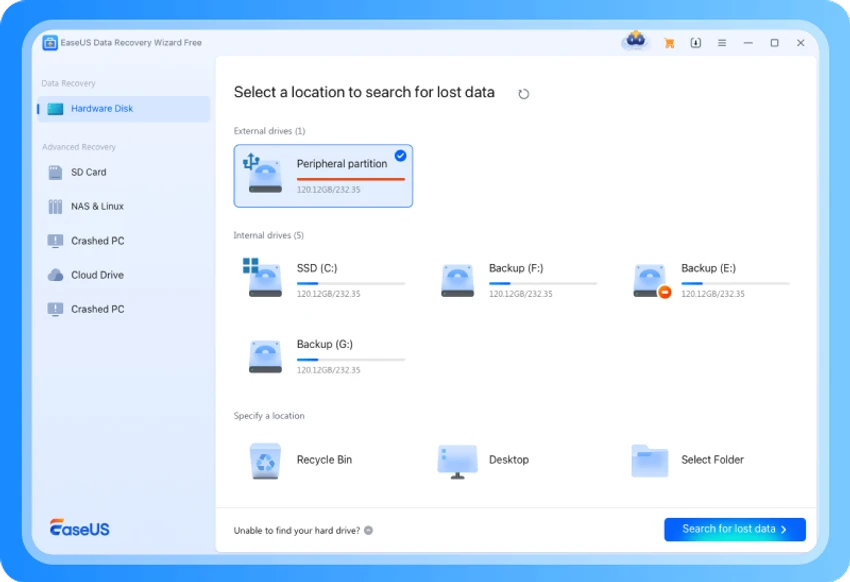

EaseUS Data Recovery Wizard Technician is a professional Windows data recovery solution designed to recover lost or deleted files caused by accidental deletion, formatting, partition loss, hard drive corruption, virus attacks, or operating system failures. The Technician edition also includes WinPE Bootable Media, allowing you to recover data even when Windows cannot boot.
Key Features
Recover Lost Data with Ease
- Recover files deleted by mistake or emptied from the Recycle Bin.
- Restore data lost due to formatting, partition loss, RAW drive errors, system crashes, or hard drive failures.
- Recover documents, photos, videos, audio files, emails, archives, and hundreds of other file types.
Recover Data from Unbootable Windows Systems
- Create a WinPE bootable USB or disc to access and recover files from computers that fail to start.
- Ideal for recovering data after blue screen errors, boot failures, or severe system crashes.
Fast and Deep Scanning
- Quick Scan rapidly locates recently deleted files.
- Deep Scan thoroughly examines every sector of the storage device to recover files from more complex data loss situations.
Broad Storage Device Support
Recover data from:
- HDDs and SSDs
- USB flash drives
- SD and microSD cards
- External hard drives
- Other Windows-compatible storage devices
Supported File Systems
- NTFS / NTFS5
- FAT32
- FAT16
- FAT12
Safe and Reliable Recovery
- Recovers data without overwriting the original files.
- Preview supported file types before recovery to ensure you're restoring the correct data.
Advantages
- Clean and intuitive interface suitable for both beginners and professionals.
- High recovery success rate across a wide range of data loss scenarios.
- Includes WinPE Bootable Media for emergency recovery when Windows won't boot.
- Suitable for home users, IT professionals, repair technicians, and businesses.
User Experience
From my experience, EaseUS Data Recovery Wizard offers a simple recovery workflow. The software automatically starts with a Quick Scan, allowing recently deleted files to appear quickly. Before restoring files, I could preview the results, making it easier to identify the correct items.
When the Quick Scan didn't locate everything, switching to the Deep Scan performed a more thorough search of the storage device. Although deeper scans naturally take longer, they provide another opportunity to recover files from formatted drives, damaged partitions, or RAW disks. The software supports multiple recovery scenarios without requiring separate tools, making it suitable for both accidental file deletion and more complex storage problems.
What's New
- Improved scanning performance and recovery speed.
- Enhanced compatibility with the latest Windows versions and storage devices.
- Bug fixes and stability improvements.
System Requirements
- Windows 11 / 10 / 8.1 / 8 / 7
- Supports both 32-bit and 64-bit editions
Conclusion
EaseUS Data Recovery Wizard provides a practical solution for recovering lost data from a wide range of storage-related problems. Its combination of Quick Scan, Deep Scan, file preview, and support for common Windows file systems makes it a useful option for users who need to recover deleted or inaccessible files.


