FileLegit Windows Utilities Disk Tools MobiKin Eraser for Android
MobiKin Eraser for Android logo

MobiKin Eraser for Android 5.0.24

  • User Rating:
    ★★★★★
    ★★★★★
    0.0 0Votes
  • Requirements:
    Windows
  • Version: 5.0.24
  • Latest updated: 3 weeks ago
  • License: Free Trial  
  • Publisher: MobiKin
  • Size: 20.5 MB
× app stores

MobiKin Eraser for Android is a dedicated data-wiping utility designed to permanently erase all data from Android smartphones and tablets. It is built for users who want to ensure that no personal information can be recovered after selling, donating, or recycling their device. The software goes beyond standard factory reset functions by overwriting existing data, deleted files, and sensitive system information to prevent recovery using data recovery tools.

Features of MobiKin Eraser for Android

  • Permanently erases all data from Android devices.
  • Removes contacts, messages, call logs, photos, videos, apps, and documents.
  • Wipes browsing history, accounts, passwords, and private data.
  • Overwrites deleted files to prevent recovery.
  • Supports different security levels (Low, Medium, High).
  • High-level mode overwrites data up to three times for stronger security.
  • Compatible with USB or Wi-Fi connection to PC.
  • Works with a wide range of Android brands (Samsung, Xiaomi, Huawei, LG, Sony, and more).
  • Simple 3-step wiping process for ease of use.
  • Designed to leave the device like a “brand new” state.

User Experience

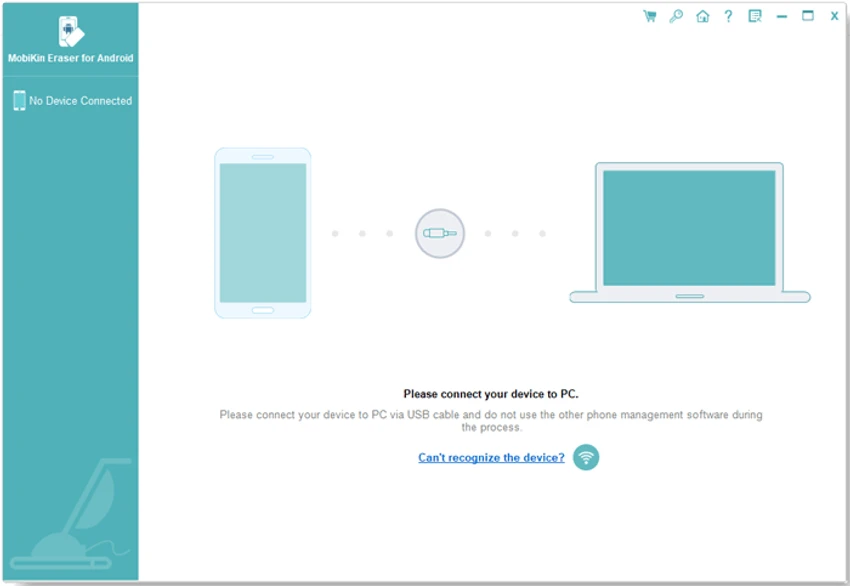
MobiKin Eraser for Android offers a guided and structured workflow that makes secure data deletion accessible even for non-technical users. The setup process begins by connecting an Android device to a PC, followed by selecting a desired security level and starting the wipe process. The interface is straightforward, focusing on clarity rather than advanced customization. This makes it easy for users to understand what will be erased before proceeding.

One of its strongest aspects is the ability to choose different wiping intensities. Users who need a quick cleanup can select a lower level, while those requiring maximum security—such as for corporate devices or sensitive personal data—can choose a high-level overwrite mode. The software is designed specifically for privacy protection scenarios, especially when preparing a device for resale or disposal. However, because of its irreversible nature, users must take care to back up important files beforehand.

Who Should Use MobiKin Eraser for Android?

This software is ideal for:

  • Users selling or donating Android devices.
  • Individuals concerned about data privacy.
  • IT administrators handling multiple devices.
  • Businesses disposing of old smartphones securely.
  • Anyone needing irreversible data deletion.

Conclusion

MobiKin Eraser for Android provides a strong and reliable method for permanently removing sensitive data from Android devices. It goes beyond a standard factory reset by ensuring deleted and hidden files are also overwritten.

Pros & Cons

Pros

  • Ensures permanent and unrecoverable data deletion.
  • Simple step-by-step process.
  • Multiple security levels for different needs.
  • Supports wide range of Android devices.
  • Wipes both visible and deleted data.
  • Useful for resale or device disposal.

Cons

  • Requires connection to a Windows PC.
  • Data wiping is irreversible (no recovery option).
  • Not suitable for casual or everyday use.
  • Paid software (trial limitations may apply).

Frequently Asked Questions

What does MobiKin Eraser for Android do?

It permanently deletes all data from Android devices, including files, apps, messages, and private information.

Can deleted data be recovered after using it?

No. The software overwrites data to ensure it cannot be recovered by any recovery tool.

Does it work on all Android devices?

It supports most major Android brands, including Samsung, Huawei, Xiaomi, LG, and others.

Do I need a computer to use it?

Yes. It runs on a PC and requires connecting your Android device via USB or Wi-Fi.

Is it better than a factory reset?

Yes. It is more secure because it overwrites deleted data, making recovery impossible.

Is the process reversible?

No. Once data is erased, it cannot be restored, so backup is essential before use.

Recommended apps [Freeware]:
  • Tixati 3.43 Tixati logo a fast, ad-free BitTorrent client offering advanced peer control, bandwidth management, and detailed swarm analysis
  • Subtitle Edit 5.0.0 Subtitle Edit logo a free subtitle editor for creating, syncing, translating, and fixing subtitles on Windows
  • Google Chrome 150.0.7871.125 Google Chrome logo fast, secure, and stable web browser with sandboxing, tab isolation, and a minimal interface for modern web applications
  • Logyx Pack 25.401 Logyx Pack logo a portable collection of 155 logic, puzzle, board, and brain-training games for players of all ages
  • MiniTool Partition Wizard 13.9 MiniTool Partition Wizard logo manages disk partitions with resizing, cloning, recovery, OS migration, and storage tools
  • NoScript 13.6.30 NoScript logo Protect your browser by blocking scripts, preventing XSS attacks, and controlling trusted websites with customizable security settings.
Recommended apps [Shareware]:
  • Remote Desktop Manager 2026.2.13.0 Remote Desktop Manager logo manage RDP, SSH, VNC, and virtual machines from one secure centralized platform
  • Diffchecker 7.1.5 Diffchecker logo offline tool for comparing text, images, PDFs, spreadsheets, and folders securely on Windows
  • Axialis IconVectors 1.70 Axialis IconVectors logo a lightweight SVG icon editor for developers, featuring live code previews, vector editing tools, and workflow integration
  • MobaXterm 26.4 MobaXterm logo Manage SSH, RDP, VNC, X11, FTP, and Unix tools in one powerful Windows application
  • Sparkbooth 7.2.79 Sparkbooth logo Create a professional photo booth with Sparkbooth, featuring customizable layouts, green screen effects, instant sharing, and printing
  • Becky! Internet Mail 2.83.03 Becky! Internet Mail logo a fast, feature-rich Windows email client with POP3/IMAP support and advanced mailbox management