Brave Browser logo

Brave Browser 1.91.178

  • User Rating:
    ★★★★★
    ★★★★★
    0.0 0Votes
  • Requirements:
    Windows
  • Version: 1.91.178
  • Latest updated: 4 days ago
  • License: Freeware  
  • Publisher: Brave
  • Size: 145 MB
× app stores

Brave Browser is a Chromium-based web browser built with a strong focus on privacy, performance, and user control. Unlike many mainstream browsers, Brave blocks ads, trackers, third-party cookies, and fingerprinting attempts by default, helping pages load faster while reducing unnecessary data collection. In addition to its privacy tools, Brave introduces an optional rewards system that allows users to earn Basic Attention Token (BAT) by viewing privacy-respecting advertisements. Combined with compatibility with most Chrome extensions and its own independent search engine, Brave offers a familiar browsing experience with additional privacy features.

Features of Brave Browser

  • Built on the Chromium engine
  • Compatible with most Chrome extensions
  • Built-in ad and tracker blocking
  • Automatic blocking of third-party cookies
  • Protection against browser fingerprinting
  • Customizable Shields with per-site privacy controls
  • Faster page loading by blocking unwanted content
  • Reduced bandwidth usage through built-in content blocking
  • Brave Rewards system with optional BAT earnings
  • Independent Brave Search engine
  • Search result sorting for greater control over search results
  • Open-source development

User Experience

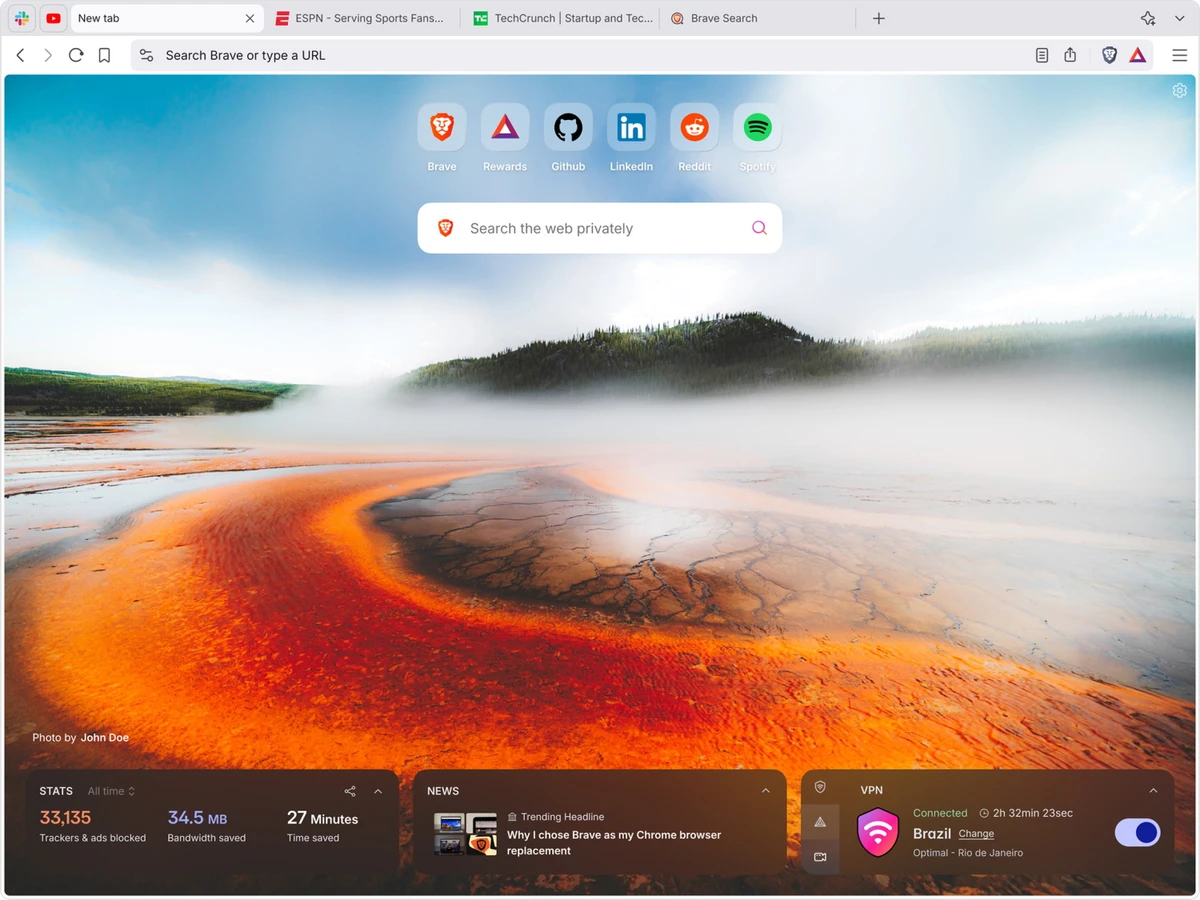
After using Brave Browser, I found the transition from Chrome to be very smooth. Since it's built on Chromium, the interface feels familiar, and most Chrome extensions work without issue, making it easy to continue using existing productivity tools. The biggest difference becomes noticeable while browsing. Pages often load more quickly because Brave blocks ads and trackers before they are downloaded. The browser also displays information about blocked trackers through its built-in Shields feature, giving users a clear view of the protections being applied. One feature I particularly appreciated is the ability to customize privacy settings for individual websites. Rather than using the same security level everywhere, Brave allows adjustments on a site-by-site basis, making it easier to balance privacy with website compatibility.

Brave Rewards is another distinctive feature. Users can choose whether or not to participate, and those who opt in may earn BAT by viewing privacy-respecting advertisements. Since the feature is optional, users who simply want a private browser can ignore it entirely. Brave Search also adds value by providing an independent search experience along with search result sorting, giving users additional control over how results are displayed. Overall, Brave combines familiar Chromium compatibility with privacy-focused features that work automatically without requiring additional extensions.

Who Should Use Brave Browser?

  • Privacy-conscious users
  • People looking for an alternative to Chrome or Edge
  • Users who want built-in ad blocking without installing extensions
  • Anyone seeking faster page loading and reduced tracking
  • Users interested in an optional browser rewards program

Conclusion

Brave Browser successfully combines the familiarity of Chromium with a stronger focus on privacy, speed, and user choice. Built-in protection against ads, trackers, cookies, and fingerprinting improves both browsing performance and privacy without requiring additional setup. Optional features such as Brave Rewards and Brave Search further distinguish it from many mainstream browsers.

Pros & Cons

Pros

  • Strong privacy protection enabled by default
  • Built-in ad and tracker blocking
  • Fast browsing performance
  • Compatible with most Chrome extensions
  • Customizable Shields for individual websites
  • Optional Brave Rewards program with BAT earnings
  • Independent search engine with search result sorting
  • Open-source development

Cons

  • Some websites may require Shields to be adjusted for full functionality
  • Brave Rewards may not be useful for every user
  • While compatible with most Chrome extensions, the extension ecosystem itself is still centered on Chrome

Frequently Asked Questions

What is Brave Browser?

Brave Browser is a Chromium-based web browser designed to improve privacy by blocking ads, trackers, third-party cookies, and fingerprinting techniques by default.

Is Brave Browser compatible with Chrome extensions?

Yes. Because Brave is built on the Chromium engine, it supports most extensions available for Google Chrome.

What is Brave Rewards?

Brave Rewards is an optional program that allows users to earn Basic Attention Token (BAT) by viewing privacy-respecting advertisements.

Does Brave include an ad blocker?

Yes. Brave includes a built-in ad and tracker blocker, eliminating the need for many third-party ad-blocking extensions.

What is Brave Search?

Brave Search is Brave's independent search engine. It includes features such as search result sorting, allowing users greater control over how search results are displayed.

Is Brave Browser open source?

Yes. Brave is developed as an open-source browser, allowing its codebase to be publicly reviewed and contributed to.

Recommended apps [Freeware]:
  • Visual Studio Code 1.126.0 Visual Studio Code logo Free and powerful code editor from Microsoft with extensions, debugging, Git support, and multi-language development
  • NewFileTime 8.28 NewFileTime logo a lightweight Windows utility that lets users change file creation, modification, and access timestamps easily
  • NirLauncher Package 1.30.24 NirLauncher Package logo a portable Windows utility suite with 180+ NirSoft tools for system, network, and recovery tasks
  • WD Drive Utilities 2.1.6.511 WD Drive Utilities logo Manage, diagnose, and optimize Western Digital external hard drives with WD Drive Utilities for Windows
  • Recuva 1.55.133 Recuva logo recover deleted files from PCs, USB drives, memory cards, and damaged or formatted disks
  • Dashlane 6.2626.1 Dashlane logo secure password manager that stores credentials, autofills forms, and enhances online security with encryption and alerts
Recommended apps [Shareware]:
  • SketchUp Pro 2026 SketchUp Pro logo powerful 3D modeling software for architects, designers, and engineers with intuitive tools.
  • Sync Breeze 18.2.32 Sync Breeze logo fast and reliable file synchronization tool for local drives, NAS devices, and enterprise storage systems.
  • Total Audio Converter 6.1.0.299 Total Audio Converter logo convert MP3, WAV, FLAC, AAC and more with batch processing, CD ripping, and Windows integration.
  • EF Mailbox Manager 26.05 EF Mailbox Manager logo Manage multiple POP3 email accounts, remove spam on the server, and download messages securely
  • Diffchecker 7.1.4 Diffchecker logo offline tool for comparing text, images, PDFs, spreadsheets, and folders securely on Windows
  • Softros LAN Messenger 12.6.3.0 Softros LAN Messenger logo secure encrypted LAN messaging, group chat, and file sharing for office communication