


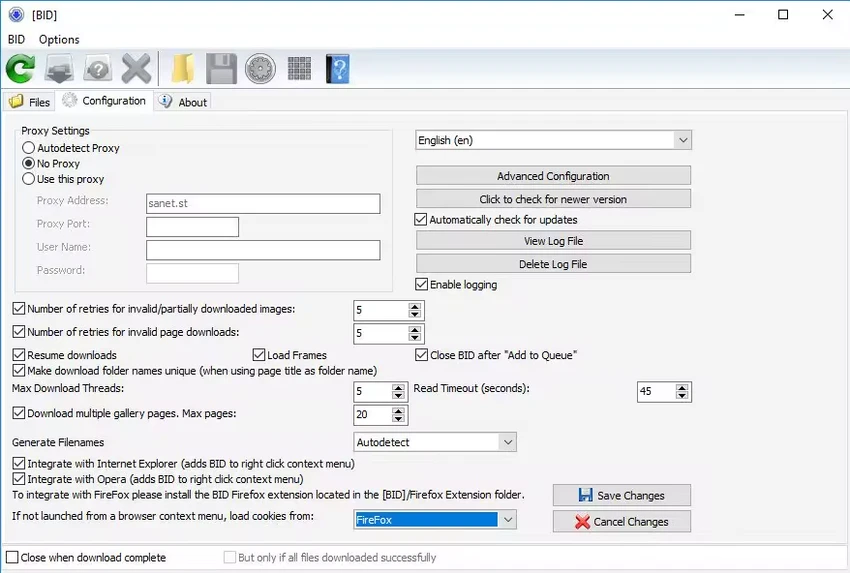

Bulk Image Downloader (BID) is a specialized downloading tool designed to help users download full-size images and videos from web galleries, forums, image hosting services, and social media albums. Instead of manually saving files one by one, the software automates the process by detecting and downloading large collections of media from supported websites. With support for batch downloading, browser integration, download resuming, and multi-threaded transfers, Bulk Image Downloader is aimed at users who regularly collect large numbers of images from online sources.
Features of Bulk Image Downloader
- Download full-size images from web galleries and forums
- Supports many popular image hosting services
- Download albums from supported social networking sites
- Automatic detection of full-resolution images
- Batch downloading through the integrated Queue Manager
- Browser integration with Internet Explorer, Opera, Firefox, and Chrome
- Scan multi-page forum threads and extract image links
- Download from multi-page web galleries
- Supports password-protected websites
- Download directly linked video files
- Download embedded images from web pages
- Support for sequenced image URLs (fusker mode)
- Automatic image validation and retry functionality
- Resume interrupted downloads
- Multi-threaded downloading with support for up to 50 simultaneous downloads
- Automatic handling of redirected image links
- Retrieve original filenames from supported image hosts
- Generate custom file names for downloaded content
- Export galleries to HTML or BB Code
- Advanced configuration options for difficult websites
- Supports Windows 11, Windows 10, and Windows 8
User Experience
After reviewing Bulk Image Downloader, it is clear that the software is designed for efficiency. Rather than requiring users to navigate through every page of a gallery manually, the application automatically scans pages, identifies downloadable content, and retrieves full-size media files whenever possible. The Queue Manager is particularly useful for large-scale downloading projects. Users can add multiple gallery URLs and allow the software to process them sequentially, reducing the need for constant supervision.
Browser integration streamlines the workflow. Opening the current page directly in Bulk Image Downloader saves time and makes it easier to begin downloading content without copying and pasting URLs repeatedly. One of the software's strongest capabilities is its support for multi-page galleries and forum threads. The application can scan multiple pages and collect image links automatically, which is especially helpful when dealing with large image collections spread across numerous posts or gallery pages.
The download engine also performs well thanks to multi-threaded downloading and resume support. If a connection is interrupted, downloads can continue from where they stopped, helping users avoid wasted time and bandwidth. Image validation is another practical feature, ensuring that downloaded files are complete and retrying failed downloads when necessary.
Who Should Use Bulk Image Downloader?
- Photographers collecting reference images
- Content researchers and archivists
- Digital artists gathering inspiration materials
- Forum users downloading image collections
- Users managing large media archives
- Anyone who frequently downloads images from galleries and image hosts
Conclusion
Bulk Image Downloader simplifies one of the most time-consuming online tasks: downloading large collections of images and videos. With support for batch downloads, gallery detection, forum scanning, browser integration, and download recovery, it offers a practical solution for users who need more than a basic web browser download function.


