


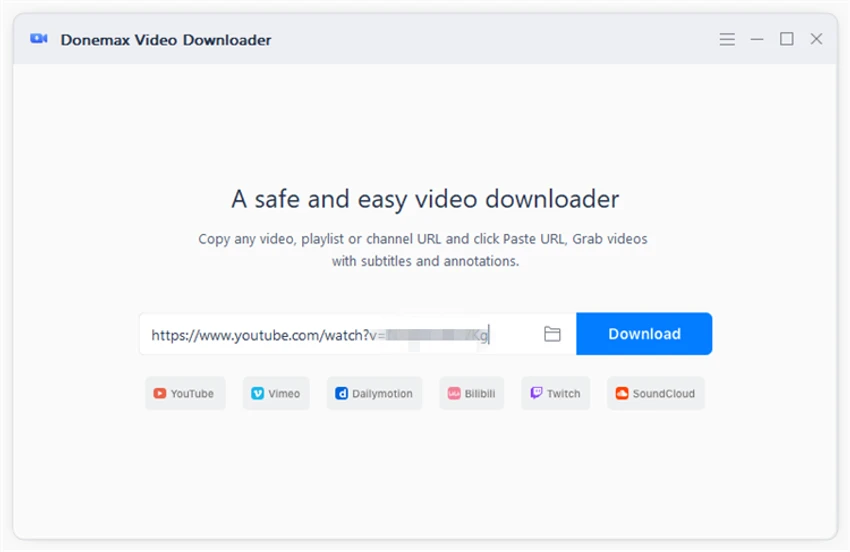

Donemax Video Downloader is a Windows-based utility designed to download videos and audio from a wide range of online platforms. It supports more than 1,200 websites, including popular services such as YouTube, TikTok, Facebook, Vimeo, Twitter, and Instagram.
Overview
Donemax Video Downloader provides a straightforward way to save online media content for offline use. It is especially useful for users who want to store videos or music locally when streaming is not convenient or when platforms do not offer direct download options. The software features a simple interface where users can paste a video URL, select output format and resolution, and begin downloading immediately. It also supports batch downloading, allowing multiple files to be processed simultaneously. Its design focuses on ease of use, making it accessible for users who are not familiar with advanced download tools.
Key Features of Donemax Video Downloader
- Download videos from 1,200+ websites
- Supports platforms like YouTube, TikTok, Facebook, Vimeo, and Instagram
- Download both video and audio files
- Simple URL-based download interface
- Format and resolution selection before downloading
- Batch download multiple videos simultaneously
- Preview video quality before download
- Editable file names during download setup
- Fast download processing
- Supports offline media storage
User Experience
Donemax Video Downloader offers a clean and minimal interface centered around simplicity. Users can quickly paste a video link and retrieve available download options without navigating complex menus. Once a link is processed, the software displays available formats and resolutions, allowing users to choose the best quality for their needs. This makes it convenient for both casual users and those who want control over file size and output quality.
Batch downloading is one of its most practical features, enabling users to queue multiple videos and download them simultaneously. This improves efficiency when saving large amounts of content. While the tool is easy to use, its functionality is primarily focused on downloading rather than media management or editing.
Who Should Use Donemax Video Downloader?
- Users who want offline access to online videos
- Social media content collectors
- Students saving educational videos
- Travelers downloading media for offline use
- Users needing bulk video downloads
- Anyone who prefers simple download tools
Conclusion
Donemax Video Downloader is a straightforward and efficient tool for saving online videos and audio for offline use. Its wide platform compatibility and simple workflow make it a convenient solution for everyday media downloading needs.


