


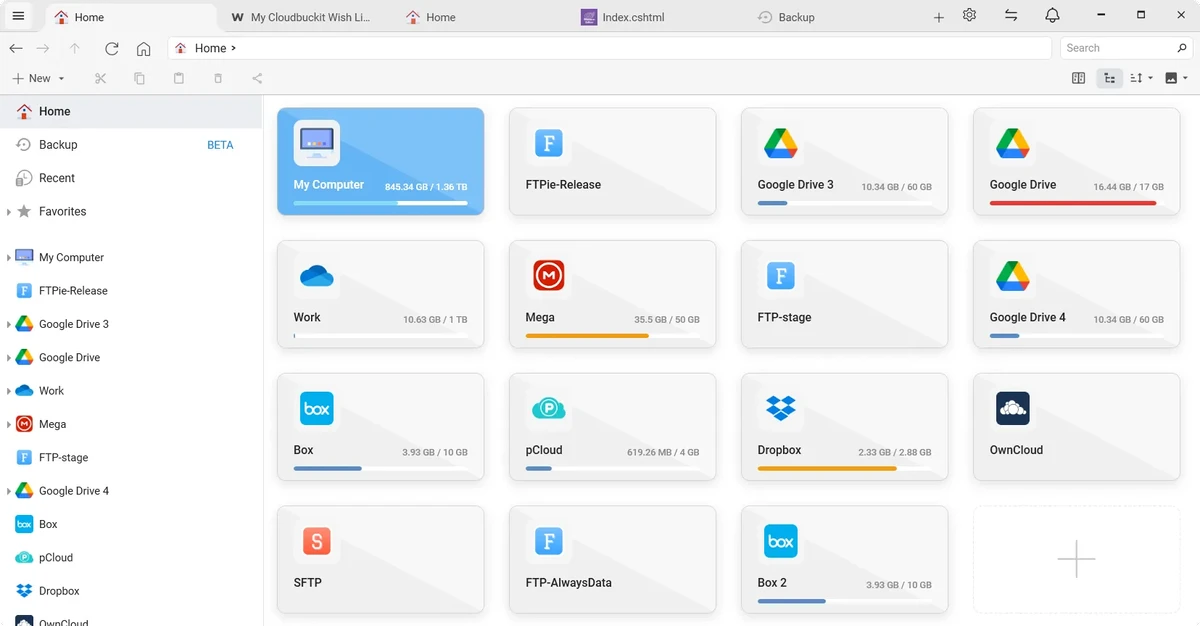

FTPie is a modern file management and transfer tool designed to simplify working with FTP servers and cloud storage platforms. It combines traditional FTP capabilities with cloud integration and productivity features such as quick sharing, embedded file editing, and seamless integration with Google Docs and Microsoft 365 applications. Built for Windows users, FTPie focuses on making file transfers, uploads, and remote file management more accessible through both its main interface and Windows shell extension.
Features of FTPie
- Transfer, upload, and manage files between PC, cloud storage, and FTP servers.
- Integrated support for cloud storage and FTP connections.
- Embedded file viewers and editors within the application.
- Quick Share feature to generate shareable URLs via right-click.
- Quick Upload via Windows shell extension for fast file transfers.
- Edit Google Docs directly within FTPie.
- Microsoft Office file support with seamless integration.
- Automatic syncing with local applications after editing.
- Create desktop shortcuts for cloud and FTP folders.
- Fast access to remote storage with double-click shortcuts.
- Right-click context menu integration for streamlined workflows.
User Experience
FTPie provides a smooth and intuitive experience for managing files across multiple storage environments. Connecting FTP servers or cloud storage accounts is straightforward, and once configured, file transfers can be performed quickly without navigating complex menus. One of the most useful aspects is its shell extension integration. Being able to right-click a file or folder to upload it directly to cloud storage or FTP significantly speeds up repetitive tasks. This makes it especially convenient for users who frequently move files between local and remote locations.
The built-in document editing feature adds another layer of convenience. Instead of downloading files separately, users can open and edit Google Docs or Microsoft Office files directly inside FTPie, with changes syncing automatically afterward. The Quick Share feature also enhances workflow efficiency by allowing instant generation of shareable links, making collaboration and file distribution faster.
Overall, FTPie feels like a hybrid between a traditional FTP client and a cloud productivity tool, offering a unified workspace for file management across different platforms.
System Requirements
- Windows 10
- Windows 11
Who Should Use FTPie?
FTPie is ideal for professionals, developers, content creators, and office users who frequently transfer files between FTP servers, cloud storage platforms, and local systems. It is also useful for teams that rely on collaborative document editing and quick file sharing across different services. Users looking for a simplified, all-in-one file transfer and cloud management tool will benefit the most from its integrated workflow approach.
Conclusion
FTPie stands out as a versatile file transfer and cloud management solution that simplifies working across FTP servers, local files, and cloud storage platforms. With features like quick uploads, embedded document editing, and instant sharing, it streamlines everyday file workflows.


