


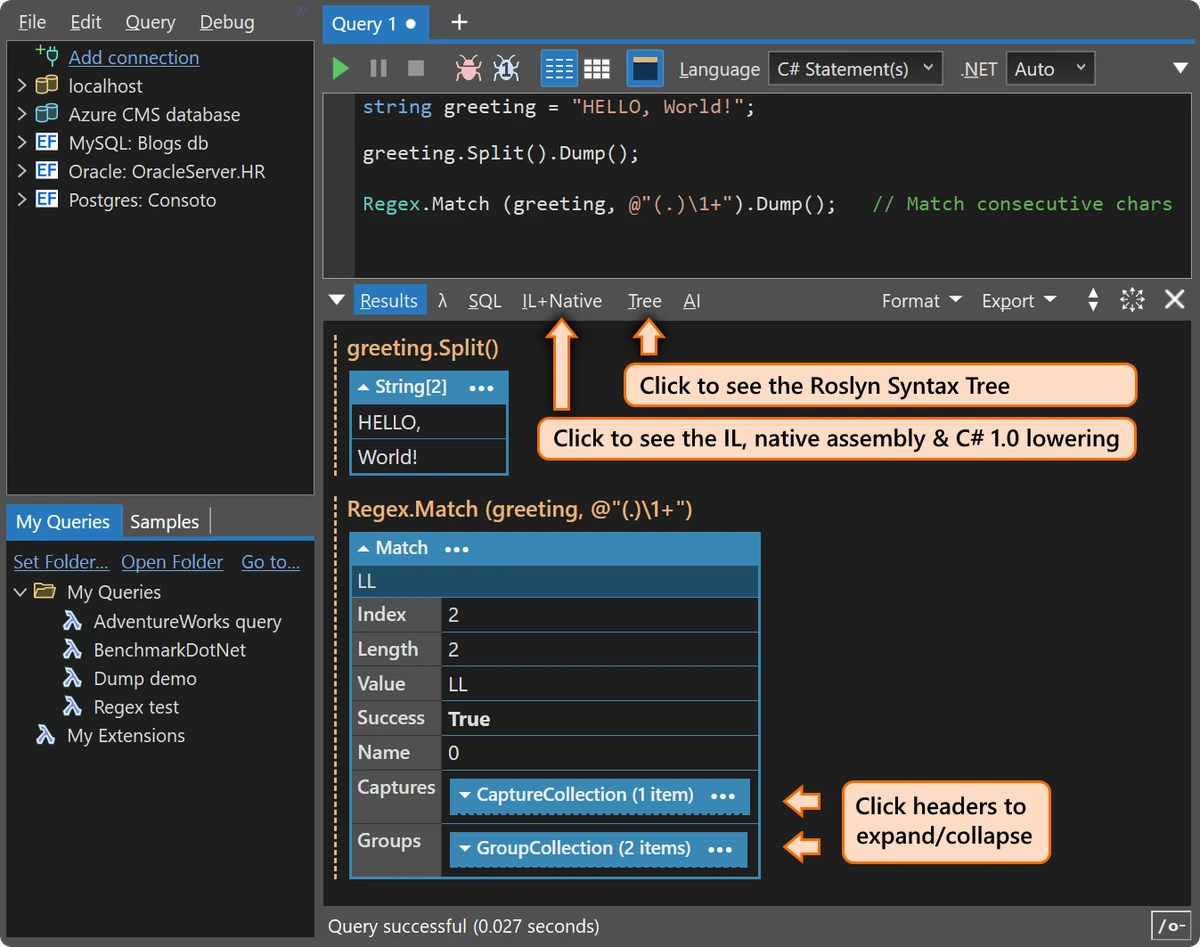

LINQPad is an interactive development environment for .NET that enables developers to write, test, and execute C#, F#, VB, LINQ, and SQL code without creating full Visual Studio projects. Originally designed for LINQ experimentation, it has evolved into a comprehensive scripting and prototyping platform that supports rapid application development, database exploration, and code testing. With built-in database connectivity, rich output visualization, debugging tools, NuGet support, and modern AI-assisted development features, LINQPad provides a productive environment for developers working with .NET applications and relational databases.
Features of LINQPad
- Interactive execution of:
- C#
- F#
- Visual Basic
- LINQ
- SQL
- Rapid scripting without creating Visual Studio projects
- Reference custom assemblies
- NuGet package support
- Command-line script execution
- Rich formatted output
- Optional debugger
- Code autocompletion
- Query cloning with a single keystroke
Database Development
- Query databases using LINQ or SQL
- Automatic relationship mapping through foreign keys
- Interactive navigation of related data
- Drivers for:
- SQL Server
- SQL Azure
- Oracle
- SQLite
- PostgreSQL
- MySQL
- High-performance scaffolding engine
AI-Assisted Development
- AI coding assistant
- AI chat with selectable providers and reasoning modes
- SQL-to-LINQ conversion
- Self-correcting code suggestions
- Schema-aware assistance
- Unit-test integration
- Diff comparison for generated code
- Copilot integration
- OpenRouter integration
Development Tools
- Support for C# 14 and .NET 10
- Automatic C# code fixes and refactorings
- File-based applications with #:project and #:package
- Feature search across commands, help, and settings
- Improved Data Grid visualizer
- Customizable keyboard shortcuts
- Connection grouping
- Object filtering for LINQ-to-SQL and EF Core
- Centralized password manager with Windows DPAPI and macOS Keychain integration
User Experience
LINQPad offers a workflow that is significantly faster than creating traditional Visual Studio projects for experimentation or testing. Opening the application and immediately executing snippets of C#, LINQ, SQL, or F# code makes it especially appealing for rapid prototyping and learning. The interface is clean and developer-focused, emphasizing productivity over complexity. Rich output formatting allows objects, collections, and query results to be explored interactively, making debugging and data inspection straightforward.
Database connectivity is one of LINQPad's strongest features. Automatic relationship discovery removes much of the boilerplate typically associated with SQL joins, allowing developers to navigate related data naturally through LINQ expressions.
Recent additions such as integrated AI assistance, SQL-to-LINQ conversion, automatic code fixes, and an updated editor further improve the development experience without replacing traditional IDEs for large-scale projects. While LINQPad can handle substantial scripting and application development tasks, it shines most as a rapid development, database exploration, and experimentation environment alongside larger development tools.
Who Should Use LINQPad?
- C# developers
- .NET developers
- Database developers
- SQL and LINQ users
- Software engineers building prototypes
- Students learning C# or LINQ
- Developers testing APIs and algorithms
- Professionals who frequently work with SQL Server, PostgreSQL, Oracle, SQLite, or MySQL
Conclusion
LINQPad has grown far beyond its origins as a LINQ query tool into a highly capable interactive .NET development environment. It simplifies scripting, database exploration, rapid prototyping, and code experimentation while providing modern productivity features such as AI-assisted development and intelligent code analysis.


