Advanced Installer logo

Advanced Installer 23.8

  • User Rating:
    ★★★★★
    ★★★★★
    0.0 0Votes
  • Requirements:
    Windows
  • Version: 23.8
  • Latest updated: 6 days ago
  • License: Freemium  
  • Publisher: Caphyon Ltd
  • Size: 306 MB
× app stores

Advanced Installer is a Windows-based software packaging tool designed to help developers and system administrators create MSI installation packages. It simplifies the complex process of building Windows Installer packages by providing a structured, user-friendly environment for configuring applications, dependencies, and deployment settings.

Overview

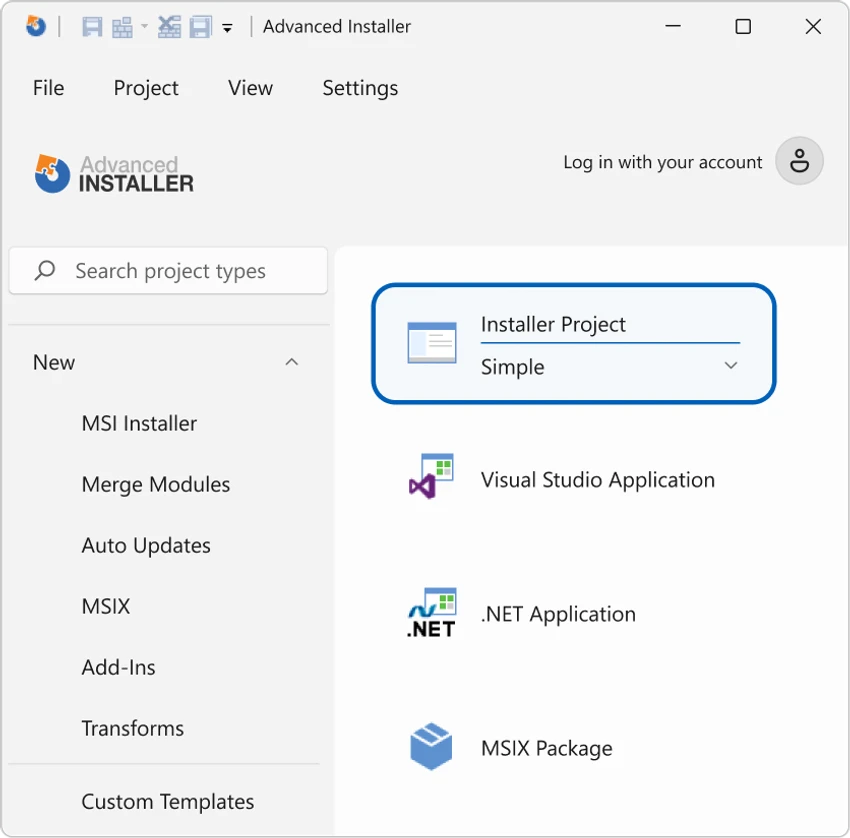
Advanced Installer focuses on simplifying MSI creation and application deployment. Instead of manually working with complex Windows Installer database structures, users can build installation packages through a guided interface. It is commonly used in software development and IT deployment workflows where reliable, repeatable installation packages are required. The tool also supports automation and integration into build pipelines, making it suitable for professional development environments.

Features of Advanced Installer

  • Create MSI and EXE installer packages for Windows applications
  • Simplified interface for managing complex Windows Installer structures
  • Integration with automated build tools and CI/CD pipelines
  • Add and manage application prerequisites
  • Organize applications into modules and components
  • Customize installation UI and user experience
  • Extend installation behavior using custom actions
  • Support for software registration and resource configuration
  • Package validation and reliability-focused build process
  • Windows Installer-based deployment compatibility

User Experience

Advanced Installer is designed to reduce the complexity of MSI creation, which is traditionally a highly technical and error-prone process. Instead of manually editing installer databases, users work through structured configuration screens that guide the packaging process. For developers, the tool integrates well into automated build environments, allowing installers to be generated consistently as part of software release workflows. System administrators benefit from the ability to standardize software deployment across multiple machines. While the tool still requires understanding of installation concepts, it significantly lowers the barrier compared to raw Windows Installer authoring.

Who Should Use Advanced Installer?

  • Software developers building Windows applications
  • DevOps engineers managing deployment pipelines
  • IT administrators packaging internal software
  • Organizations distributing desktop applications on Windows
  • Teams needing standardized MSI installer creation

Conclusion

Advanced Installer is a powerful and professional MSI packaging solution that simplifies Windows application deployment. It reduces the complexity of traditional Windows Installer authoring while still offering deep customization and automation capabilities.

Pros & Cons

Pros

  • Simplifies complex MSI creation process
  • Supports automation and build pipeline integration
  • Highly structured installer configuration workflow
  • Supports prerequisites and dependency management
  • Flexible customization of installation behavior and UI
  • Suitable for professional deployment environments

Cons

  • Requires understanding of Windows installation concepts
  • Can be overpowered for simple installer needs
  • No official rating or performance benchmark provided
  • Focused exclusively on Windows ecosystem

Frequently Asked Questions

What is Advanced Installer used for?

Advanced Installer is used to create MSI and EXE installation packages for Windows applications.

Does Advanced Installer support automation?

Yes, it can integrate with automated build tools and CI/CD pipelines.

Is Advanced Installer only for developers?

No, it is used by both developers and system administrators for software deployment.

Can I customize the installer interface?

Yes, it allows customization of the installation UI and workflow.

Does it support prerequisites?

Yes, you can include and manage software prerequisites within installer packages.

Recommended apps [Freeware]:
  • NewFileTime 8.28 NewFileTime logo a lightweight Windows utility that lets users change file creation, modification, and access timestamps easily
  • AOMEI Backupper 8.4.0 AOMEI Backupper logo easy-to-use Windows backup software for system imaging, disk cloning, and file restoration
  • Tixati 3.43 Tixati logo a fast, ad-free BitTorrent client offering advanced peer control, bandwidth management, and detailed swarm analysis
  • NanaZip 6.5.1750.0 NanaZip logo a modern file compression and extraction tool based on 7-Zip, offering strong encryption and wide format support
  • AnyDesk 9.7.8 AnyDesk logo fast remote desktop access with secure connections, file sharing, and remote support for Windows users
  • PilotEdit 21.0.0 PilotEdit logo a powerful text and hex editor for large files with FTP support, scripting, encryption, and search tools
Recommended apps [Shareware]:
  • Wondershare AllMyTube 7.4.9.2 Wondershare AllMyTube logo download and convert videos from YouTube and 100+ sites into multiple formats for offline viewing.
  • Send Anywhere 24.6.0 Send Anywhere logo free cross-platform file-sharing tool that transfers files of any size without registration.
  • Ant Download Manager 2.17.4.96212 Ant Download Manager logo a Windows tool that speeds up downloads, captures streaming media, supports torrents, and integrates with browsers
  • MediaHuman YouTube to MP3 Converter 3.9.21 MediaHuman YouTube to MP3 Converter logo downloads audio from YouTube, SoundCloud, and other platforms in high-quality MP3 format
  • Sketchbook Pro 9.4.7.0 Sketchbook Pro logo a professional drawing app with customizable brushes, layers, symmetry tools, and natural pen support.
  • XL-Connector 3.7.14.0 XL-Connector logo Excel plugin for Salesforce data export, import, bulk updates, and metadata management.