


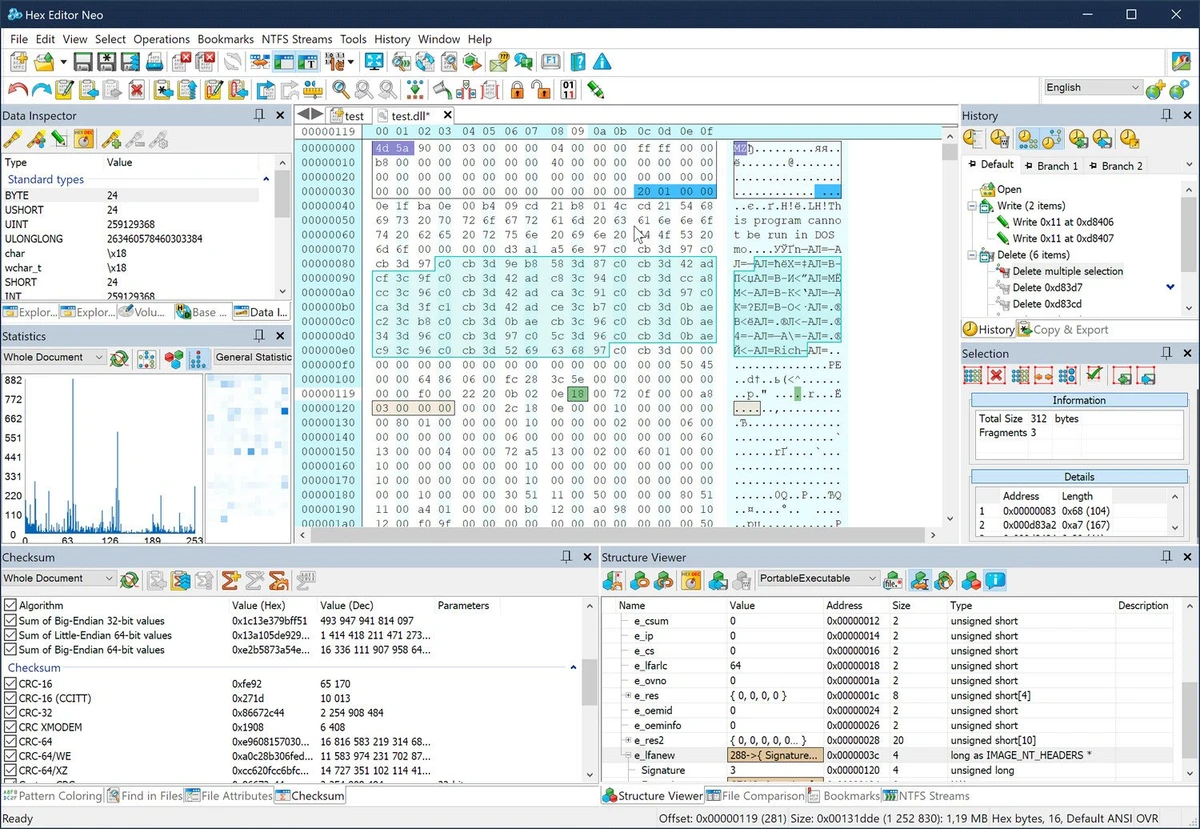

Hex Editor Neo is a professional binary file editing utility for Windows designed to help developers, researchers, testers, and advanced users view and modify raw file data. The software provides direct access to binary content, allowing users to work with hexadecimal, ASCII, decimal, floating-point, and binary data formats.
The application is designed for editing files of any size while maintaining high performance. It helps software and hardware developers analyze binary structures, modify executable files, create patches, and investigate the contents of various file formats. Users can directly edit raw data from files such as EXE, DLL, DAT, AVI, MP3, and JPG formats. Hex Editor Neo includes a wide range of professional editing tools, including unlimited undo and redo, multiple selections, search and replace functions, history management, bookmarks, data inspection, and advanced copy and export options. The software also supports patch creation and provides visual operation history with branching.
Performance is a major focus of Hex Editor Neo. The application is optimized for handling large binary files and allows users to continue working while other documents process longer operations. Its interface can also be customized with color settings, allowing users to adjust editor window elements through a built-in color picker.
Supporting Windows XP through Windows 11 and multiple Windows Server versions, Hex Editor Neo is designed for users who need precise control over binary data and file structures.
Features of Hex Editor Neo
- Edits binary files of any size
- Direct hex code and binary data manipulation
- Supports ASCII, hexadecimal, decimal, float, double, and binary formats
- High-performance binary file processing
- Unlimited undo and redo support
- Multiple selection editing
- Find All and Replace All functions
- Patch creation tools
- Built-in file explorer
- History browsing with save and load options
- Data inspector for analyzing file content
- Bookmarks for easier navigation
- Base converter tools
- Advanced copy and export functions
- Supports multiple encoding formats
- Pattern coloring customization
- Color customization for editor interface elements
- Supports EXE, DLL, DAT, AVI, MP3, and JPG file editing
Interface and Usability
Hex Editor Neo provides a specialized workspace built for detailed binary editing tasks. The interface is designed around precision, giving users access to raw file content alongside tools for searching, editing, analyzing, and managing data.
The customizable color settings help users personalize the editor environment, while features such as bookmarks, history browsing, and multiple selections make it easier to navigate complex files. The visual operation history with branching provides additional control when performing advanced modifications. The software is primarily aimed at technical users rather than beginners. Developers and experienced users who understand binary structures can take advantage of its extensive editing capabilities, while casual users may find the tool more complex due to its specialized purpose.
Who Should Use Hex Editor Neo?
- Software developers working with binary files
- Hardware developers analyzing raw data
- Beta testers examining application files
- Students learning about binary structures
- Programmers creating patches or modifying file content
- Advanced users needing direct file-level editing
Conclusion
Hex Editor Neo is a powerful binary editing solution for users who need direct control over file data. Its combination of high-performance processing, advanced editing features, and support for many binary formats makes it a valuable tool for developers, testers, and technical users.


