



LibreOffice is a free and open-source office productivity suite that provides a complete collection of applications for creating documents, spreadsheets, presentations, databases, vector graphics, and mathematical formulas. Developed as a community-driven successor to OpenOffice.org, it gives users full control over their software without subscription fees, advertisements, or vendor lock-in. Available across multiple platforms, LibreOffice is designed for students, professionals, businesses, and anyone looking for a capable alternative to proprietary office software.
The suite includes Writer for word processing, Calc for spreadsheets, Impress for presentations, Draw for vector graphics and diagrams, Math for creating formulas, and Base for database management. LibreOffice supports a wide range of document formats, including Microsoft Office files such as DOCX, XLSX, and PPTX, making it suitable for collaborating with users of other office suites. It also works with OpenDocument formats, PDF files, HTML, XHTML, CSV, and EPUB export, offering flexibility for many productivity tasks.
Beyond document editing, LibreOffice supports extensions, templates, interface customization, and database connectivity through JDBC and ODBC drivers. Integration with services such as Nextcloud and ownCloud allows users to access cloud-stored files, although real-time collaboration is not as seamless as cloud-first office platforms. With regular community updates, strong privacy principles, and extensive compatibility, LibreOffice remains one of the most complete free office suites available.
Features of LibreOffice
- Free and open-source office suite
- Includes Writer, Calc, Impress, Draw, Math, and Base
- Compatible with Microsoft Office file formats (DOCX, XLSX, PPTX)
- Native support for OpenDocument formats (ODT, ODS, ODP)
- Open, edit, and export PDF documents
- Export documents as EPUB files
- Support for HTML, XHTML, and CSV files
- Customizable interface with extensions and templates
- Database connectivity via JDBC and ODBC
- Compatible with MySQL, MariaDB, and PostgreSQL databases
- Integration with Nextcloud and ownCloud
- No subscriptions, advertisements, or user tracking
- Regular updates from an active open-source community
Interface and Usability
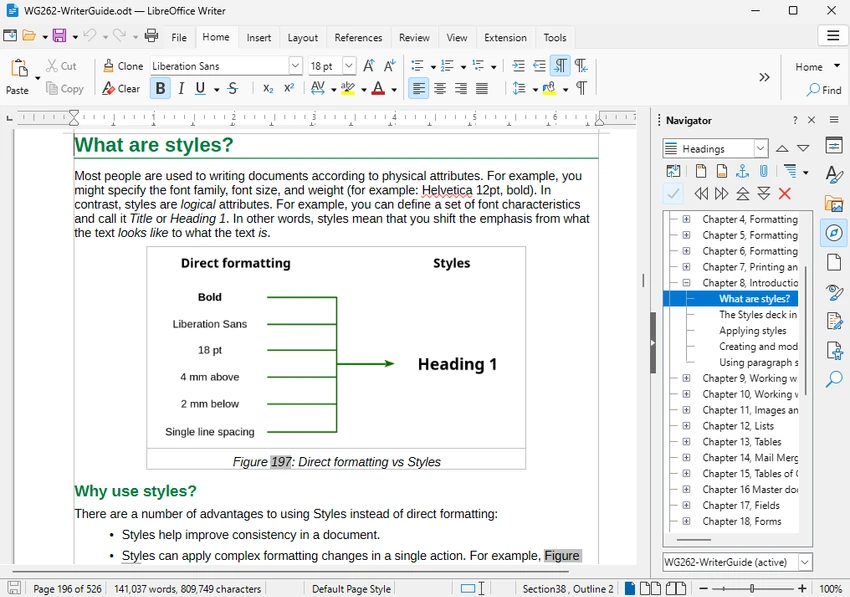
LibreOffice follows a traditional desktop office suite design, making navigation familiar for users who have previously worked with productivity software. Each application is organized around dedicated toolbars, menus, and formatting controls that provide quick access to commonly used features.
The interface prioritizes functionality over modern visual styling, which may feel dated compared to some commercial alternatives. However, it remains highly customizable through extensions, templates, and interface options, allowing users to tailor the workspace to their preferences. Day-to-day tasks such as creating documents, managing spreadsheets, designing presentations, and exporting files are straightforward, while the broad file compatibility helps simplify collaboration across different office environments.
Who Should Use LibreOffice?
- Students looking for a free office suite
- Home users replacing Microsoft Office
- Small businesses seeking subscription-free productivity software
- Privacy-conscious users who prefer open-source applications
- Organizations using OpenDocument formats
- Users who need document, spreadsheet, presentation, and database tools in one package
Conclusion
LibreOffice delivers a comprehensive office productivity experience without requiring subscriptions or compromising user privacy. Its broad file compatibility, extensive application suite, and open-source foundation make it a compelling alternative to commercial office software for both personal and professional use. While real-time collaboration and certain advanced Microsoft Office features are more limited, LibreOffice offers outstanding value for users seeking a powerful, privacy-focused office suite at no cost.


