Epic Pen logo

Epic Pen 3.12.182

  • User Rating:
    ★★★★★
    ★★★★★
    0.0 0Votes
  • Requirements:
    Windows
  • Version: 3.12.182
  • Latest updated: 2 days ago
  • License: Freemium  
  • Publisher: Tank Studios
  • Size: 0.3 MB
× app stores

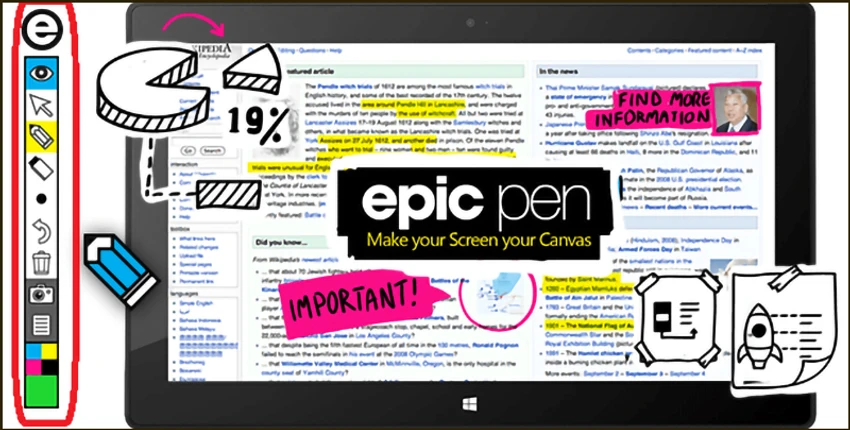
Epic Pen is a screen annotation tool for Windows that allows users to draw, write, and highlight directly over desktop applications. It is designed to help users add visual notes to presentations, websites, videos, creative applications, and other on-screen content without leaving the current workflow. With a clean and simple interface, Epic Pen focuses on making screen markup accessible for everyday users. Instead of offering complicated editing controls, it provides a straightforward way to annotate what is currently displayed on the screen.

Features of Epic Pen

  • Draw directly over Windows desktop applications.
  • Write and highlight content on the screen in real time.
  • Works with presentation software, websites, videos, creative tools, and games.
  • Offers a simple interface designed for quick access.
  • Supports customizable hotkeys for faster control.
  • Allows users to move between applications smoothly.
  • Lets users return to the normal desktop after completing annotations.
  • Supports Wacom devices.
  • Provides pen pressure support for adjusting drawing size when used with compatible tablets.
  • Includes a compact installer without hidden extra software.

User Experience

Epic Pen delivers a focused annotation experience without unnecessary complexity. The software is easy to understand, making it suitable for users who need to quickly mark important information during presentations, tutorials, or demonstrations. The ability to draw directly on top of other applications is the main strength of Epic Pen. Users can highlight details, add notes, or explain visual content without taking screenshots or switching between different tools. The customizable hotkeys also help create a smoother workflow, especially when annotations are needed frequently. For users with drawing tablets, Wacom support and pen pressure functionality provide a more natural drawing experience.

Who Should Use Epic Pen?

  • Teachers and trainers who need to explain content visually.
  • Presenters who want to highlight information during demonstrations.
  • Business users creating walkthroughs or tutorials.
  • Creative professionals who need quick screen markup.
  • Anyone looking for a simple Windows screen drawing tool.

Conclusion

Epic Pen is a practical Windows annotation utility that makes it easy to draw, write, and highlight directly on the screen. Its clean design and straightforward controls make it useful for presentations, education, demonstrations, and visual communication.

Pros & Cons

Pros

  • Easy-to-use screen annotation interface.
  • Works across many Windows applications.
  • Useful for presentations and demonstrations.
  • Supports custom hotkeys.
  • Compatible with Wacom devices.
  • Includes pen pressure support.
  • Lightweight installation.

Cons

  • Designed mainly for annotation rather than advanced image editing.

Frequently Asked Questions

What is Epic Pen?

Epic Pen is a Windows screen annotation tool that allows users to draw, write, and highlight directly over desktop applications.

Can Epic Pen be used during presentations?

Yes. Epic Pen can be used with presentation software to add notes and highlights directly on the displayed content.

Does Epic Pen support drawing tablets?

Yes. Epic Pen supports Wacom devices and provides pen pressure support when used with compatible tablets.

Can Epic Pen work with videos and websites?

Yes. The software can be used to annotate content displayed in videos, websites, and other desktop applications.

Does Epic Pen require advanced technical skills?

No. Epic Pen is designed with a simple interface that allows users to start annotating quickly.

Is Epic Pen suitable for gaming or creative software?

Yes. The provided information states that Epic Pen can be used with games and creative applications for screen annotation.

Recommended apps [Freeware]:
  • Adobe Camera Raw 18.4 Adobe Camera Raw logo Edit, process, and convert RAW photos in Photoshop with Adobe Camera Raw's powerful image workflow tools
  • ExpanDrive 2026.06.11 ExpanDrive logo mounts cloud storage and remote servers as local drives for seamless file access in Windows Explorer
  • CCleaner 7.08.1355 CCleaner logo removes junk files, clears browsing traces, and helps optimize Windows for better performance
  • FlowHeater 4.5.5 FlowHeater logo data integration tool connecting files and databases like Excel, Access, SQL Server and MySQL
  • MSI Center 2.0.71.0 MSI Center logo a system utility for MSI devices that manages performance, gaming modes, monitoring, RGB, and hardware optimization tools
  • NetSpeedTray 1.3.3 NetSpeedTray logo Monitor real-time upload and download speeds, a lightweight system tray network speed monitor for Windows.
Recommended apps [Shareware]:
  • Sync Breeze 18.2.32 Sync Breeze logo fast and reliable file synchronization tool for local drives, NAS devices, and enterprise storage systems.
  • Teorex FolderIco 9.3.0 Teorex FolderIco logo Change folder colors or icons in one click and organize your files visually, so you can find everything instantly
  • FontExpert 2026 21.0 Release 1 FontExpert logo a Windows font manager for installing, organizing, previewing, and fixing fonts with advanced tools.
  • Copy Protect 3.0.2 Copy Protect logo converts media files into secured executables to prevent copying, duplication, and unauthorized distribution on Windows.
  • R-Studio 9.5 Build 191810 R-Studio logo powerful data recovery software for recovering deleted, formatted, or damaged files across multiple file systems
  • Coolutils PDF Splitter 5.2.0.43 Coolutils PDF Splitter logo split PDF files into individual pages, custom page ranges, or chapters defined by bookmarks