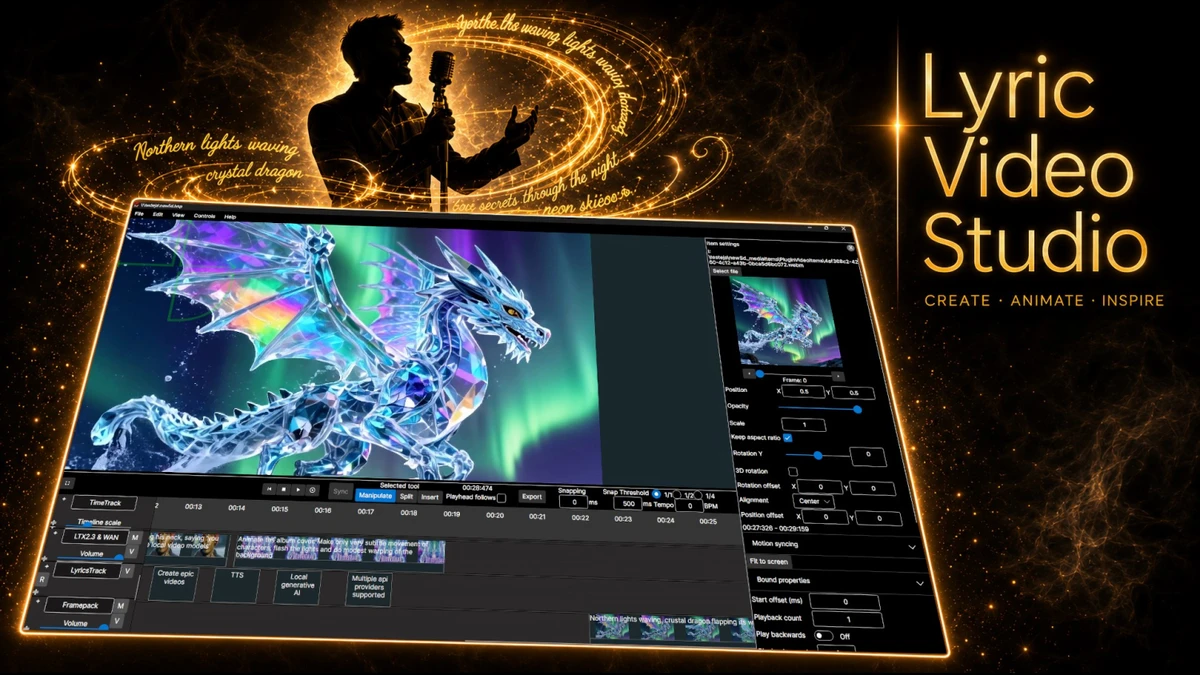
Lyric Video Studio logo

Lyric Video Studio 1.5.49

  • User Rating:
    ★★★★★
    ★★★★★
    0.0 0Votes
  • Requirements:
    Windows
  • Version: 1.5.49
  • Latest updated: 1 week ago
  • License: Commercial  
  • Publisher: Lyric Video Studio
  • Size: 102 MB
× app stores

Lyric Video Studio is a modern video creation tool designed specifically for producing lyric videos, music videos, and visualizers. It combines traditional timeline-based editing with AI-generated content tools, allowing users to sync lyrics with music and enhance videos using effects, subtitles, and generative AI features.

Overview

Lyric Video Studio focuses on making lyric video production faster and more accessible while still offering advanced editing capabilities. Users can import lyrics, synchronize them with audio, and build visual storytelling sequences using a multi-track timeline. What sets the software apart is its integration of AI services and plugins, including support for external generative tools such as image and video models. It also includes features like motion tracking, fragment shader effects, and audio-to-text lyric extraction. The software is positioned as a hybrid between traditional video editing tools and AI-assisted content generation platforms, targeting musicians, content creators, and visual artists.

Features of Lyric Video Studio

  • Lyric video creation optimized for music content
  • Non-linear multi-track timeline editing
  • 4K video support
  • Easy lyric import and subtitle editing
  • Drag-and-sync lyric timing workflow
  • AI-generated image and video content support
  • Integration with third-party AI providers (e.g., Stable Diffusion, DALL·E 3, Runway ML, Luma Labs, Kling AI, MiniMax)
  • Local AI model support (for compatible NVIDIA GPUs)
  • Fragment shader effects and customization
  • Object detection and motion tracking
  • Background removal tools for video and images
  • Audio-to-text lyric extraction and alignment
  • Text-to-video and prompt-based generation tools
  • Project-based prompt management system
  • Effects and transitions at track and project level
  • Mass editing tools for multiple elements
  • Built-in media library and optional FFmpeg support
  • Export and import workflow for video projects

User Experience

Lyric Video Studio is designed with both simplicity and depth in mind. The workflow for creating lyric videos is straightforward: users import a song, add lyrics, and synchronize them using a timeline-based system.

The syncing process is interactive and intuitive, allowing users to align lyrics in real time while the music plays. This makes it easier to produce timed captions or full lyric animations without advanced editing skills. For more advanced users, the software offers a wide range of customization options. The multi-track timeline supports different content layers such as lyrics, visuals, AI-generated assets, and effects. This flexibility allows for highly stylized music videos.

The integration of AI tools significantly expands creative possibilities, enabling users to generate visuals, storyboard scenes, and experiment with different design variations. Motion tracking and background removal further enhance editing control, especially for dynamic video compositions. While the feature set is extensive, the interface is designed to reduce repetitive editing tasks and streamline workflow, particularly when applying effects or making bulk changes across multiple elements.

Who Should Use Lyric Video Studio?

  • Musicians creating lyric videos
  • YouTubers producing music content
  • Content creators working with visualizers
  • Video editors exploring AI-assisted workflows
  • Artists who want automated subtitle and lyric syncing
  • Users interested in AI-generated video content

Conclusion

Lyric Video Studio is a forward-looking video creation tool that blends traditional editing with modern AI capabilities. It is especially well-suited for musicians and creators who want to transform lyrics into visually engaging content without relying on multiple separate tools.

Pros & Cons

Pros

  • Specialized tools for lyric video creation
  • AI-powered image and video generation support
  • Multi-track timeline editing system
  • 4K video output support
  • Motion tracking and background removal features
  • Audio-to-text lyric alignment
  • Supports third-party AI services and plugins
  • Efficient workflow for syncing lyrics with music
  • Mass editing and effect automation tools

Cons

  • Complex feature set may overwhelm beginners
  • Some features depend on external AI services or hardware capability
  • Requires strong PC hardware for advanced AI functions
  • Less focused on general-purpose video editing

Frequently Asked Questions

What is Lyric Video Studio used for?

Lyric Video Studio is used to create lyric videos, music videos, and visualizers with synchronized text and AI-generated visuals.

Does Lyric Video Studio support AI tools?

Yes. It integrates with multiple AI services, including image and video generation platforms like Stable Diffusion, DALL·E 3, Runway ML, and others.

Can I create lyric videos automatically?

You can import lyrics and use synchronization tools to align them with audio, with optional AI assistance for visuals and timing.

Does it support 4K video editing?

Yes. Lyric Video Studio supports 4K video output and advanced editing features.

Can it generate videos from text prompts?

Yes. The software supports text-to-video workflows through third-party AI integrations.

Does it require a powerful PC?

Basic usage works on mid-range systems, but AI features benefit from stronger hardware such as NVIDIA RTX GPUs.

Which operating systems are supported?

Lyric Video Studio supports Windows 10 version 17763.0 or higher (64-bit).

Recommended apps [Freeware]:
  • Tixati 3.43 Tixati logo a fast, ad-free BitTorrent client offering advanced peer control, bandwidth management, and detailed swarm analysis
  • MusicBee 3.6.9668 MusicBee logo a free music player and library manager with tagging, podcast support, album art lookup, and playlists
  • XnConvert 1.112.0.0 XnConvert logo batch image converter supporting 500 formats with 80+ editing actions and cross-platform compatibility
  • Power-user 1.7.84.406 Power-user logo Office add-in offering templates, icons, charts, maps, and diagrams to boost productivity in PowerPoint, Excel, and Word
  • Adobe Acrobat Reader DC 2026.001.21691 Adobe Acrobat Reader DC logo trusted PDF viewer for reading, printing, and annotating PDFs with strong security and cloud sync support
  • HttpMaster Professional 7.0.0 HttpMaster Professional logo web testing tool for developers to automate HTTP requests, API testing, and response validation
Recommended apps [Shareware]:
  • Secret Disk 2026 v323 Secret Disk logo create hidden, password-protected virtual drives to securely store private files on Windows
  • Araxis Merge 2026.0 Araxis Merge logo a powerful file comparison and merging tool for developers, legal teams, and professionals handling version control
  • DocuFreezer 7.0.2606.20080 DocuFreezer logo a Windows batch converter for documents and images, converting files to PDF, JPG, TIFF, PNG, and TXT formats
  • TweakNow WinSecret Plus 9.5.4 TweakNow WinSecret Plus logo Windows optimization, hidden tweaks, PDF tools, image conversion, and system utilities
  • IntraWEB 16.2.2 IntraWEB logo web development framework for creating interactive web applications using a Windows application-style approach
  • SQL Backup Master 8.5.1102.0 SQL Backup Master logo SQL Server backups with cloud storage, encryption, scheduling, and recovery features